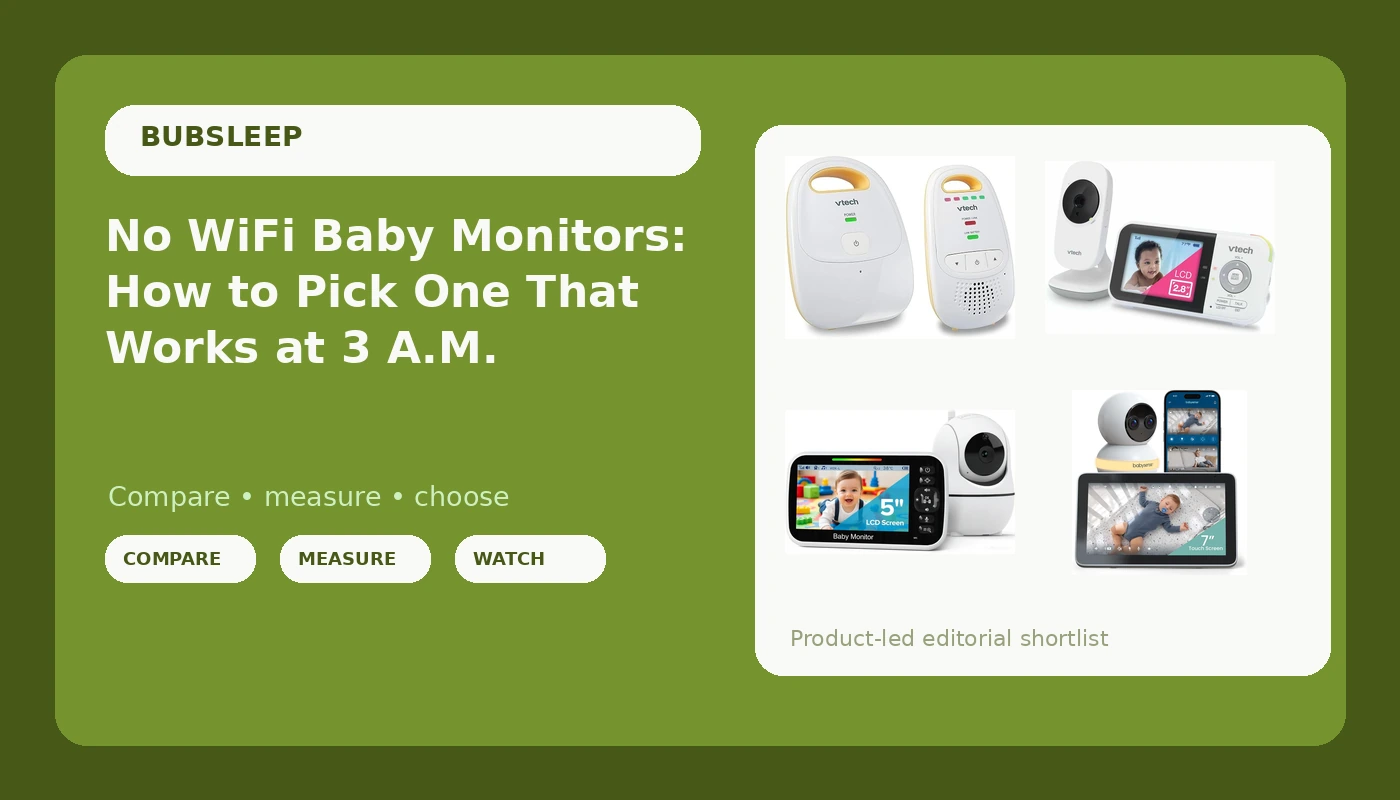
Most parents do not go shopping for a no WiFi baby monitor on purpose. They go shopping for a baby monitor, drift toward the app-based models with the sharpest video, and then find the fine print: the camera only works while the internet is up, the clips live in someone else's cloud account, and the features that sold them sit behind a monthly fee. A no WiFi baby monitor skips that entire conversation. The camera and the parent unit talk to each other over a direct radio link, the screen in your hand is the only interface, and a rebooted router becomes somebody else's problem.
That simplicity is not automatically better. It is a trade. You give up remote viewing from the driveway, you give up phone notifications, and you accept a dedicated handset that has to be charged and kept track of. What you get back is a feed that does not buffer, does not need an account, and does not change its terms of service in the middle of the night. Whether that trade suits your nursery depends on how you actually use a monitor, which is what this guide walks through.
Related: How to Test a Baby Monitor's Night Vision Before You Trust It →
Quick answer
The decision comes down to one question: do you want a direct radio link to a dedicated parent unit, or a camera that streams to your phone? If you want local video with a long battery and no network dependency, the VTech VM819 covers the most of that checklist here, with a 19-hour video battery, 1000ft range, night vision, and a temperature sensor. If app access matters more than a closed local link, the Babysense Touch pairs WiFi streaming with a 7-inch touchscreen parent unit, a 4MP dual-lens camera, 6X zoom, and no recurring subscription. If you want the lowest-cost video screen, the GoodBaby 5-inch monitor keeps the setup basic. And if you only need to hear your baby, the VTech DM111 audio monitor is the least complicated device in the group.
Four useful options
| Model | Best fit | What stands out |
|---|---|---|
| VTech VM819 Baby Monitor No WiFi | Local video with no network dependency | 19-hour video battery, 1000ft range, night vision, temperature sensor, sound-activated screen |
| Babysense Touch 7-Inch WiFi Baby Monitor | App access without a subscription | 7-inch touchscreen, 4MP dual-lens, 6X zoom, AI auto tracking, split-screen, VOX/ECO mode |
| GoodBaby 5-Inch Baby Monitor No WiFi | Lowest-cost video screen | 5-inch display fed by a camera and audio over a local link, no WiFi required |
| VTech DM111 Audio Baby Monitor | Audio-only monitoring | DECT 6.0 with no WiFi, 8-hour battery, belt clip, 5-level sound indicator |
Best fit for most families: VTech VM819 Baby Monitor No WiFi
The appeal here is the combination: a local radio link, a stated 19-hour video battery, and a 1000ft range figure that matters more than resolution once you are doing dishes in the kitchen. The sound-activated screen is the quiet feature parents underrate, because a display that only wakes when there is noise is a display that is not glowing at you from the nightstand at 4 a.m. The trade-offs are the usual ones for this class. There is no phone app, so you cannot check in from the backyard, and the handset is one more thing to charge and lose. Two-way talk and lullabies are conveniences rather than necessities. If your priority is a camera that keeps working when the internet does not, this is the shape of monitor to look at.
Best for app features without a subscription: Babysense Touch 7-Inch WiFi Baby Monitor
The "no subscription" line is the one to read twice, because it is the exception in the WiFi category rather than the rule. Zoom, auto tracking, and split-screen are all camera-side features that generally work whether you are looking at the handset or the app. The honest caveat is the one that applies to every WiFi monitor: the app side depends on your router, your internet connection, and the manufacturer's servers staying awake. A dual-lens camera with tracking is genuinely useful for a mobile toddler who will not stay in frame, and a 7-inch screen is easier to read across a dark room than a phone. Just go in knowing that the local screen is your fallback, not the other way around.
Best budget video screen: GoodBaby 5-Inch Baby Monitor No WiFi
This is the option to consider when the budget is the constraint and the requirement is simply "a screen I can keep next to the bed." The supplied product listing leads with the 5-inch display and the no-WiFi setup rather than advanced camera features, so treat it as a plain video monitor and set your expectations on the camera side accordingly. That is not a knock. Plenty of nurseries need exactly one thing: a picture of the crib on a dedicated screen with no account attached. What you are not buying here is the battery figure, the temperature sensor, or the app access that the other options carry. Read the listing carefully before you commit, especially if night vision is non-negotiable for you.
Best audio-only option: VTech DM111 Audio Baby Monitor
Audio-only gets dismissed too quickly. If your baby is across the hall and you mostly need to know whether that noise was a cry or a cough, a clear audio link does the job, and DECT 6.0 is a well-established standard for exactly this. The belt clip matters more than it sounds: it means you can carry the parent unit around the house hands-free instead of parking it on a counter. The obvious limit is the obvious one. There is no picture, so you cannot confirm a position, a blanket, or a breathing pattern without walking in, and the 5-level sound indicator tells you that there is noise without telling you what the noise is. For a second monitor, a travel setup, or a family that genuinely prefers audio, it is a reasonable answer.
Prices and availability may change. Product images, names, and retailer links must be matched by verified ASIN. Do not state a current price, rating, stock status, or measured result without current evidence.
What "no WiFi" actually means
A no WiFi baby monitor is not offline in some mystical sense. It is a paired radio system: a camera or microphone transmits to a dedicated receiver over a licensed or unlicensed radio band, and that receiver is the only place the signal goes. The VTech DM111 uses DECT 6.0, a standard originally built for cordless phones, which is why it can claim a no-static, hack-resistant link without touching your home network. The VTech VM819 and the GoodBaby unit use the same basic idea to carry video. Nothing in that chain asks for your WiFi password, creates an account, or uploads a clip anywhere.
That has three practical consequences worth naming. First, there is no cloud dependency, so a router reboot, an ISP outage, or a firmware update on your phone does not touch the feed. Second, there is no subscription layer, because there is no server to pay for. Third, there is no remote access, which is the same fact viewed from the other side: you cannot see the nursery from a restaurant, and nobody else can either without physical possession of the parent unit. WiFi monitors such as the Babysense Touch invert all three. They add phone access and app features, and in exchange the app path runs through your network and the manufacturer's infrastructure. Both designs are legitimate. They simply fail in different ways, and you should know which failure you can live with at 3 a.m.
Local RF versus WiFi: what changes at 3 a.m.
The differences that matter are rarely in the spec sheet headline. They show up in the middle of the night, in the dark, when you are half awake and the last thing you want to troubleshoot is a device. Local RF fails by running out of battery or drifting out of range. WiFi fails by buffering, logging you out, or losing the camera after a router hiccup. Neither is immune to interference, and neither is a substitute for safe sleep practice. What follows is the sequence worth running through before you buy anything.
- Decide whether you need to see your baby or only hear them. Audio-only is a complete answer for some rooms and a non-starter for others.
- Check where the parent unit will live overnight, then measure the real distance to the crib, including walls and floors between them.
- Confirm the battery claim against your longest realistic stretch, which for most families is a full night plus a nap.
- If you want phone access, accept the network dependency and confirm there is no subscription attached to the features you actually plan to use.
- Verify the camera side in the conditions you will use it, because a monitor that cannot show you a dark crib is a radio with extra steps.
Setting up a monitor you can actually trust
- Charge the parent unit every morning, not every night. A handset that lives on the charger overnight is a handset that dies the first time you carry it downstairs.
- Place the camera so the crib fills the frame, not so the room does. A wide shot of a nursery tells you less than a tight shot of a mattress.
- Keep the camera cable well away from the crib, and follow the current safe sleep guidance for the sleep space itself.
- Test the range from the rooms where you actually spend time, especially the kitchen and the laundry, before you decide the setup works.
- Do a pitch-dark check before the first night, and again whenever you move furniture or the camera.
- Treat the monitor as a convenience, not a medical device. It does not prevent anything, and it does not replace a check.
Which option should you choose?
Choose the VTech VM819 Baby Monitor No WiFi when you want a local video feed, a long stated battery life, and a handset that keeps working when the internet does not. Choose the Babysense Touch 7-Inch WiFi Baby Monitor when app access, a large touchscreen, and camera features like zoom and auto tracking matter more than keeping the whole system off your network, and when you specifically do not want a subscription. Choose the GoodBaby 5-Inch Baby Monitor No WiFi when the budget is the deciding factor and a basic dedicated video screen covers your needs. Choose the VTech DM111 Audio Baby Monitor when you only need to hear your baby and want the least complicated device in the group.
One caveat applies to all four. The stated figures here come from the product listings, not from a measured night in your house. Battery life depends on screen brightness, night vision use, and how often the feed wakes. Range depends on walls, floors, and whatever else is broadcasting on your street. Night vision quality varies by camera, and "night vision" on a listing does not guarantee you will see a dark crib clearly. Buy from a retailer with a return window, test the setup in your own nursery, and let the device prove itself before you rely on it.
The bottom line
The no WiFi baby monitor category is not a downgrade. It is a different set of priorities: a direct link, a dedicated handset, no account, and no monthly fee, in exchange for losing remote access and app features. If that trade matches how you parent at night, the VTech VM819 is the local option here with the fullest feature set, the GoodBaby 5-inch keeps the cost down, and the VTech DM111 covers the audio-only case cleanly. If you want the app side without renting features, the Babysense Touch is the one to look at, as long as you are comfortable with the network dependency that comes with it. Whichever you pick, test it in the dark, test it from the kitchen, and confirm the battery survives a full night before you trust it with yours.