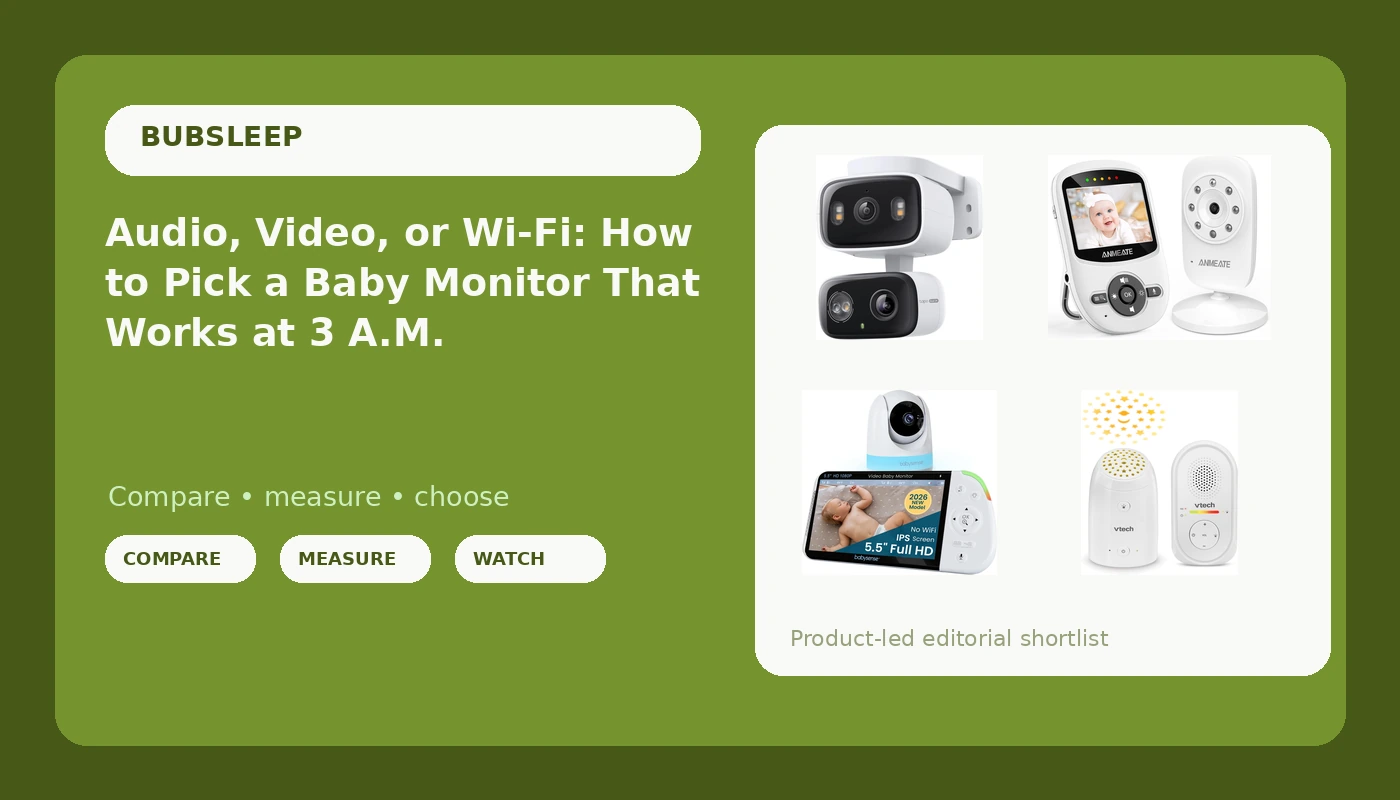
Any honest baby monitor buying guide runs into the same wall: the features that look impressive on a product page are rarely the ones that matter when you are half awake in a dark hallway. What matters is whether you can see or hear your baby clearly, whether the parent unit is still alive at 4 a.m., and whether the thing keeps working when your router decides to take a nap. The four models below cover the three real categories parents end up choosing between: audio-only, a dedicated video monitor with its own screen, and a Wi-Fi camera that lives on your phone. They are not interchangeable, and picking the wrong category is a bigger mistake than picking the wrong model.
Related: Night Vision vs. Resolution: Which Spec Actually Matters on a Baby Monitor →
Quick answer
There is no single monitor that fits every nursery, because the categories solve different problems. If you want a screen that never depends on your internet connection, a dedicated video monitor with its own parent unit is the safest default. If you only need to hear your baby and want a night light in the room, an audio-only monitor is simpler and does less. If you want to check in from your phone while you are at work or in the backyard, a Wi-Fi camera is the only one of the three that gets you there. Decide the category first, then compare features inside it.
Four options, three jobs
| Model | Best fit | What stands out |
|---|---|---|
| VTech TM8112 Audio Baby Monitor | Sound-only monitoring with a ceiling light | Audio-only design, glow-on-ceiling starry night light, 8-hour rechargeable battery, 1000 ft range, belt clip |
| ANMEATE Video Baby Monitor with Digital Camera | A first video monitor on a small budget | A dedicated video monitor package with its own digital camera |
| Babysense PRO Non-WiFi Full HD 5.5" Split Screen Baby Monitor | Parents who want the fullest local feature set | Non-Wi-Fi connection, 5.5-inch split screen, night light, white noise and sound machine, 20-hour battery |
| Tapo 2K Indoor/Outdoor Dual Lens Pan/Tilt Wired Security Camera | Remote viewing from a phone, indoors or out | 2K dual lens pan and tilt camera, wired power, indoor and outdoor use |
Audio only: VTech TM8112 Audio Baby Monitor
Audio-only monitors get dismissed as the cheap option, and in one sense that is accurate: there is no night vision here because there is no image at all. What you get instead is a simpler device with fewer things to fail. The night light is the interesting part, because it does double duty as a feeding light you can switch on without waking the room with an overhead lamp. The trade-off is real and worth naming: without a picture, you cannot check on a sleeping baby from the hallway. Some parents find that they sleep better that way, and some find themselves walking to the door anyway, which defeats the purpose.
Entry-level video: ANMEATE Video Baby Monitor with Digital Camera
The case for a dedicated video monitor over a phone app comes down to friction. A parent unit sits on the nightstand, turns on instantly, and does not buzz with texts at 2 a.m. or lose its feed because someone started a video call downstairs. What you give up is remote viewing: when you are not in range of the parent unit, you are not seeing anything. If your definition of peace of mind includes checking in from the office, this category will not deliver it, no matter which model you buy. If your definition is a reliable picture in the next room, it will.
Full local feature set: Babysense PRO Non-WiFi Full HD 5.5" Split Screen Baby Monitor
This is what happens when a manufacturer bundles the whole night routine into one box. The white noise and sound machine replace a separate device on the dresser, the night light replaces another, and the split screen is genuinely useful once a second child arrives, since you can watch two rooms without buying two parent units. The 20-hour battery rating matters more than it sounds: a parent unit that dies at 3 a.m. is the single most common complaint in this category, and a long rating is the cheapest insurance against it. The cost of all that bundling is size and complexity. This is a bigger, busier parent unit than an audio-only monitor, and you are paying for features you may never switch on.
Remote viewing: Tapo 2K Indoor/Outdoor Dual Lens Pan/Tilt Wired Security Camera
This is a security camera rather than a baby monitor, and that distinction cuts both ways. In its favor, the 2K dual lens and pan and tilt range mean it covers more of a room than a fixed nursery camera, and because it is a wired outdoor-rated unit, it has a second life watching a driveway once your kid outgrows the crib. Against it: it depends on your home network, it lives in an app rather than on a dedicated screen, and it brings account security into your nursery setup. A local monitor keeps working when the internet drops. This one does not. If you want to glance at a sleeping baby from a restaurant, though, it is the only product in this group that can do it.
Prices and availability may change. Product images, names, and retailer links are matched to verified listings. No current price, rating, stock status, or measured result is stated here without current evidence.
What an audio-only monitor can and cannot do
Audio-only monitors are the oldest design in this category and the least complicated. There is no infrared illuminator to fail, no image to go grainy in the dark, and no feed to buffer, because there is no feed. What you get is sound, a parent unit, and in this case a night light that projects onto the ceiling. What you cannot do is look. That matters most in the first months, when a lot of parents want visual confirmation that a baby is breathing normally, and it matters least for parents who have learned that a quick look can turn into twenty minutes of watching a sleeping infant instead of sleeping themselves.
One clarification worth making: "night vision" is a video feature. When a listing advertises night vision, it means an infrared mode that produces a black-and-white image in a dark room. An audio-only monitor has no equivalent setting, and no amount of marketing changes that. If seeing in the dark is a requirement for you, you are shopping in the video categories, full stop.
How local RF and Wi-Fi change your nights
A dedicated video monitor with its own screen uses a direct radio link between camera and parent unit. Nothing routes through your router, so nothing buffers, and a dropped internet connection is not your problem. The Babysense PRO is positioned around exactly this idea, with a non-Wi-Fi connection and a secure direct link. The Tapo camera takes the opposite approach: it is a network device, which is why it can be viewed from anywhere and also why it stops being useful when the network does.
The practical difference shows up at the worst possible moment. Local monitors fail when a battery dies. Wi-Fi monitors fail when a router reboots, a firmware update stalls, or a password gets changed on another device in the house. Neither category is immune to problems, but they are different problems, and it helps to know which one you would rather troubleshoot at 3 a.m.
- Decide whether you need a picture or only sound, because that choice eliminates two of these four options immediately.
- Decide whether you need to check in from outside the house, which is the only reason to accept a network-dependent camera.
- Measure the real distance you need to cover, from the nursery to the kitchen or the far end of the basement, and compare it against the stated range on the box.
- Compare battery ratings against your longest night stretch, since a parent unit rated at 8 hours covers a normal night with little margin and one rated at 20 hours does not.
- List the extras you would otherwise buy separately, such as a night light or a white noise machine, and check whether the monitor already includes them.
Practical guidance before you buy
- Keep the camera and its cords well away from the crib, and follow current safe sleep guidance on cord placement in a nursery.
- Test the signal in the rooms where you actually spend evenings, not just in the room next to the nursery, before the first night.
- Pick one charging spot for the parent unit and use it every evening, because a monitor in a random drawer is a monitor that dies.
- If you choose a Wi-Fi camera, set a unique password for the camera account and keep its firmware current.
- Do not buy a monitor for cry detection alone, since a monitor that tells you a baby is crying is repeating information your ears already delivered.
- Write down what the monitor does not include, so you are not surprised on night one by a missing wall mount or a short cable.
Which option should you choose?
Choose the VTech TM8112 Audio Baby Monitor when you want sound only, a night light in the nursery, and the simplest possible device with nothing to log into. Choose the ANMEATE Video Baby Monitor with Digital Camera when you want a picture in your hand at a low entry point and do not need to watch from outside the house. Choose the Babysense PRO Non-WiFi Full HD 5.5" Split Screen Baby Monitor when you want the fullest local feature set, a large parent screen, and a long battery rating, and you would rather not depend on your router. Choose the Tapo 2K Indoor/Outdoor Dual Lens Pan/Tilt Wired Security Camera when phone-based viewing from anywhere matters more to you than a dedicated screen, or when you want a camera that can move outdoors later.
One caveat applies to all four: the feature lists above come from the product listings, not from a controlled test, and no monitor replaces adult supervision or safe sleep practices. Your home's layout, your router, and how many children you are watching at once will matter more than any single spec.
The bottom line
The category decision comes before the model decision. Audio-only buys simplicity and a night light. A dedicated video monitor buys a reliable screen that does not care about your internet connection, and the Babysense PRO is the most fully equipped version of that idea here. A Wi-Fi camera buys remote viewing at the cost of depending on your network, which is the trade the Tapo camera makes. Match the category to how you actually use a monitor, check the battery rating against your longest night, and confirm the range in your own house before you commit.