Most monitor questions come down to one moment: 3 a.m., a baby stirring, and a parent deciding whether to walk down the hall or trust the screen in their hand. Baby monitor night vision, range, and parent unit battery life are what make that moment work. Resolution and app features are pleasant during the day. At night, you find out what you actually bought.
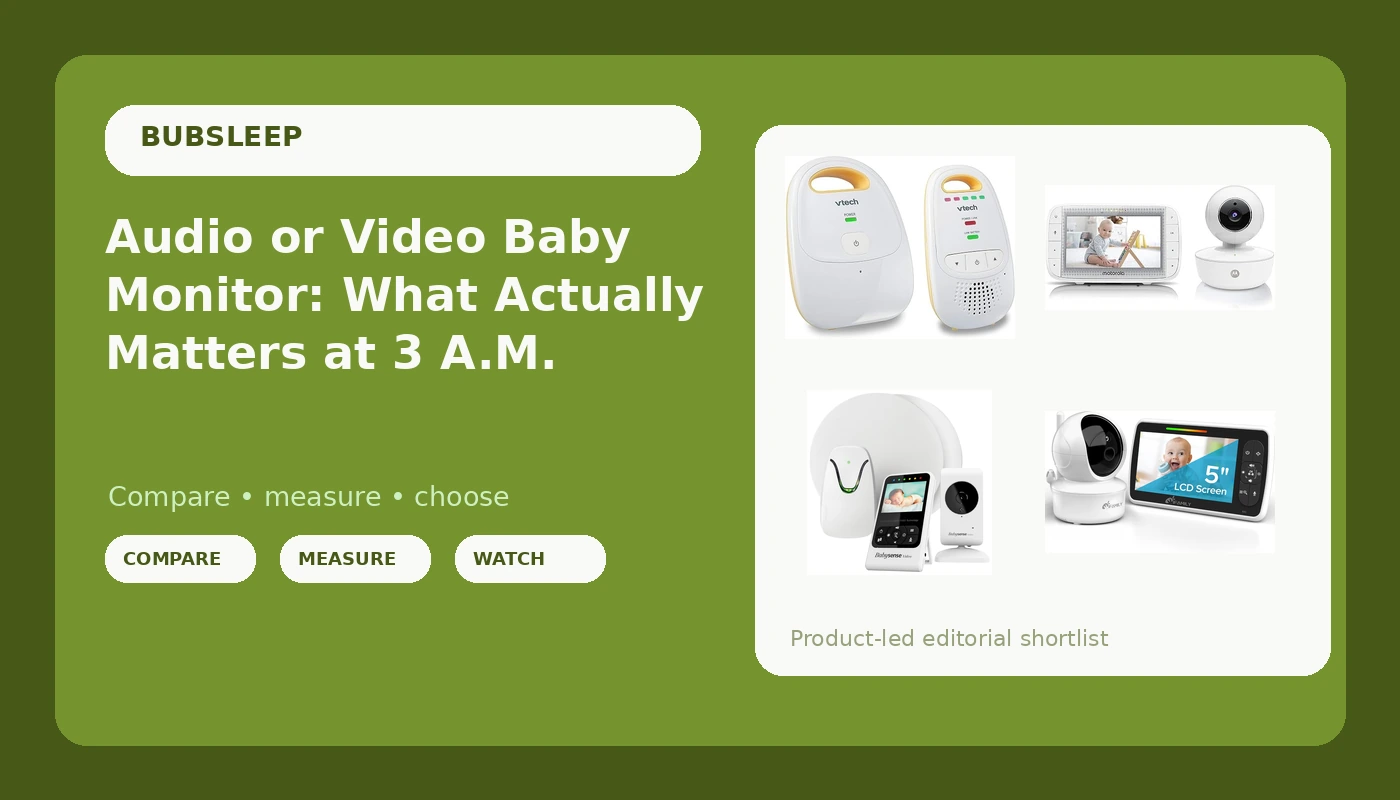
The four options below cover the realistic spread for most families: an audio-only unit, a long-battery video unit, a pan-and-tilt video unit, and a video plus movement bundle. Each one is a self-contained system rather than a camera that streams to your phone, which means the feed does not depend on your router holding a connection at the exact hour you need it.
Related: How to Check Night Vision Before You Trust a Monitor →
Quick answer
For most families, a video monitor with genuinely usable infrared night vision and a parent unit that holds a charge through the night covers the essentials, and an audio-only monitor is enough if you only need sound. There is no single best pick here, because the right answer depends on the distance in your house, the rooms you actually sit in after bedtime, and how you charge things. What matters is whether you can see or hear the crib in the dark, whether the signal reaches the kitchen, and whether the parent unit is alive when you reach for it.
Four useful options
| Model | Best fit | What stands out |
|---|---|---|
| iFamily Baby Monitor | Long stretches between charges | 5-inch parent screen with a 30-hour battery rating and remote pan, tilt, and zoom |
| VTech Audio Baby Monitor DM111 | Sound only, no screen | DECT 6.0 link that stays off Wi-Fi, 8-hour battery, belt clip, listed 1,000 ft range, 5-level sound indicator |
| Motorola Video Baby Monitor MBP36XL | Controlling the camera from the parent unit | 5-inch color parent unit, remote pan, tilt, and zoom, portable rechargeable camera, 2-way audio, night vision, 5 lullabies |
| Babysense Video & Movement Monitor | Movement information alongside video | Video monitor V24R paired with the Babysense 7 under-the-mattress sensor in one bundle |
The all-night screen: iFamily Baby Monitor
Battery ratings are the most misunderstood number on any monitor listing. A 30-hour figure is measured by the manufacturer under specific conditions, and screen brightness, volume, and two-way audio all pull it down in real use. Read it as a comparison between units rather than a promise, and note that a longer rating buys you forgiveness when you forget to plug the parent unit in.
The audio-only option: VTech Audio Baby Monitor DM111
Audio-only is not a downgrade for every family. If your house is small, or you wake at the first sound regardless, a screen mostly adds one more thing to charge and one more thing to stare at at 2 a.m. What you give up is the ability to check a sleeping baby without opening a door, which is exactly the thing some parents will not give up.
The pan-and-tilt video option: Motorola Video Baby Monitor MBP36XL
Pan and tilt is the feature people skip on the spec sheet and then miss in practice. A fixed camera frames one rectangle, and babies move. Being able to nudge the view from the parent unit keeps the crib centered without a second trip into the nursery, which is the whole point of owning a monitor. It is also the only unit in this group whose product name states night vision, so if seeing in the dark is your deciding factor, this is the listing to read first.
The movement option: Babysense Video & Movement Monitor
Movement monitoring is the most emotionally loaded category in the aisle, so it is worth being precise about what it does. A sensor under the mattress reports movement; it does not prevent anything, and it is not a medical device. It also adds installation steps, because the sensor has to sit correctly under the mattress to read anything at all. Families who use one usually say the setup is fine and the value is in the information, not in a promise.
Prices and availability may change. Product images, names, and retailer links are matched to verified listings. No current price, rating, stock status, or measured result is stated here without current evidence.
How night vision actually works
Night vision on a baby monitor is infrared. The camera has a ring of IR LEDs around the lens, and when the light in the room drops below a certain level, the camera switches away from the color sensor and captures infrared instead. The result is the black-and-white image you see on the parent unit at 2 a.m. It is not a brightness filter, and it is not the same thing as a camera that simply has a wide aperture.
Three things decide whether infrared is usable in your nursery.
The first is distance. Infrared falls off quickly, and every camera has a practical limit. A unit mounted on the far wall of a large room is asking much more of its LEDs than one sitting a few feet from the crib.
The second is reflection. Infrared bounces off glass, mirrors, glossy paint, and some mobiles, and it washes out the frame when it does. A window behind the crib or a camera pointed at a nightlight can turn the picture into gray haze.
The third is expectation. Infrared images are grainier than daytime video and always will be. What you want is enough detail to see chest movement, a pacifier, or a blanket, not a portrait.
Only one of the four units here states night vision in its product name, so if that feature is your deciding factor, read the current listing for each model instead of assuming. The words "night vision" tell you the capability exists. They do not tell you the infrared range, and they do not tell you how the camera behaves in your specific room.
Range, batteries, and the parent unit
Range is the spec quoted most optimistically. The VTech DM111 listing cites 1,000 ft, and figures like that assume a clear line of sight, not a two-story house with a plaster wall and a microwave in the path. Radio at these frequencies passes through drywall reasonably well and struggles with masonry, metal, and floors. If the nursery is at one end of the house and the kitchen is at the other, plan for less than the box promises.
That is also the argument for a local-link monitor over a Wi-Fi camera. A local monitor pairs the camera directly to the parent unit over a dedicated radio link. DECT 6.0, the standard the VTech unit uses, is the same family of technology as a cordless phone, and it holds up because it is not competing with streaming video for bandwidth. When your router reboots at 1 a.m., a local monitor does not notice.
The parent unit is the other half of the equation, and it is the half people underestimate. A monitor with a great camera and a parent unit that dies at 3 a.m. is a paperweight with a lens. Battery figures vary widely here: the VTech lists 8 hours and the iFamily lists 30. Both are manufacturer numbers, and both shrink with brightness, volume, and two-way audio use. An 8-hour battery covers one night if you charge during the day. A 30-hour battery covers a couple of nights, which matters when the parent unit lives on a nightstand and the dock is in another room.
Then come the small ergonomics that never appear in a resolution comparison. A belt clip means you can carry the parent unit while you fold laundry. A five-level sound indicator means you can see that the baby is stirring with the volume turned down. Two-way audio means you can talk back without opening the door. None of that is glamorous, and all of it shows up in your night.
Here is the order I would work through before buying:
- Measure the distance from the crib to the two or three places you will actually sit at night, then add a wall or a floor to your estimate.
- Decide whether you need video or only sound. If you wake at every noise anyway, an audio-only unit is simpler and lighter to live with.
- Check whether the listing states night vision, and if it does, plan where the camera will sit: line of sight to the crib, no glass or mirror in frame, as close as your setup allows.
- Compare parent unit battery life against your charging habits, not against the longest number on the page.
- Decide whether you want movement detection alongside video, and if you do, read the sensor setup instructions before you buy, because installation is what determines whether you keep using it.
Setting up for a real night check
- Put the camera at least three feet from the crib and keep every cord well out of reach. The AAP has warned for years about strangulation risk from monitor cords, and it is the one setup mistake that turns a safety product into a hazard.
- Run a dark-room check before the first night. Turn off the lights, close the door, and look at the parent unit. If the image is washed out, move the camera or remove the reflective object.
- Keep the parent unit on its charger overnight when you can. Battery ratings come from ideal conditions, and a monitor that dies at 4 a.m. is worse than one that never leaves the dock.
- Set the volume low and lean on the sound indicator bars. A monitor that is loud all night keeps you awake even when the baby is fine.
- Stay clear on what the monitor does. It shows you the room. It does not make sleep safer by itself, and nothing inside the crib should change because you added a camera.
Which option should you choose?
Choose the iFamily Baby Monitor when you want a video feed and you would rather charge the parent unit every few days than every night. Choose the VTech Audio Baby Monitor DM111 when you only need sound, you want a link that stays off your Wi-Fi, and you like the idea of clipping the parent unit to your waistband. Choose the Motorola Video Baby Monitor MBP36XL when you want a full video setup with pan, tilt, and zoom controlled from the parent unit, plus two-way audio and night vision on the listing. Choose the Babysense Video & Movement Monitor when you want movement detection under the mattress alongside a video feed, and you are prepared to install and maintain a sensor.
None of these is a medical device, and none replaces safe sleep practice. A movement monitor reports movement; it does not prevent anything, and it should not be treated as a substitute for following the AAP safe sleep guidelines. The features, names, and battery figures above come from the manufacturer listings, and the retailer links are matched to verified listings. Check the current listing before you buy, because price and availability both change.
The bottom line
Three things decide whether a baby monitor works for you: whether you can see or hear your baby clearly in the dark, whether the signal reaches the rooms you actually use, and whether the parent unit is charged when you reach for it. Everything else is marketing.
If you only need sound, the VTech Audio Baby Monitor DM111 covers it with a DECT 6.0 link that stays off your network and a belt clip for carrying it around. If you want video, the iFamily Baby Monitor offers a 5-inch screen and a long battery rating, the Motorola Video Baby Monitor MBP36XL adds pan, tilt, and zoom with night vision stated on the listing, and the Babysense Video & Movement Monitor adds an under-the-mattress sensor for families who want movement information alongside the picture.
Match the unit to the distance in your house and the way you actually sleep, set it up with the cords out of reach, and then leave it alone. That is the version of this purchase that helps you sleep.