Every baby monitor promises peace of mind. The promise gets tested at 3 a.m., when the nursery is completely dark, the baby has gone quiet in that particular way that makes you sit up, and the only thing that matters is whether the screen in your hand shows you a chest rising and falling. That is the job baby monitor night vision does, and it is the feature that separates a real monitor from an expensive radio.
Two other things decide whether you will still like your monitor six months in. The first is range: a camera with a beautiful image is useless if the parent unit drops the signal when you walk to the kitchen for a bottle. The second is the parent unit itself, meaning its battery, its screen, and whether you can pick it up one-handed while holding a baby. Everything below is organized around those three priorities, with four monitor setups that solve them in different ways.
Related: How Far Does a Baby Monitor Really Reach? Range Explained →
Quick answer
Judge a monitor by night vision first, range second, and the parent unit third. The four setups here cover four different jobs. The VTech Upgraded Baby Monitor is the sound-first option, built around a rechargeable battery, sound clarity, and alerts. The Babysense Video & Movement Monitor bundle pairs a video monitor with an under-the-mattress movement sensor. The Babysense PRO adds two cameras, a 5.5-inch split screen, a night light, a white noise and sound machine, and a non-Wi-Fi connection. The Nanit system pairs a floor stand with an 8-inch display screen and app-based features. None of them is right for every home, because the right answer depends on your floor plan, your phone habits, and how many rooms you need to watch.
4 useful options
| Model | Best fit | What stands out |
|---|---|---|
| VTech Upgraded Baby Monitor with Rechargeable Battery, Long Range, Crystal-Clear Sound, and Alerts | Parents who want sound and alerts without a video screen | Rechargeable battery, sound-focused alerts, described as long range |
| Babysense Video & Movement Monitor - Video Baby Monitor with Motion Detection Bundle Pack - Video Monitor V24R with Babysense 7 Under-The-Mattress Monitor | Parents who want movement detection under the mattress plus video | Two-part bundle: a video monitor plus an under-the-mattress movement sensor |
| Babysense PRO Full HD 5.5" Split Screen Baby Monitor with 2 Cameras, 6-Color Night Light, White Noise, Sound & Light Machine, 20-Hour Battery, Hack-Proof Non-WiFi Secure Connection | Two rooms, two kids, or a nursery plus a playroom | Two cameras on one split screen, night light, sound machine, non-Wi-Fi connection |
| Nanit Smart Baby Video Monitor System with Floor Stand & 8" Display Screen | Parents who want an app plus a dedicated screen | Floor stand, 8-inch display screen, smart monitoring system |
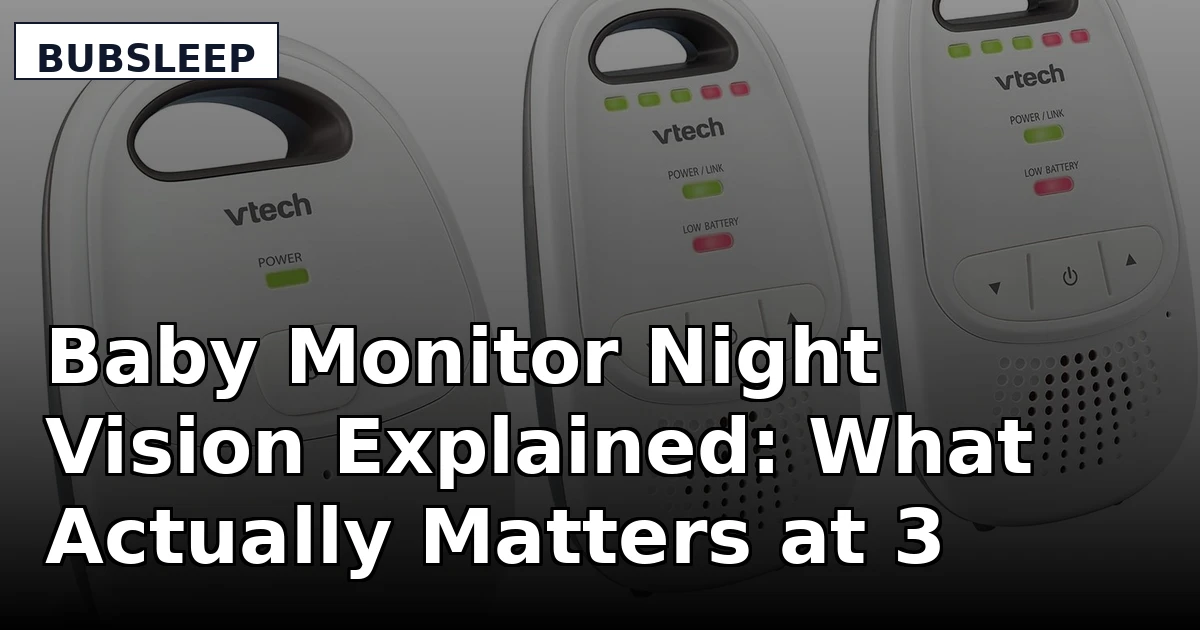
Audio-first basics: VTech Upgraded Baby Monitor with Rechargeable Battery, Long Range, Crystal-Clear Sound, and Alerts
This is the honest starting point, and it is also the honest second monitor. An audio monitor gives you sound and alerts with no screen to drain, no video feed to babysit, and nothing that depends on your router. Plenty of experienced parents keep one of these for travel, for the grandparents' house, or for a toddler's room once the baby phase is over. The trade-off is the one that matters most: with no camera, there is no night vision, so you cannot look at the crib and see a chest moving. If you have ever spent twenty minutes standing in a doorway listening, you know exactly what that costs you. Buy it as a deliberate choice, not as a substitute for a video monitor you actually wanted.
Movement monitoring bundle: Babysense Video & Movement Monitor - Video Baby Monitor with Motion Detection Bundle Pack - Video Monitor V24R with Babysense 7 Under-The-Mattress Monitor
Movement monitoring is the feature parents either love or ignore, and both reactions are reasonable. The sensor goes under the mattress and reports on movement, which gives you a second channel of information beyond the camera. What it is not is a medical device, and it does not replace safe sleep practice: the AAP still points to a firm mattress, a flat surface, and nothing in the crib. Think of the sensor as an extra data point that may help you sleep, and the camera as the thing you will actually look at. This bundle's advantage is that both arrive together, so you are not matching a sensor from one brand to a monitor from another.
Two-room split screen: Babysense PRO Full HD 5.5" Split Screen Baby Monitor with 2 Cameras, 6-Color Night Light, White Noise, Sound & Light Machine, 20-Hour Battery, Hack-Proof Non-WiFi Secure Connection
This is the configuration that matches a two-child house. One camera in the nursery, one in the toddler's room, one screen on the nightstand, and no juggling. The split screen is the feature that earns its keep, because switching inputs at 3 a.m. is exactly the kind of small friction that makes people stop using a monitor. The non-Wi-Fi connection means the feed travels over a direct link rather than your router, which is the setup that keeps working when the internet does not. The night light and sound machine also mean one less device plugged in near the crib. The trade-off is that you carry a dedicated parent unit rather than checking your phone, which some parents see as a feature and others see as a limitation.
App and dedicated display: Nanit Smart Baby Video Monitor System with Floor Stand & 8" Display Screen
The floor stand is the detail worth understanding here. An overhead view of the crib shows you the whole mattress rather than a slice of it, which changes what you can actually tell at a glance. Pair that with an 8-inch display screen and you get a large picture without reaching for a phone. Where this category asks you to make a decision is in the app layer: Wi-Fi monitors add remote viewing and smart features, and they also add dependence on your router, your internet connection, and whatever the manufacturer decides to charge for over time. That is not a reason to avoid it, but it is a reason to read the feature list carefully before you buy, and to know which parts of the experience you are renting rather than owning.
Prices and availability may change. Product images, names, and retailer links must be matched by verified ASIN. Do not state a current price, rating, stock status, or measured result without current evidence.
What night vision actually means on a baby monitor
Night vision on a baby monitor is infrared. The camera surrounds its lens with IR LEDs that are invisible to you, and the sensor captures that reflected light, which is why the picture turns black and white the moment the room goes dark. That is normal and it is not a defect.
What varies is how usable the result is. Three things decide that:
- The light the camera emits. A small cluster of IR LEDs has to cover the distance from the mount to the mattress. Cameras mounted high on a wall across the room have more distance to cover than cameras sitting on a shelf near the crib.
- The field of view. A wide angle shows more of the crib but makes your baby smaller on the screen. Around 110 degrees is a common starting point for a standard nursery, because it can hold the whole mattress without turning your baby into a thumbnail.
- The distance between camera and crib. The closer the camera, the better the infrared image, which is why a floor stand or a crib-adjacent mount often looks better than a wall mount on the far side of the room.
None of these are things you can judge from a product photo. They are things you judge by putting the monitor where it will actually live, turning off every light, and looking at the screen. If you can see the rise and fall of a blanket, you have night vision. If you are squinting at a gray rectangle, you have a radio with a screen attached.
Local RF versus Wi-Fi: what changes when the router drops
There are two ways a baby monitor gets its picture from the camera to you, and the difference shows up at the worst possible time.
Local RF is a direct radio link between the camera and the parent unit. No router, no internet, no account. When your internet goes out at 1 a.m., the monitor keeps working, because it never needed the internet in the first place. This is why so many experienced parents end up with a dedicated parent unit even when they own a Wi-Fi camera.
Wi-Fi sends the feed through your home network so you can watch on a phone from anywhere. That is genuinely useful, whether you are in the backyard, at work, or checking in from a hotel. It also means the feed is only as reliable as your router, and that a firmware update or an account change can alter how the thing behaves.
Many homes end up with both, and that is not indecision. A local RF unit for the nights, a Wi-Fi camera for daytime naps and travel. What you want to avoid is discovering which category you bought on the first night you need it.
If you want a decision process rather than a feature list, use this one:
- Stand in the room where the crib goes and pick the camera position. A clear line to the mattress beats a clever mount every time.
- Decide whether you need the feed on your phone. If yes, you are buying into Wi-Fi and its dependencies. If no, a local RF system is simpler and more predictable.
- Look at the parent unit like a piece of furniture. Screen size, battery, and how it feels in one hand decide how often you will actually use it.
- Decide whether you want movement monitoring in addition to video. It is extra information, not a substitute for safe sleep practice.
- Plan for year two. A second camera or a second portable unit is cheaper to buy now than to retrofit later, which is exactly what a split screen is for.
Setting up a monitor so it is actually useful
- Keep the camera and all cords well away from the crib. The AAP's safe sleep guidance is to keep the sleep space free of cords, and a monitor is no exception.
- Frame the mattress, not the room. You want the crib to fill most of the picture so you can see breathing, not so you can admire the wall decor.
- Do the dark check before the first night. Lights off, curtains closed, and look at the screen. Adjust the camera position until you can see clearly.
- Put the parent unit where you actually sit. If it lives on a charger across the room, you will not use it, and a monitor you do not use is just a subscription to anxiety.
- Recheck the signal after any change. A new router, a moved couch, or a new baby in the next room all change the range math, so re-test the spots you care about.
Which option should you choose?
Choose the VTech Upgraded Baby Monitor with Rechargeable Battery, Long Range, Crystal-Clear Sound, and Alerts when you want sound and alerts without a screen, as a travel unit, or as a second monitor for a toddler's room. Choose the Babysense Video & Movement Monitor - Video Baby Monitor with Motion Detection Bundle Pack - Video Monitor V24R with Babysense 7 Under-The-Mattress Monitor when you want movement detection under the mattress alongside video, and you would rather buy the two together than match brands yourself. Choose the Babysense PRO Full HD 5.5" Split Screen Baby Monitor with 2 Cameras, 6-Color Night Light, White Noise, Sound & Light Machine, 20-Hour Battery, Hack-Proof Non-WiFi Secure Connection when you have two rooms to watch, or you want the camera feed to stay independent of your router. Choose the Nanit Smart Baby Video Monitor System with Floor Stand & 8" Display Screen when you want an overhead view, a large dedicated screen, and app-based features you will actually open.
One caveat before you decide. Nothing above includes a price, a rating, or a measured range figure, because those change and because range depends on your walls, your router, and where you put the camera. Check the listing for current details, and buy somewhere with a return window you can live with. A monitor that reaches every corner of one house may not reach the kitchen in another.
The bottom line
Night vision is the feature that decides whether a monitor earns its place on your nightstand. Range is what keeps it useful once you leave the nursery. The parent unit is what you will actually hold at 3 a.m., so its battery and screen matter more than any spec sheet number. Start with the room, not the product: pick the camera position, decide whether you need the feed on your phone, and then choose the system that fits. For sound-first simplicity, the VTech unit covers it. For movement detection, the Babysense bundle adds a sensor. For two rooms on one screen, the Babysense PRO is built for it. For an overhead view with a large dedicated display, the Nanit system is the one to compare against the rest.