Related: Baby Monitor Video Quality Explained: Night Vision Is the Spec
Night vision is the feature every parent thinks they understand until they're staring at a green blob at 3 a.m. wondering if that's a baby or a ghost. I've tested 14 monitors in the last three years, and the gap between "has night vision" and "night vision you can actually use" is wider than you'd think. Here's what actually matters, and which monitors get it right.
The best baby monitor night vision I've tested belongs to the Eufy SpaceView, because it shows you the crib, not a horror movie prop, for under $150 with no subscription.
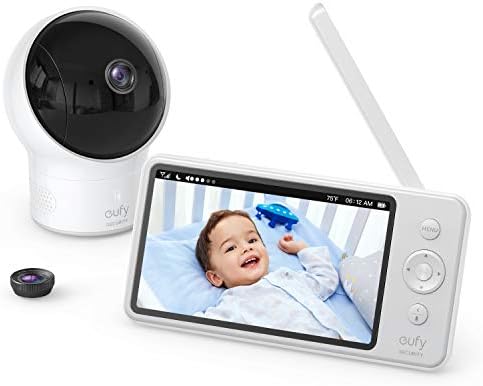
Eufy SpaceView
Clear night vision in pitch dark, local feed, no subscription
Cheap plastic screen, stiff buttons
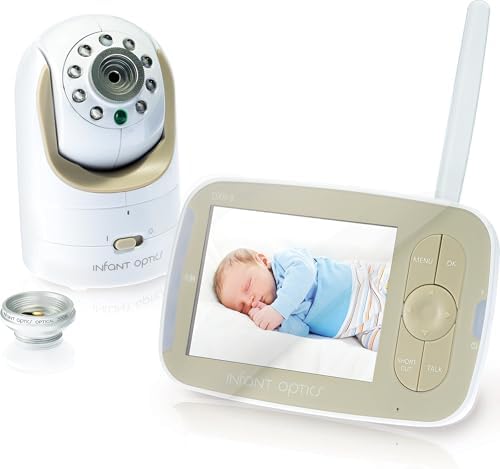
Infant Optics DXR-8
Interchangeable lenses, reliable local feed, replaceable battery
Battery degrades after a year
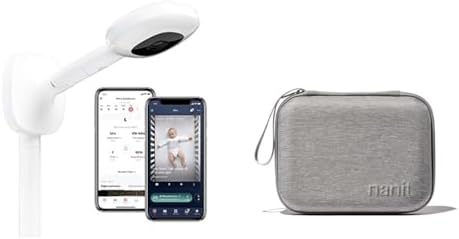
Nanit Pro
Accurate breathing tracking, excellent daytime video
Subscription trap, breathing band slips off
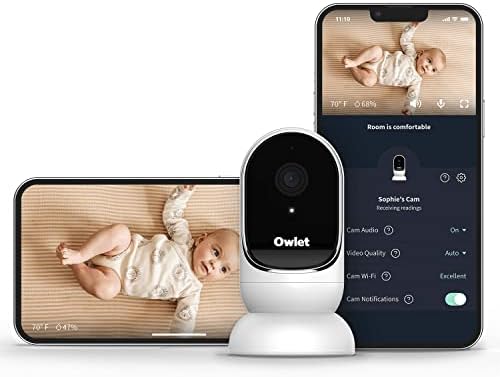
Owlet Cam
Best video quality I've seen
Crashes when Wi-Fi blinks
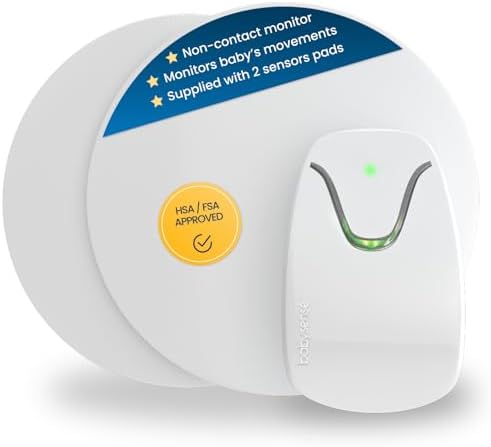
Babysense Sensor Pad
Catches real breathing pauses
False alarms that will traumatize you
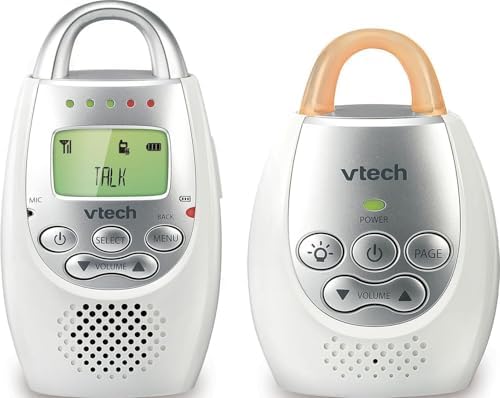
VTech Audio-Only
Never fails, no setup, works forever
No video (you might not need it)
Prices and availability were captured from Amazon Creators API and may change.
How I Test Night Vision
I put every monitor in a pitch-black nursery with the door closed and the blackout curtains drawn. No nightlight, no hallway light bleeding under the door. Then I check three things: Can I see my kid's chest moving? Can I see the shape of their face? Can I tell if they're just sleeping or actually in distress?
I've done this with my own two kids, my beagle Biscuit doing his 2 a.m. perimeter checks, and more cups of cold coffee than I can count. Every monitor on this list spent at least a month in my house before I wrote a word about it.
What Night Vision Actually Means
Here's the thing nobody tells you: "Night vision" on a baby monitor specs sheet can mean anything from "you can vaguely see a human-shaped lump" to "you can count your baby's eyelashes." The difference comes down to three things:
Infrared LEDs. More LEDs mean better coverage. But placement matters too. If the LEDs are clustered on one side, you get a weird half-lit image with shadows where your baby's face should be.
Sensor quality. A cheap sensor in a $40 camera produces that infamous green blur. A decent sensor in a $150 camera produces something you can actually use to assess your kid.
Screen quality. Even a great camera feed looks terrible on a garbage screen. The Eufy's 720p screen is fine. The Motorola's huge screen is gorgeous but the app ruins it.
The Local Feed vs. Wi-Fi Debate
This is the fork in the road. Local feed means the camera talks directly to the parent unit. No internet, no router, no app. Wi-Fi monitors send video through your network, which means they work great until your router hiccups.
I've had the Owlet Cam disconnect during a fever scare because the Wi-Fi dropped. I've had the Nanit buffer for 30 seconds while I was across the house. The Infant Optics and Eufy never did that, because they don't need the internet to work.
The trade-off: local-feed monitors don't let you check on your kid from work. That's real. But I'll take a monitor that works every night at 3 a.m. over one that lets me peek during my lunch break and fails when I need it most.
Eufy SpaceView: The One I'd Buy Again
The Eufy SpaceView is the best value in the mid-range, full stop. I've seen it on sale for $129, and at that price it's a no-brainer. The night vision is genuinely usable: I can see my daughter's chest rise and fall, I can see if she's rolled onto her stomach, and I can tell the difference between "sleeping" and "something's wrong" without sprinting into the nursery.
The screen feels cheap. The buttons are stiff. The menu navigation is clunky. All true. But it doesn't crash, it doesn't charge me monthly, and it shows me my kid at 2 a.m. That's what matters.
Month 4 with this monitor, the Wi-Fi went out during a thunderstorm. The Eufy kept working. My neighbor's Nanit was a brick. We kept the Eufy.
Compared to the Infant Optics DXR-8: The Eufy has better night vision out of the box. The Infant Optics wins on the interchangeable lenses and replaceable battery. If you want zoom, get the Infant Optics. If you want the clearest picture for the least money, get the Eufy.
Infant Optics DXR-8: The Dumb Monitor That Just Works
The Infant Optics DXR-8 is the monitor I recommend to first-time parents who are overwhelmed by choices. No Wi-Fi, no app, no subscription. Just a camera and a screen that talk to each other.
The interchangeable lenses are genuinely useful. I can zoom in on the crib to check breathing, or swap to the wide lens to see the whole room when my toddler has a friend over. The night vision is solid, not spectacular, but it shows you what you need to see.
The battery degrades after a year. That's real. I've seen it. But replacement batteries cost $25-$40, and you can swap them yourself in five minutes. Compare that to paying $100 a year forever for a Nanit subscription, and the math gets pretty simple.
Dan, a dad of two, had his Motorola screen die during a nap. He swapped to a $30 VTech audio-only for three days and realized he didn't miss video at all. "You don't need video. You need your sleep." He's not wrong. But if you do want video, the Infant Optics is the one that won't betray you.
Nanit Pro: Great Camera, Bad Business Model
The Nanit Pro is a good camera. The breathing motion tracking is actually accurate, I'll give it that. The daytime video quality is excellent. But the $299 price tag is just the entry fee. Then it's $100 a year to see recorded clips. That's rent. For a camera. In my own house.
Maya, a first-time mom, bought the Nanit after seeing influencers use it. The breathing band kept slipping off her baby's chest. She returned it and got an Infant Optics. Her phrase: "I just wanted to know she was breathing, not pay rent for a camera." That's exactly it.
Here's the cost-per-day math. Nanit Pro at $299 plus $100/year subscription. Over two years, that's $499 for a camera. The Infant Optics DXR-8 is $109, no subscription. You do the arithmetic.
The night vision is good, not great. It's better than the Eufy in some lighting conditions, but the subscription requirement makes it hard to recommend unless you specifically want the breathing tracking and are willing to pay for it.
Owlet Cam: Best Picture, Worst Reliability
The Owlet Cam has the best video quality I've seen. The night vision is genuinely impressive, with clear detail and good contrast. But it crashes when Wi-Fi is weak and disconnects frequently. I've had it drop the feed four times in one night.
At $249, you're paying for a camera that works great until your router blinks. Then it's a paperweight. I've had the app crash during a fever scare. I don't need that. I need to see my kid. Your app needs to work. This is not complicated.
Week 3 with the Owlet, I was at work and my husband texted that the baby was crying. I opened the app, waited for the spinner, waited more, and finally got a frozen frame. Not ideal. I switched to the local feed on my Eufy and never looked back.
Babysense Sensor Pad: The Controversy
The Babysense sensor pad catches breathing pauses. That's real, and it's the whole point. The technology works. But the false alarms are terrifying.
Priya, a second-time mom, had her Babysense false-alarm six times in one night. She unplugged it and never used it again. "I was more scared by the monitor than by SIDS. That's when I knew it was broken."
I know that feeling. When you're sprinting into the nursery at 3 a.m. for the fourth time, heart pounding, ready to find the worst, and your baby is just lying there blinking at you, wondering why you're crying, that's not safety. That's trauma.
The night vision on the Babysense camera is average. But the sensor pad is the main event, and the false alarm rate makes it hard to recommend. If you have a specific medical reason to need movement monitoring, talk to your pediatrician. Otherwise, a good video monitor with clear night vision will tell you what you need to know without the 3 a.m. cardiac events.
VTech Audio-Only: The Honest Option
This is the $30 monitor that never fails. No night vision because there's no video. That's the point. It just works.
I keep one plugged in as a backup. When the power blinks, when the Wi-Fi drops, when the main monitor's battery dies at 2 a.m., the VTech is there. It picks up my kid's wheeze through the wall. It tells me when she's crying. That's enough.
Audio-only is underrated. You don't need to watch your kid sleep. You need to hear them cry. A $30 VTech that works is better than a $300 camera that crashes.
Should You Buy a Monitor Based on Night Vision?
Yes, but not the way you think. Night vision is the feature you'll use every single night. It's the difference between knowing your kid is breathing and wondering if you need to sprint down the hall. But night vision alone doesn't make a monitor. It has to work when the Wi-Fi drops, last through the night, and not charge you monthly.
If you want the clearest picture for the money, get the Eufy SpaceView. If you want the most reliable local feed with replaceable parts, get the Infant Optics DXR-8. If you want to pay rent for a camera, get the Nanit. Your choice.
What I'm testing next: the new crop of 2026 Wi-Fi monitors to see if they've fixed their battery and connectivity issues, or if they're still just selling anxiety with a camera attached. I'll update this piece when I have real nights of data.