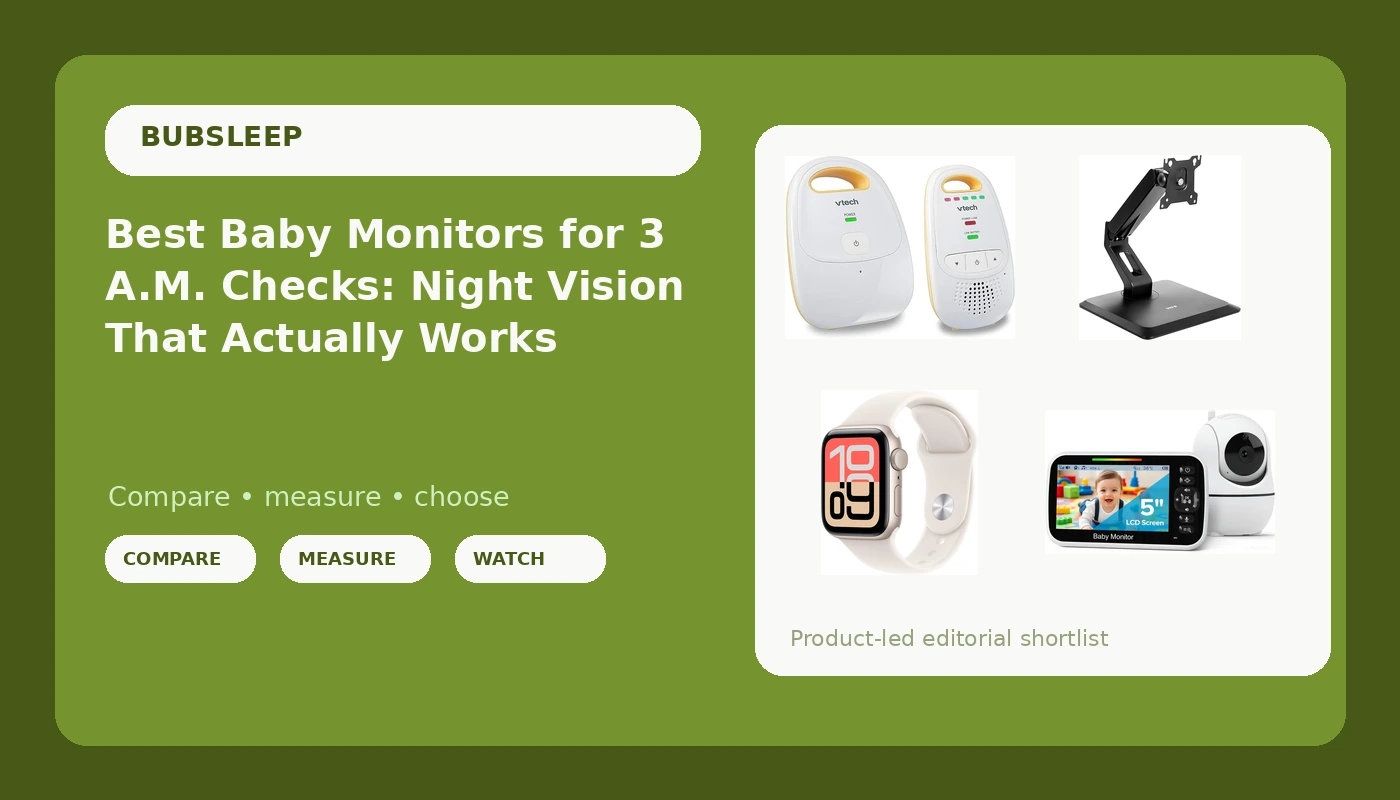
Night wake-ups do not care about spec sheets. At 3 a.m. the only question that matters is whether the baby monitors with night vision you are considering can show you a clear picture in a pitch-dark nursery, and whether the parent unit still has enough battery to carry you to morning. A monitor that looks sharp in a daytime demo and turns into grey static after lights out has not solved the problem you bought it for.
This guide covers six products that approach the same job from different angles: two local RF video monitors that come with their own parent units, a Wi-Fi camera that streams to a phone app, an audio-only unit for parents who mainly want sound, and two companion items that support how many families actually run the night shift. Everything below is built from published product details, and every card is matched so the link points to the exact product described.
Related: How to Set Up a Baby Monitor for Safe Sleep
Quick answer
The HelloBaby HB6550-2 5" Dual Camera Baby Monitor No WiFi, Pan Tilt Zoom is the strongest fit for most nurseries because it pairs a 5-inch parent unit with two cameras and pan, tilt, and zoom over a local RF link that does not depend on your router, with no subscription. Choose the Babysense Touch 7" Touchscreen Smart WiFi Baby Monitor with App instead when you want a larger touchscreen, app access from anywhere on your network, and a single 4MP dual-lens camera with 6X zoom, AI auto tracking, and split-screen viewing.
Baby monitor features worth comparing
Not every line on a product page changes how a monitor behaves overnight. These are the differences that do.
Night vision. Infrared illumination is what lets a camera see with the lights off. It is the feature that separates a real monitor from a radio with a screen, so it belongs at the top of any comparison. A camera without usable low-light performance is a daytime-only device.
The parent unit. Screen size, battery life, and how the controls feel in a dark room decide whether you keep a monitor or resent it. A 5-inch screen is enough to make out a sleeping position from across the room; a 7-inch touchscreen is easier to read at a glance. The VTech audio unit skips the screen entirely and puts the information in a belt clip and a five-level sound indicator instead.
Local RF versus Wi-Fi. A local RF monitor links camera to parent unit over a direct radio signal, so nothing buffers when the router restarts or the internet drops. A Wi-Fi monitor streams to an app, which means you can check in from another room or from away from home, at the cost of depending on your network. Both approaches appear in this list.
Coverage, pan, tilt, and zoom. Field of view decides how much of the crib you actually see. Pan, tilt, and zoom let you reframe a camera that is already mounted, and dual-camera systems let one parent unit watch two rooms without buying a second screen.
Subscriptions. Some smart monitors charge monthly for recordings or extra features. Every product here is described as working without a subscription.
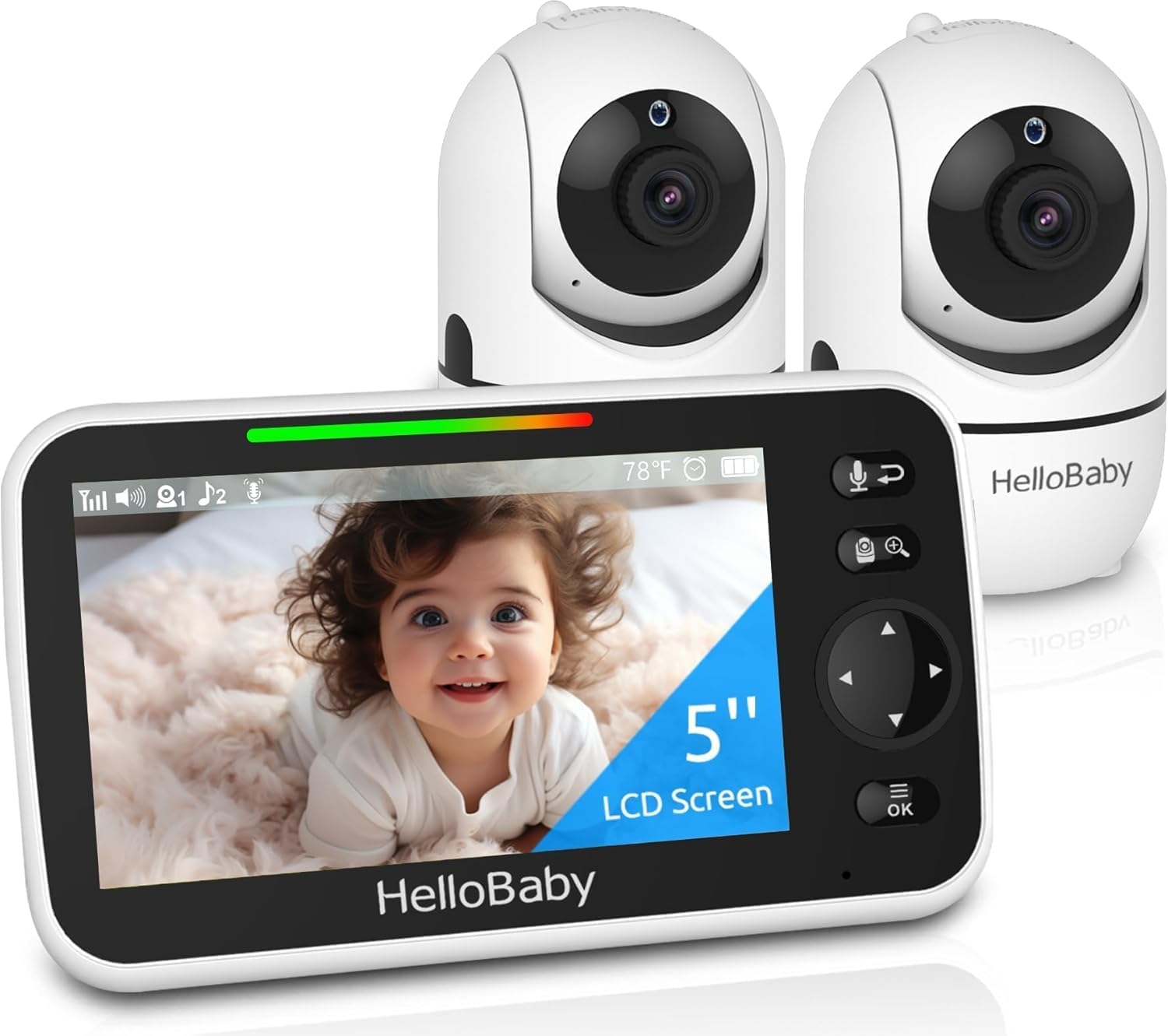
HelloBaby HB6550-2 5" Dual Camera Baby Monitor No WiFi, Pan Tilt Zoom
A 5-inch video monitor system that runs on local RF with no Wi-Fi required, and it includes two cameras plus pan, tilt, and zoom so one parent unit can cover two rooms.
Visit on Amazon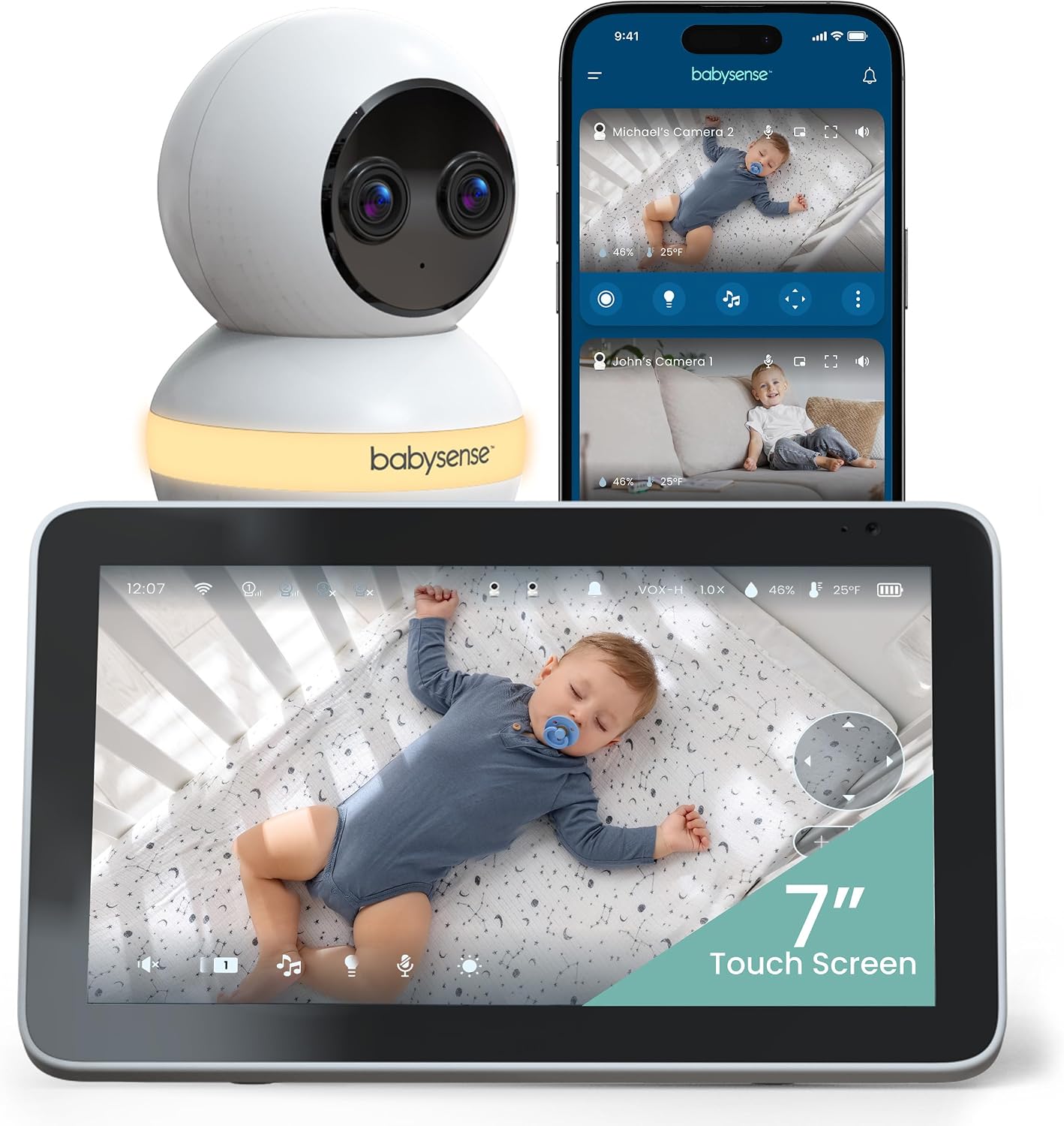
Babysense Touch 7" Touchscreen Smart WiFi Baby Monitor with App, Camera and Audio, Night Light, 4MP Dual-Lens with 6X Zoom, AI Auto Tracking, Focus Area, Split-Screen, VOX/ECO Mode, No Subscription
A 7-inch touchscreen Wi-Fi monitor with app viewing, a 4MP dual-lens camera, 6X zoom, AI auto tracking, a focus area, split-screen viewing, a night light, and VOX/ECO mode with no subscription.
Visit on Amazon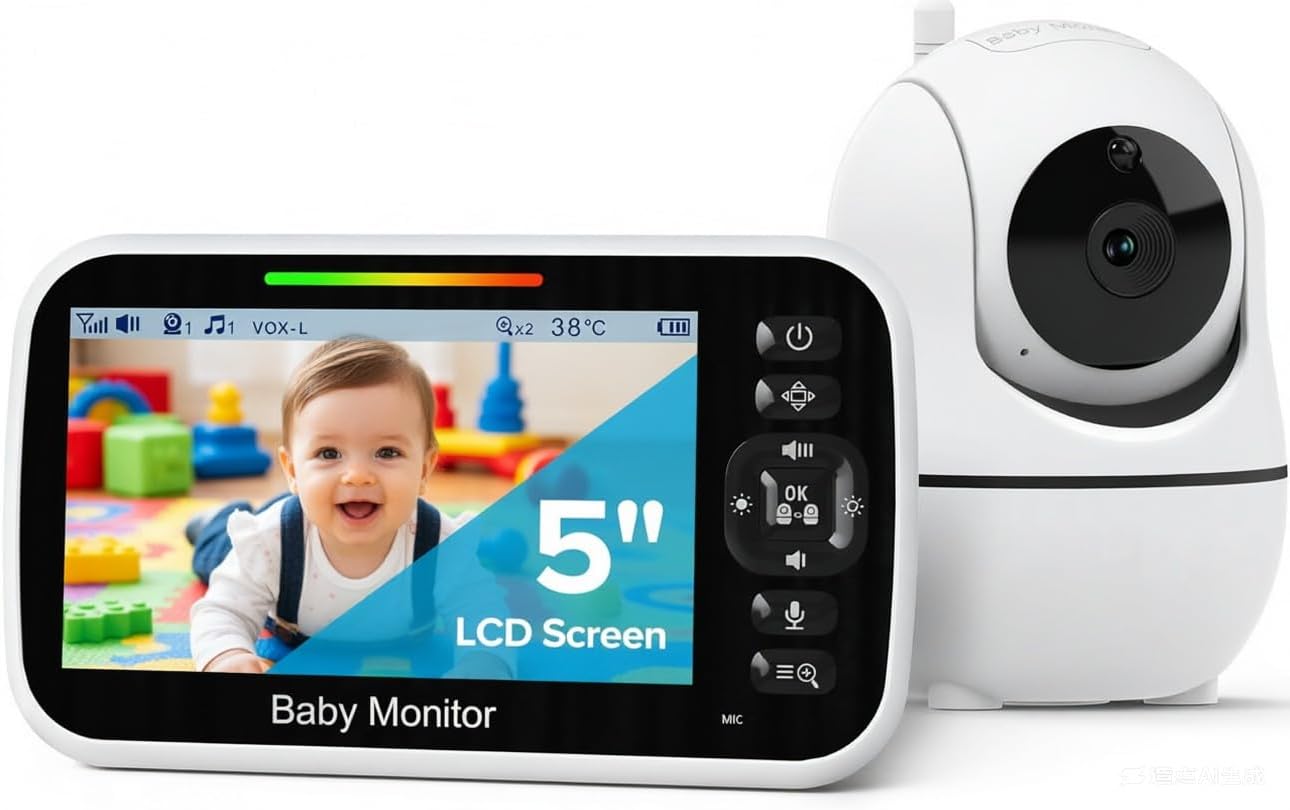
GoodBaby 5" Baby Monitor with Camera and Audio No WiFi
A 5-inch baby monitor with camera and audio that operates without Wi-Fi, for parents who want a simple single-room video feed and no app in the loop.
Visit on Amazon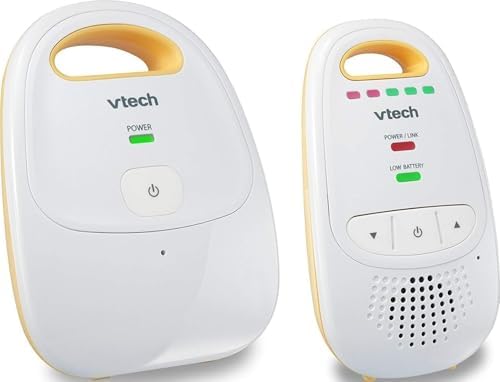
VTech Audio Baby Monitor, No Static DECT 6.0, No WiFi, Hack-Proof, 8Hr Battery, Belt Clip, 1000ft Range, 5-Level Sound Indicator, DM111
An audio-only DECT 6.0 monitor with no Wi-Fi, an 8-hour battery, a belt clip, a 1000ft range, and a five-level sound indicator for parents who only need to listen.
Visit on Amazon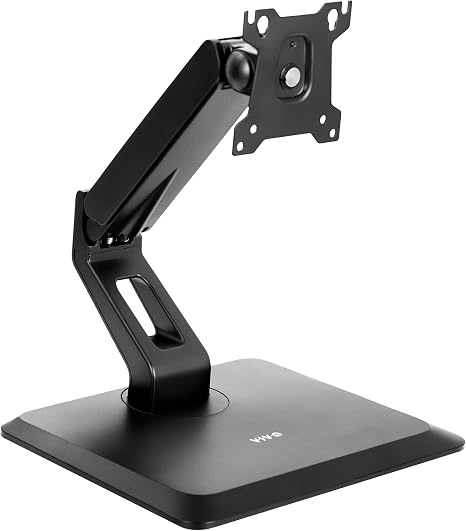
VIVO Premium Single 17 to 32 inch VESA Monitor and Touch Screen Desk Stand with Rotating Base, Freestanding Pneumatic Height Adjustable Arm, 12 inch Maximum Screen Height, Black, STAND-V001R
Check current Amazon price
A freestanding pneumatic height-adjustable VESA stand for 17 to 32 inch monitors and touch screens, with a rotating base and a 12 inch maximum screen height. It is a screen stand, not a camera.
Visit on Amazon
Apple Watch SE 3 [GPS 40mm] Smartwatch with Starlight Aluminum Case with Starlight Sport Band - S/M. Fitness and Sleep Trackers, Heart Rate Monitor, Always-On Display, Water Resistant
A GPS 40mm smartwatch with sleep and fitness tracking, heart rate monitoring, an always-on display, and water resistance. It is a parent-side device rather than a nursery camera.
Visit on AmazonPrices and availability may change. Check the retailer for current details.
How these products were compared
This guide compares low-light and night vision capability as described by each manufacturer, parent unit screen and battery details, local RF versus Wi-Fi operation, camera coverage including pan, tilt, zoom, and dual-camera setups, and whether a subscription is required for core features. Product names, images, and retailer links are matched to the same product so that every card points to the item shown.
The details here come from published product information rather than a controlled test, and features can differ between model revisions, so confirm the specifics of the exact listing you are buying. Prices and availability also change often, so use the link in each card to check current details before you commit.
How to choose the right baby monitor
Start with how you will actually use it, because that answer eliminates most of the list. If you want a monitor that keeps working when the internet is down, and you would rather not route your nursery feed through an app, a local RF unit with its own parent unit is the straightforward choice, and both the HelloBaby and the GoodBaby systems work that way. If checking in from your phone matters, whether from the yard or from a desk at work, a Wi-Fi camera like the Babysense Touch is the better fit, and it is the only product here with a 7-inch touchscreen and a dual-lens camera. If you only need to hear your baby and want the simplest possible device, an audio monitor does that job with the fewest things that can fail.
Next, match the hardware to your rooms. Measure the distance from your bedroom to the nursery before assuming any monitor will reach, because walls, floors, and large appliances all cut into range, and think about where the camera will sit relative to the crib. A camera with pan, tilt, and zoom can be repositioned later without a ladder, which matters more over two or three years than a slightly sharper daytime image. If you are still working out placement, our guide to camera placement and night vision walks through the angles that keep the crib in frame.
Finally, be honest about the extras. Two of the products in this list are not baby monitors at all, and it is worth saying so plainly. The Apple Watch SE 3 is a parent-side device for sleep and heart rate tracking, and the VIVO desk stand is a freestanding VESA mount for a 17 to 32 inch screen. Neither will improve your night vision or your range. They are here because plenty of parents pair a monitor with a wearable and keep a secondary screen somewhere in the house, and because knowing what a product is not can be as useful as knowing what it is.
HelloBaby HB6550-2 5" Dual Camera Baby Monitor No WiFi, Pan Tilt Zoom
The HelloBaby HB6550-2 is a 5-inch video monitor system that runs on local RF with no Wi-Fi required, and it ships with two cameras rather than one. That combination covers the two situations that come up most in a house with more than one small child: a second camera for a second room, and a single parent unit that can show either feed without another purchase. Pan, tilt, and zoom on the camera mean you can adjust the view after mounting instead of moving furniture, and because the system is self-contained, there is no app, no account, and no monthly fee standing between you and the picture.
The trade-off is the same one that comes with every local RF system: you watch on the included parent unit, not on your phone, so there is no remote check-in from outside the house and no cloud recording. The screen is also 5 inches rather than the 7 inches of the Babysense Touch, which is a real difference if you like to read a monitor from across a dark room. If those limits do not matter to you, the package covers two rooms with one parent unit and no subscription.
Alternatives to consider
The Babysense Touch 7" Touchscreen Smart WiFi Baby Monitor with App is better suited to parents who want app access and a bigger screen, with a 4MP dual-lens camera, 6X zoom, AI auto tracking, a focus area, split-screen viewing, a night light, and VOX/ECO mode, all without a subscription. The VTech Audio Baby Monitor is a stronger fit when you only need sound, offering DECT 6.0 audio with no static, no Wi-Fi, an 8-hour battery, a belt clip, a 1000ft range, and a five-level sound indicator.
The GoodBaby 5" Baby Monitor with Camera and Audio No WiFi covers the low-cost video option for a single room with no Wi-Fi involved. The VIVO Premium Single VESA Desk Stand covers a different need entirely: holding a 17 to 32 inch screen or touch screen at a comfortable height on a freestanding, pneumatic, height-adjustable arm with a rotating base. The Apple Watch SE 3 covers the parent side of the night shift, with sleep and fitness tracking, heart rate monitoring, an always-on display, and water resistance for the 3 a.m. sink run.
Day-to-day use and maintenance
Position the camera so the crib fills the frame, then check the picture with the room completely dark rather than at dusk, since low-light performance is the thing you are actually verifying. Keep cables out of reach of the crib and routed behind furniture, and follow the manufacturer's mounting instructions rather than improvising with tape or a shelf edge. For local RF systems, keep the parent unit on its charger during the day so it is full when the night starts, and test the range from the rooms you actually use, not just from the hallway.
Clean camera lenses and screens with a soft dry cloth, avoid spraying liquid directly onto either, and check that vents on the camera and the parent unit stay clear of dust and blankets. If a monitor supports firmware updates through an app, apply them, because they often address connection stability. Treat any monitor as a helper rather than a substitute for safe sleep practice: place your baby on their back in a clear crib, and use the monitor to see and hear, not to replace the checks you would otherwise make.
Buying checklist
- Measure the distance from your room to the nursery and confirm the monitor's stated range covers it through your walls.
- Decide between local RF and Wi-Fi based on how you want to view the feed, not on which sounds more modern.
- Confirm the exact listing includes the features you need, such as pan, tilt, and zoom, a second camera, or a night light.
- Check whether any feature you care about sits behind a subscription, and skip products that charge for basic viewing.
- Read the cleaning and maintenance instructions before mounting anything.
- Verify current price, availability, and return terms at the retailer before you buy.
Final recommendation
Choose the HelloBaby HB6550-2 5" Dual Camera Baby Monitor No WiFi, Pan Tilt Zoom when you want two cameras, a 5-inch parent unit, and a system that keeps working without your router. Choose the Babysense Touch 7" Touchscreen Smart WiFi Baby Monitor with App when a larger touchscreen and phone access matter more than a self-contained radio link, and choose the VTech Audio Baby Monitor when sound alone is enough. If none of these distinctions matches how you actually use a monitor at night, it is reasonable to wait rather than pay for a feature you will never switch on.