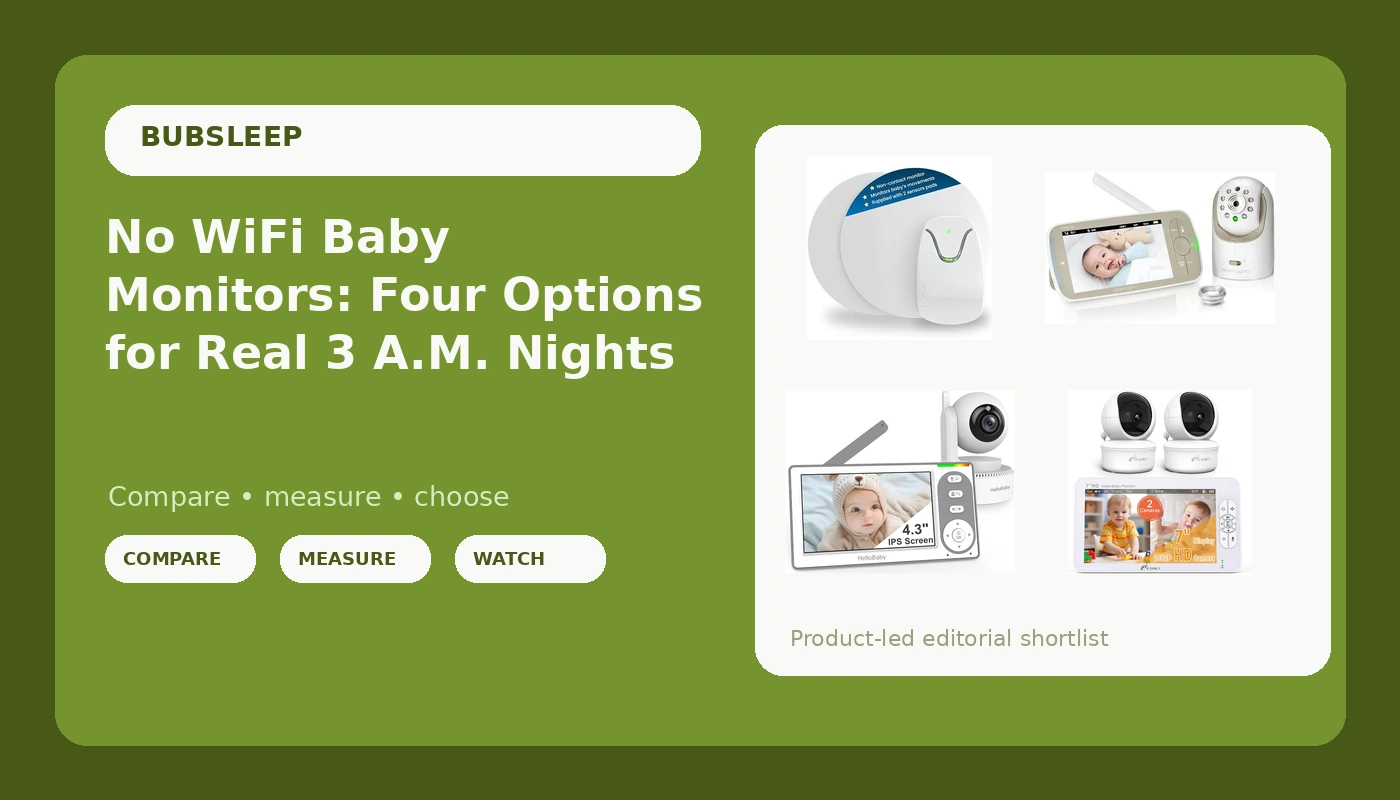
Most nursery monitors are sold on resolution, apps, and sleep insights. None of that helps at 3 a.m., when the only question that matters is whether you can see your baby on a dark screen without the router getting a vote. That is the case for no WiFi baby monitors: a direct radio link between the camera and the parent unit, no account to create, no subscription to keep feeding, and nothing to buffer when the internet hiccups.
The trade-offs are real. Local monitors generally do not stream to your phone, rarely log sleep data, and their range depends on walls rather than bandwidth. What they do is keep working. The four options below cover the main ways parents approach this: a full video monitor with a swappable lens, a split screen unit that watches two rooms at once, a simple handheld, and a movement monitor that skips video entirely.
Related: How to test a baby monitor's night vision before you trust it →
Quick answer
For one nursery and one camera, the Infant Optics DXR-8 PRO is the most adaptable of these four: the lens swaps out and the pan, tilt, and zoom controls let you reframe the crib from the parent unit, all on a local link rather than WiFi. For two rooms on a single screen, the iFamily 7 inch split monitor is built for that job. For a straightforward handheld, the HelloBaby 4.3 inch covers the basics with a stated 30 hour battery. And if you want movement sensing rather than video, the Babysense 7 uses two under-mattress sensors and no camera at all.
Four useful options
| Model | Best fit | What stands out |
|---|---|---|
| Infant Optics DXR-8 PRO | A single nursery you want to reframe often | Interchangeable lens plus pan, tilt, and zoom on a 5 inch HD parent screen |
| iFamily 7" Large Split Baby Monitor | Two cameras on one screen | 7 inch split display with two HD cameras and audio |
| HelloBaby 4.3'' Video Baby Monitor | A simple no-frills handheld | No WiFi link and a stated 30 hour battery |
| Babysense 7 | Movement monitoring without video | Two under-mattress sensors, non-wearable and non-contact |
Main video monitor: Infant Optics DXR-8 PRO - Patented Active Noise Reduction (ANR), 5” HD Video Baby Monitor with 1 Camera, No WiFi, Hack-Proof,Pan Tilt Zoom, Interchangeable Lens
Control is what separates this one from the rest of the group. The interchangeable lens means you can change what the camera sees without pulling it off the wall, and the pan, tilt, and zoom controls let you follow a crib, and later a toddler bed, from the parent unit. Active Noise Reduction is aimed at the fan hum and hallway noise that make a parent unit hard to sleep next to. The catch is the screen: at 5 inches it is smaller than the iFamily display, and one camera means one room. If two rooms on one screen is the goal, this is not that monitor.
Two-room coverage: iFamily 7" Large Split Baby Monitor with 2 HD Cameras and Audio
Two cameras and a 7 inch split screen answer a specific problem: a baby in one room and a toddler in another, or a crib plus a playroom. The listing name does not make a no WiFi claim the way the HelloBaby and Infant Optics names do, so confirm the connection type on the product page if a local link is the whole point for you. What is clear is the screen size and the two cameras in the box, which is more coverage per parent unit than the single camera options here.
Simple handheld: HelloBaby 4.3'' Video Baby Monitor No WiFi, 30 Hours Battery
This is the simplest option of the four: a 4.3 inch parent screen, no WiFi, and a stated 30 hour battery, which is the number that stands out on a spec line. A small screen is a trade-off you feel at 3 a.m. when you are squinting at a swaddle, but it also makes the unit easier to carry from room to room. Night vision quality is not something a product name can tell you, so check the listing images and the return window before you commit.
Movement monitor: Babysense 7 Baby Sleep Movement Monitor for Newborn and Infants, No WiFi, Non Wearable, Non Contact Monitor with 2 Under-Mattress Sensors for Full Crib Coverage
This one is a different category of device. There is no camera and no screen: two sensors sit under the mattress and the unit monitors movement, with a non-wearable, non-contact design that means nothing is strapped to your baby. That makes it a complement to a video monitor rather than a replacement for one, and it is not a substitute for safe sleep practices. If you want to see your baby, you still need a camera.
Prices and availability may change. Product images, names, and retailer links must be matched by verified ASIN. Do not state a current price, rating, stock status, or measured result without current evidence.
Why no WiFi matters, and where it does not
Local RF monitors talk directly to the parent unit over a dedicated radio link. There is no router in the middle, so there is nothing to drop, no update to interrupt a nap, and no subscription standing between you and a basic feature. That reliability is the whole argument. The limits are just as concrete: no phone app, no remote viewing when you are out, no clip library, and a range that shrinks with every wall and floor between the camera and the parent unit.
WiFi monitors flip those strengths and weaknesses. They can stream to a phone from anywhere, they often add sleep tracking and two-way audio through an app, and some of the richer features sit behind a monthly fee. They also depend on your network, which is fine until it is not.
Neither design is automatically better. If you want to check in from work, WiFi earns its place. If you want a unit that behaves the same way every night without an account, local RF is the simpler tool.
What to check before you buy
Work through these five checks before anything goes in a cart.
- Confirm the connection type in the listing. No WiFi, local RF, and WiFi are three different products.
- Check night vision in a fully dark room. A dim-room demo tells you nothing about 3 a.m.
- Walk the range: kitchen, laundry, the far end of the hallway. Buy for your worst spot, not your best.
- Judge the parent unit first: screen size, battery, and whether it fits where you actually sit at night.
- Confirm the field of view covers the whole crib, and note the return window in case it does not.
Setting up a monitor for real nights
- Mount the camera high and angle it down so the entire crib sits in frame, not just one corner of the mattress.
- Keep every cord well away from the crib and anchor the slack out of reach, following AAP safe sleep guidance.
- Test night vision with the lights fully off, then again with a nightlight on, since some units wash out.
- Run the parent unit on battery for a full night before you rely on it, and keep the charger where you sit.
- Redo the range walk after moving furniture, adding a mesh network, or rearranging a nursery.
Which option should you choose?
Choose the Infant Optics DXR-8 PRO when you want one camera you can reframe from the parent unit and a lens you can swap as your baby grows. Choose the iFamily 7" Large Split Baby Monitor with 2 HD Cameras and Audio when two rooms need to stay visible on one screen. Choose the HelloBaby 4.3'' Video Baby Monitor No WiFi, 30 Hours Battery when you want a simple handheld with a long stated battery life. Choose the Babysense 7 Baby Sleep Movement Monitor when movement sensing matters more to you than video, and pair it with a camera if you still want eyes on the crib.
One limit applies to all four: none of them replaces safe sleep practice, and none is a medical device. Feature names on a listing describe what the manufacturer built, not how a unit will behave in your house. Night vision, range, and battery life all depend on your rooms, your walls, and how you use the parent unit, so treat the return window as part of the purchase.
The bottom line
If you want video, the Infant Optics DXR-8 PRO gives you the most control over what the camera sees, the iFamily covers two rooms on one screen, and the HelloBaby keeps it simple with no WiFi and a long battery claim. If you want movement monitoring rather than a picture, the Babysense 7 adds that layer under the mattress. Pick the option that matches the rooms you actually have, check it in the dark on night one, and keep the box until you are sure.