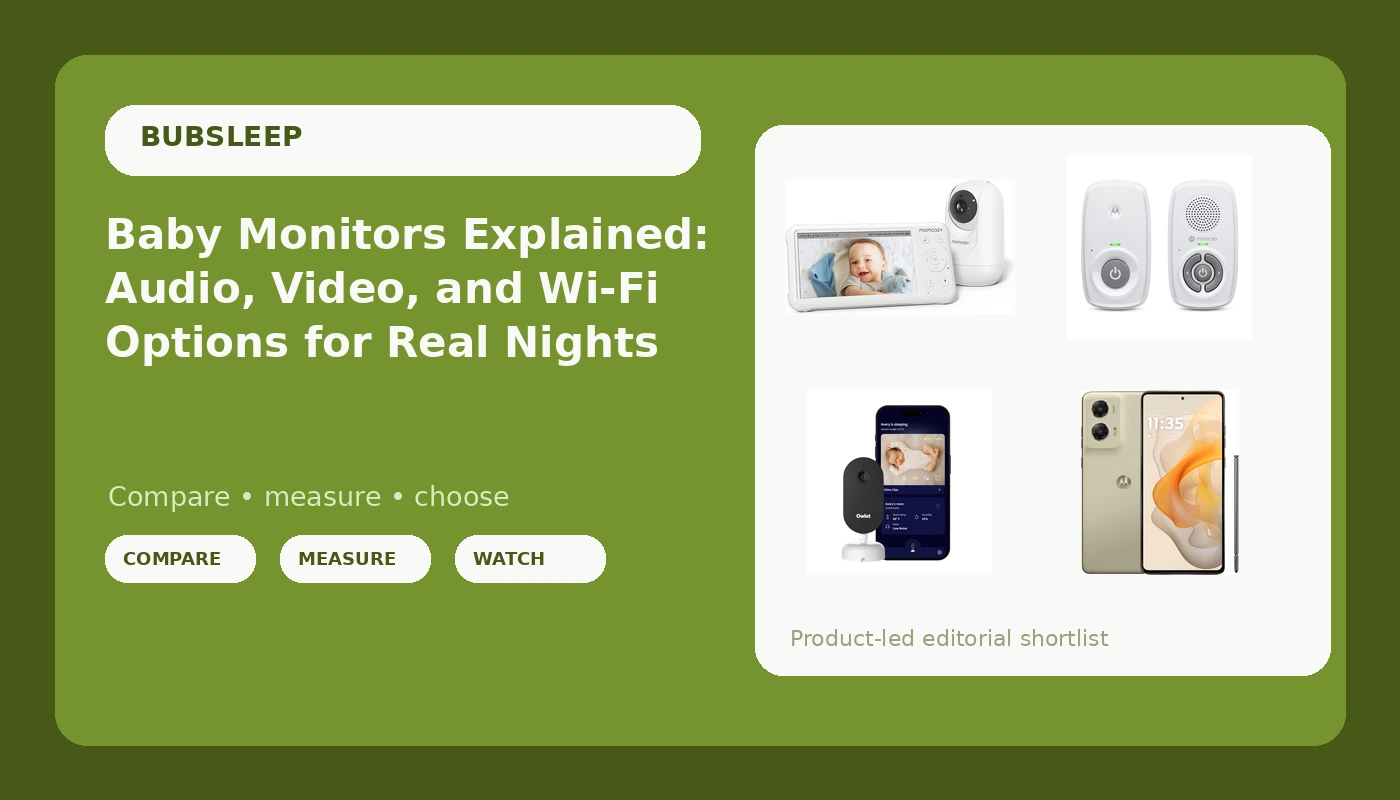
If you are shopping for a baby monitor in 2026, the category splits into three families of product: audio-only units that run on a private radio link, video monitors that ship with their own handheld parent unit, and Wi-Fi cameras that stream to an app on your phone. Each one answers a different question about how you want to check on a sleeping baby at 2 a.m. This explainer does not rank them against one another. It walks through four specific options, describes what each one is built to do, and lays out the questions worth answering before you spend anything. The right baby monitor is the one that matches how your household actually works at night, not the one with the longest feature list.
Related: Local RF vs Wi-Fi Baby Monitors: What Changes at 2 a.m. →
Quick answer
Decide two things first. Do you need to see your baby or only hear them, and do you want that feed on a dedicated parent unit or on a phone you already carry? An audio-only monitor with a private radio link covers hearing with no Wi-Fi and no app. A video monitor with its own screen covers seeing without depending on your router. A Wi-Fi camera covers seeing plus remote access, and it needs a phone and a working network. If your monitoring plan runs through an app, the phone becomes part of the setup, not a separate purchase.
Four useful options
| Model | Best fit | What stands out |
|---|---|---|
| Momcozy Video Baby Monitor, 5" 1080P HD Baby Monitor with Camera and Audio | Parents who want a dedicated screen and HD video without routing the feed through an app | The listing describes a 5 inch 1080p HD screen bundled with the camera and audio |
| Motorola Nursery Audio Baby Monitor, No WiFi, Long Range 1000 ft, AM21 | Households that only need sound, or want a backup that never touches Wi-Fi | Audio only, DECT private connection, no Wi-Fi, no app, portable battery parent unit |
| Owlet Dream Sight Smart Baby Monitor, 2K HD WiFi Camera, Cry Alerts | Parents who want a Wi-Fi feed and cry alerts delivered to a phone | 2K HD Wi-Fi camera with cry alerts |
| Motorola Moto G Stylus 5G, 2024, Unlocked, 8/128GB | Anyone whose monitoring setup runs through an app and whose current phone is the bottleneck | Unlocked 5G hardware with 8GB RAM and 128GB storage |
Dedicated screen, no app: Momcozy Video Baby Monitor
The appeal of a kit like this is separation. The camera sits in the nursery, the screen sits wherever you are, and the two communicate without your router in the middle. That matters most in homes where the router is far from the nursery, or where the internet drops often enough to be irritating. The trade-off is that a dedicated screen is one more device to charge and one more thing to lose under a couch cushion, and it will not let you check the feed from a restaurant or a hotel. Some parents want that distance. Others deliberately do not.
Audio only, no Wi-Fi, no aMotorola Nursery Audio Baby Monitor
Audio-only monitoring is the oldest approach and still the most robust. There is no video pipeline to stutter, no app to update, and no account to recover at midnight. What you give up is equally obvious: you cannot see whether a blanket has shifted or whether a toddler has climbed out of the crib. The listing states a range of up to 1,000 ft, which is a manufacturer figure measured in open air and will be shorter through walls and floors. Many families run an audio unit as a second-room backup, or as the primary for a child old enough that sound is genuinely enough. Cry detection here is a convenience layer on top of audio you can already hear, not a substitute for listening.
Wi-Fi camera with cry alerts: Owlet Dream Sight Smart Baby Monitor
A Wi-Fi camera buys reach. The feed lives on a phone, so you can check from another room, another floor, or another city, and cry alerts can arrive as notifications rather than as sound from a plastic speaker. The cost is dependency. When the network is down, the feed is down, and the phone you monitor on is also the phone you use for everything else, including the alarm you set for your own sleep. If you go this route, treat the phone as part of the purchase and think about how it holds up across a full night of streaming.
The phone that runs the app: Motorola Moto G Stylus 5G
Unlocked hardware matters if you switch carriers. Storage matters if you save clips. Battery life matters because the phone streaming the nursery overnight is also the phone that has to survive until morning. If you already carry a phone that runs the app comfortably, you do not need a second device, and buying one will not improve the camera. If your current phone struggles to hold a stream, this is the piece that makes a Wi-Fi camera usable in the first place.
Prices and availability may change. Product images, names, and retailer links are matched to verified listings. No current price, rating, stock status, or measured result is stated here without current evidence.
What night vision actually needs to do
At 2 a.m. there is no light in the nursery, so infrared illumination is the feature that decides whether a monitor is useful or decorative. A camera with excellent daytime color and weak infrared gives you a gray, grainy image exactly when you need clarity most. Two things determine whether infrared works in your room: how far the camera sits from the crib, and whether anything reflective is in the frame. A camera mounted across the room has to throw infrared much further than one mounted on the crib rail, and a mirror, a window, or a glossy wall decal can bounce infrared back into the lens and wash out the picture.
Field of view matters for the same reason. A lens that sees a narrow slice of the crib is fine until a baby rolls to the corner. A wide view of 110 degrees or more is a reasonable minimum for a standard nursery, because it lets you see the whole sleep surface without moving the camera every few weeks. Mount the camera before the baby arrives, test it in a fully dark room, and check the image at the exact spot where your baby's head will be.
Local RF versus Wi-Fi: what changes at 2 a.m.
A local RF monitor links the camera and the parent unit directly over radio frequencies. Nothing routes through your internet service, so a router reboot, a firmware update, or an outage does not touch the feed. Latency is minimal and the link is dedicated to one job. The limitations are range and access: walls, floors, and distance weaken the signal, and you cannot view the feed anywhere the parent unit is not.
A Wi-Fi camera works the other way. It offers remote viewing, notifications, and clips, all of which depend on a healthy network, a charged phone, and an app that is still supported. That dependency is not a flaw, it is the trade you are making. If you choose Wi-Fi, treat the camera like any other connected device: change the default password, keep the firmware current, use a modern encrypted network, and accept that a power or internet outage takes the feed with it.
- Decide whether you need to see your baby or only hear them.
- Decide where you will be when you check, since the kitchen, the basement, and a hotel room require very different hardware.
- Decide what powers the viewing device, and whether a parent unit battery or a phone battery is the more realistic overnight plan.
- Decide what happens when the internet drops, and whether that outcome is acceptable for your household.
- Decide where the camera will mount, then confirm the field of view covers the whole crib from that spot.
Practical guidance
- Test the camera in a fully dark room before the first night, not on the afternoon you unbox it.
- Keep all monitor cords at least three feet away from the crib, per safe sleep guidance, and anchor loose cable out of reach.
- Mount the camera on a stable surface or wall bracket so a toddler cannot pull it into the crib.
- Run an audio-only unit as a backup if your primary monitor depends on Wi-Fi, so an outage is an inconvenience rather than a blind spot.
- Do not treat cry detection as a safety feature. It filters noise, it does not assess your baby, and it cannot replace hearing or seeing them yourself.
Which option should you choose?
Choose the Momcozy Video Baby Monitor when you want a dedicated screen and HD video without routing the feed through your home network. Choose the Motorola Nursery Audio Baby Monitor when you only need sound, or when you want a no-Wi-Fi backup that keeps working during an outage. Choose the Owlet Dream Sight Smart Baby Monitor when remote viewing and cry alerts on a phone are worth the network dependency. Choose the Motorola Moto G Stylus 5G when your monitoring plan runs through an app and your current phone is the part that keeps failing.
Feature lists describe what a listing advertises, not how a device performs in your house. Night vision quality, real range through your walls, and parent unit battery life vary with layout and cannot be confirmed from a product page. Buy somewhere with a return window, test it in your own nursery, and send it back if it does not hold up.
The bottom line
The decision comes down to two questions: see or hear, and dedicated screen or phone. Audio-only with a private radio link is the simplest and the least dependent on anything else in your house. A dedicated video screen is the middle path, giving you a picture without a network. A Wi-Fi camera adds remote access and cry alerts, and it makes your phone and your router part of the monitoring system, which is either the point or the problem depending on how you live. Match the hardware to your actual nights, test it in the dark before you rely on it, and keep the receipt.