I have been a pediatric nurse for nine years and a mom of two kids under five, which means I have spent more nights than I care to count staring at a small screen in a dark hallway. My first monitor was a registry gift that looked fine in daylight and showed me nothing at 2 a.m., and that night is where this baby monitor comparison started. Since then I have run everything from $30 audio-only units to the Wi-Fi flagships, and my standards have not moved: if it cannot show you your baby from the kitchen, it is a gadget, not a monitor.
Three rules govern everything below. Night vision is the feature. If the infrared mode is grainy, dim, or only works when a night light is on, the whole product fails. Range matters more than resolution. A sharp feed that drops when you walk to the laundry room is a screensaver with anxiety. And the parent unit is the product. The camera is a lens; the handheld screen is what you carry one-handed at 3 a.m. while holding a bottle in the other hand. A great camera with a terrible parent unit is a failed device, no matter what the box promises.
Related: WiFi Vs No WiFi Baby Monitors: Which One Belongs In The Nursery
For most families in 2026, the HelloBaby 6 inch no WiFi monitor is the pick, because it hands you a big parent screen, a 33-hour battery claim, and a direct radio link that never asks your router for permission. The Babysense Touch 7 is the better choice if you want app viewing, split-screen, and a night light in one box, and it does all of that without a subscription. The GoodBaby is the cheapest way into the category. The fourth product in this roundup is not a baby monitor at all, and I will explain that plainly rather than pretend otherwise.
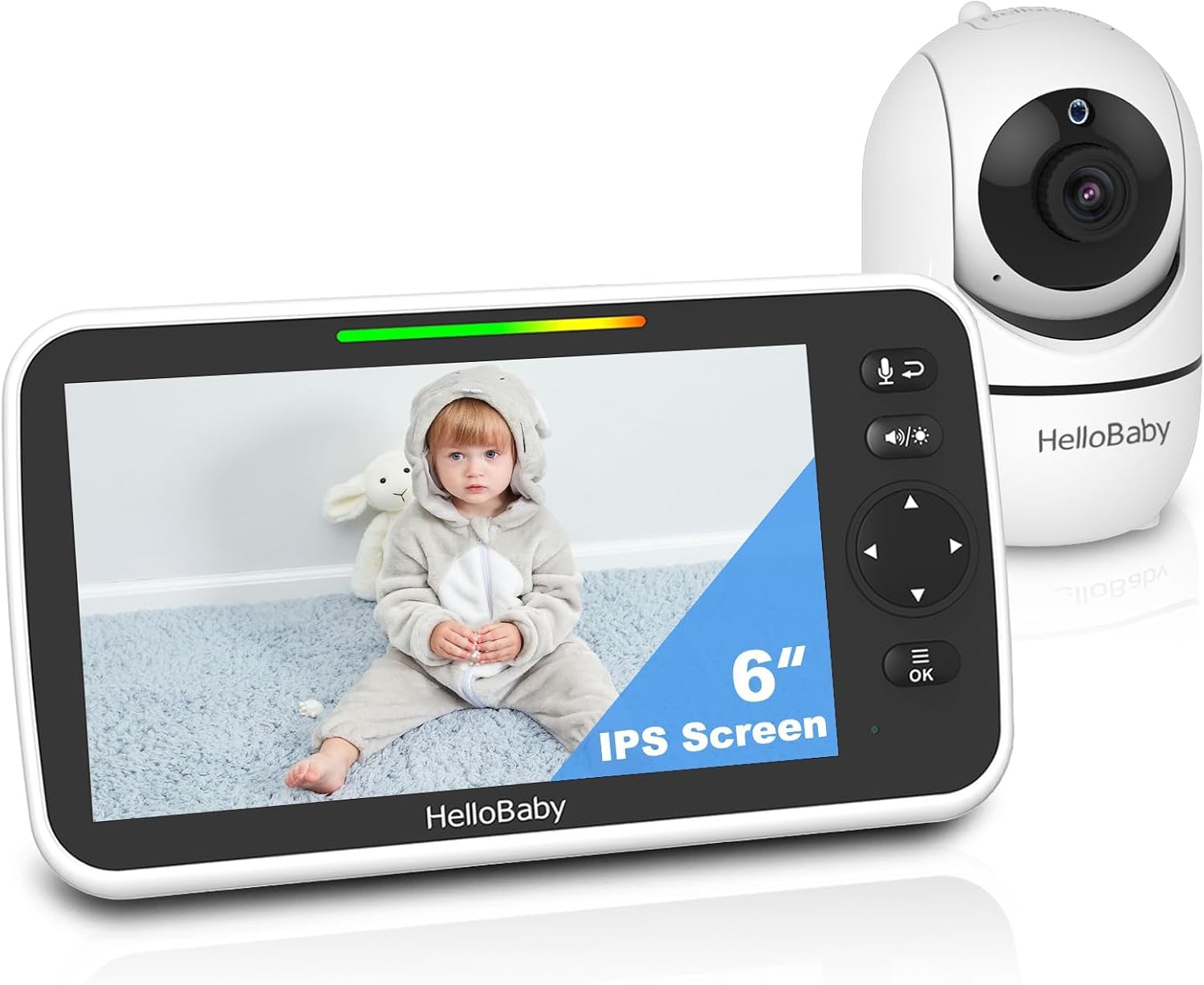
HelloBaby 6" No WiFi Video Baby Monitor with Camera Audio, 33H Battery
The biggest parent screen of the local RF pair, a 33-hour battery claim, and a direct radio link with no router in the middle
No app, no split-screen, no remote viewing, and the handheld screen is the entire interface
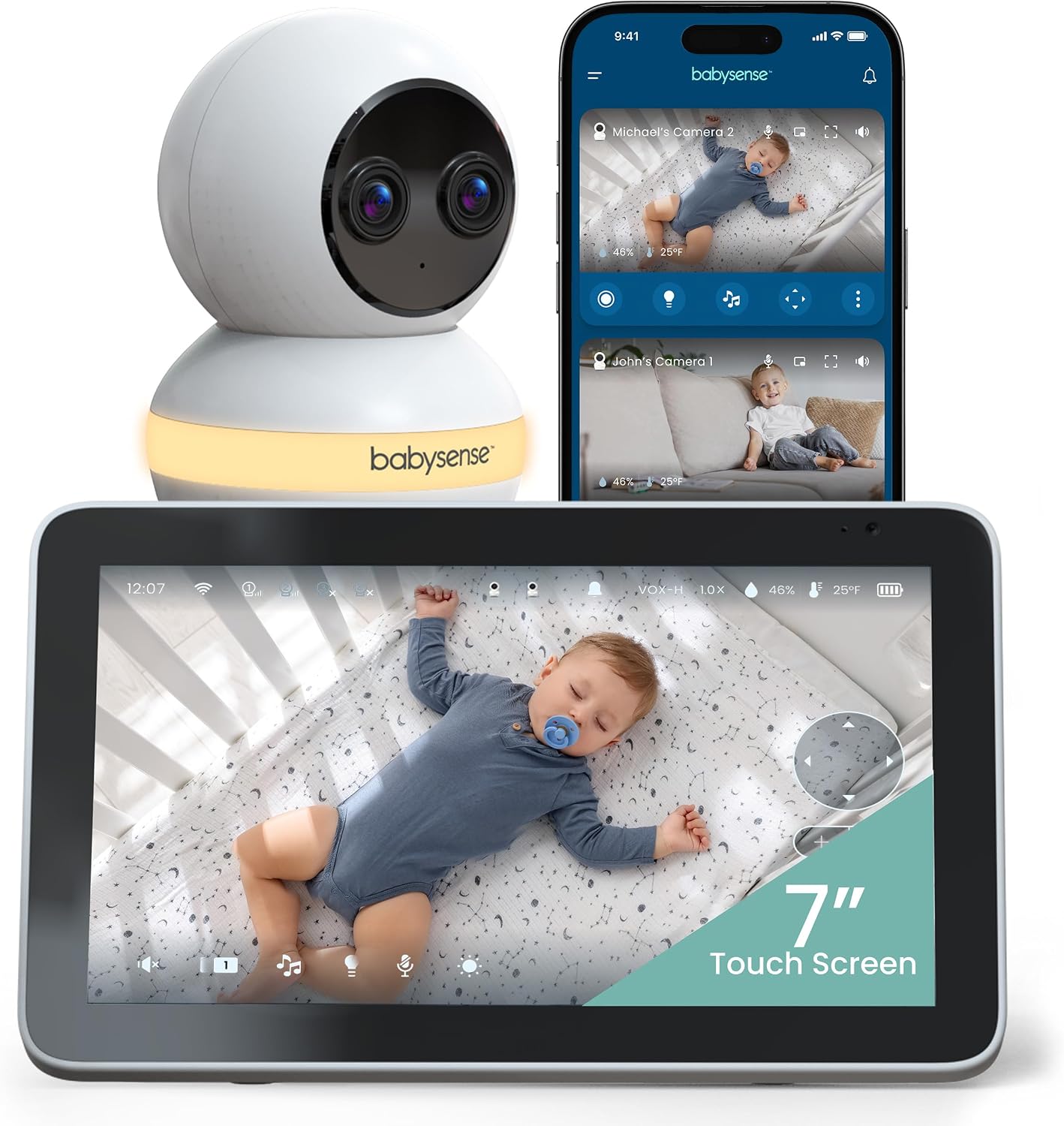
Babysense Touch 7" Touchscreen Smart WiFi Baby Monitor with App, Camera and Audio, Night Light, 4MP Dual-Lens with 6X Zoom, AI Auto Tracking, Focus Area, Split-Screen, VOX/ECO Mode, No Subscription
The most capable camera here: dual lens, 6X zoom, auto tracking, split-screen, night light, and no subscription
Wi-Fi is the weak link, and your phone becomes the parent unit, so the router and your notifications are now part of bedtime
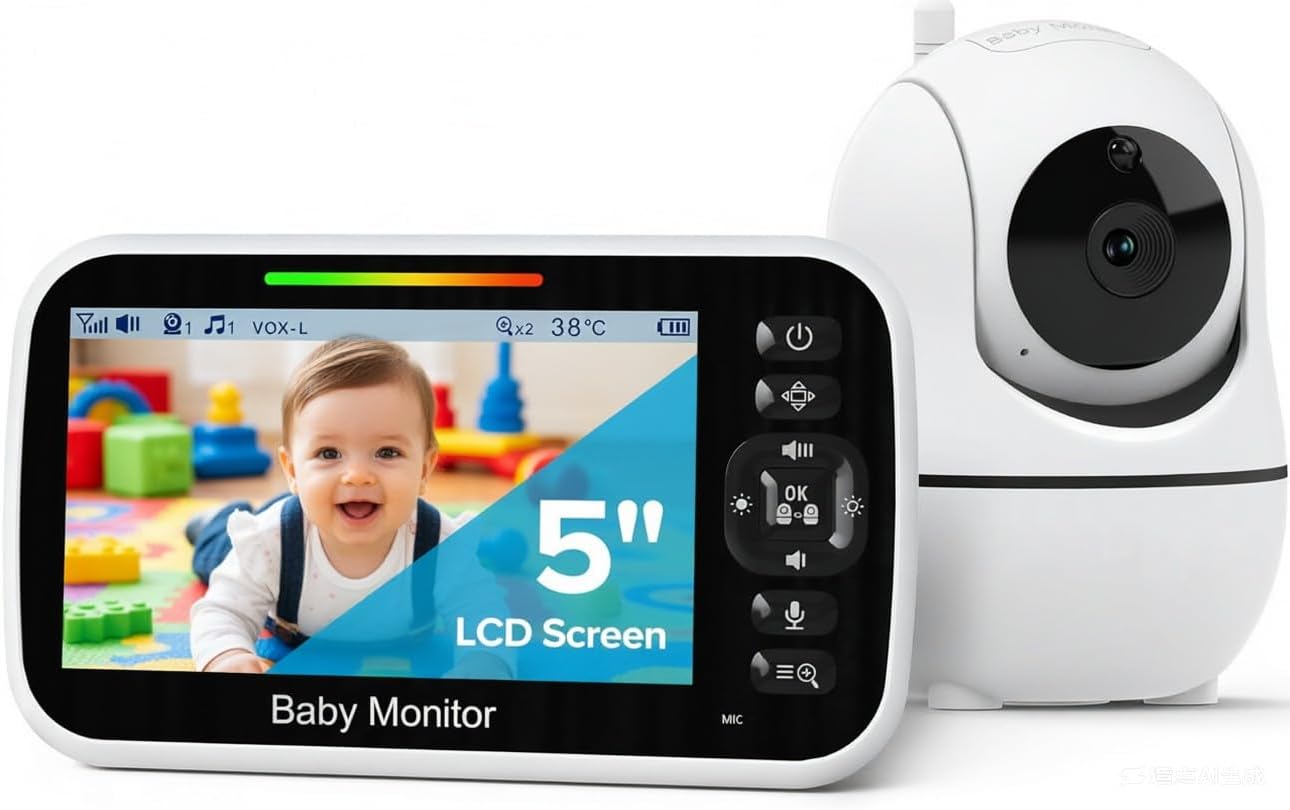
GoodBaby 5" Baby Monitor with Camera and Audio No WiFi
The simplest and least expensive path to a camera, a screen, and sound with zero network setup
A 5 inch screen is small at 3 a.m., and the feature list is short even by budget standards
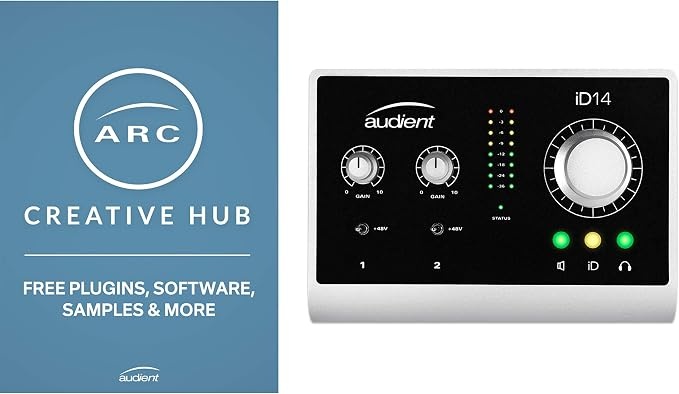
Audient iD14 USB Audio Interface with Microphone Preamp, 10 in/4 Out, 48 Volt Phantom Power, Monitor Mix & Panning, 6.3 mm Jack Out, AD/DA Converter
A serious audio interface with a real mic preamp, phantom power, and monitor mix control
It has no camera, no night vision, and no parent unit, so it cannot do the one job this category exists for
Prices and availability were captured from Amazon Creators API and may change.
How I judge a monitor, and why one of these four is not one
Start with the odd one out, because it will save you time. The Audient iD14 is a USB audio interface: 10 in, 4 out, a microphone preamp, 48 volt phantom power, monitor mix and panning, a 6.3 mm jack output, and an AD/DA converter. It is good gear. It is also not a baby monitor, and no amount of creative writing changes that. It appears here because it turns up alongside nursery gear in search results, and I would rather tell you that directly than let you wonder whether you missed something.
The rest of the list is judged on four things, in this order. First, the pitch-dark check: every light off, door closed, curtains drawn, and the question of whether I can see a chest rising. Second, the range check: kitchen, basement stairs, and the far end of the driveway, because that is where real parents stand. Third, the overnight parent unit test, which is battery, brightness, and whether the thing survives a night feed and a toddler grabbing it. Fourth, the subscription question. Anything that charges you monthly to see your own child loses points before we discuss anything else.
One honest note on numbers. I treat manufacturer figures as claims, not facts, so the 33-hour battery rating on the HelloBaby and the 4MP dual-lens spec on the Babysense are the numbers the brands publish. My job here is translating what those specs mean for a parent at 3 a.m., not repeating them louder.
The local RF picks: HelloBaby and GoodBaby
Local RF means the camera talks straight to the parent unit over a radio link. No Wi-Fi, no app, no buffering, no router drama at naptime. This is the category I recommend to parents who have ever watched a spinning loading wheel while their baby cried.
The HelloBaby 6 inch is the better of the two. A 6 inch parent screen is genuinely usable in a dark room, and the 33-hour battery claim, if it holds anywhere near that, gets you through multiple nights between charges. The 33H figure in the name is the headline here, because a parent unit that dies at 2 a.m. is worse than no monitor at all. What you give up is everything app-related: no remote viewing from the backyard, no split-screen, no zoom features, no night light. You get a camera, a screen, sound, and a radio link. For a lot of families, that is the whole list.
The GoodBaby 5 inch is the cheapest way in. Same no WiFi approach, smaller screen, shorter feature list, and a price that reflects it. If you want one camera in one nursery and you will be in the next room anyway, it does the job. If you have a big house, a toddler who moves, or a second baby coming, the 5 inch screen and the thin feature set will start to feel like a compromise by month three.
Visit on Amazon → for the HelloBaby, or Visit on Amazon → for the GoodBaby.
The Wi-Fi pick: Babysense Touch 7
The Babysense Touch 7 is the most feature-dense product in this comparison, and the spec list is not marketing fluff. A 7 inch touchscreen is the largest display here. The 4MP dual-lens camera with 6X zoom and AI auto tracking is aimed at parents of mobile babies, because a camera that follows a toddler across the crib is a real convenience rather than a gimmick. Split-screen covers two kids or two rooms. Focus area and VOX/ECO mode let you cut down on false alerts and battery drain. There is a night light built in. And the part I care about most: no subscription.
That last point matters more than any single feature. A monitor that requires a monthly fee to unlock playback or alerts is a rental agreement on your own peace of mind, and this one avoids that trap.
The trade-off is structural. Wi-Fi monitors are excellent until the router hiccups, and when the network drops, the app drops with it. Your phone becomes the parent unit, which means every notification, call, and low-battery warning competes with the nursery feed. If you are comfortable with that and you want remote viewing and app features, this is the pick. If you want a device that works when the internet does not, stay with the radio link.
The outlier: Audient iD14
Since it is in the table, it deserves a fair paragraph. The Audient iD14 is a desktop audio interface built for recording: a microphone preamp, 48 volt phantom power for condenser mics, 10 inputs and 4 outputs, monitor mix and panning, a 6.3 mm jack output for studio monitors, and an AD/DA converter. If you record a lullaby album, a parenting podcast, or voice memos you want to sound like a human being, this is the right tool.
If you want to see your baby in the dark, it is the wrong tool. No camera, no infrared, no parent unit, no range test to run. Buying it as a monitor substitute would be like buying a microphone to check the temperature. I include it so the roundup is honest about what is actually in the list, not so you add it to your registry.
Night vision, range, and the parent unit
These three factors decide whether you sleep or you pace, and none of them appear in a marketing headline.
Night vision is where budget monitors quietly fail. A camera can be crisp in daylight and useless in a dark room, and you will not know until the first night. When you compare options, look for infrared LEDs and check the return policy, because a daytime demo tells you nothing about 2 a.m. Any monitor that cannot see in a pitch-dark room is a radio with a screen attached.
Range is the second filter. Local RF units like the HelloBaby and GoodBaby have a fixed radio link, which means performance depends on walls and distance rather than bandwidth. Wi-Fi units like the Babysense depend on your router's reach, and a dead zone in the kitchen is a dead zone in your monitoring. Before you commit, walk the path you actually walk at night: the kitchen, the bathroom, the stairs, the front porch.
The parent unit is the third and most ignored factor. Battery life, screen brightness in a dark room, button layout, and how it feels in one hand at 3 a.m. all matter more than camera resolution. The HelloBaby's 33-hour battery claim and 6 inch screen are the strongest parent-unit story in this group. The Babysense hands that job to your phone, which is convenient and also means your phone is now a shared device.
Do you need the app at all?
For some parents, yes. If you work from home and want to check on a napping baby from a video call, or you want a second viewer on another phone, the Babysense setup is genuinely useful. Split-screen is a real benefit with two children, and remote access from the backyard is the reason Wi-Fi monitors exist.
For many parents, no. The app adds a router dependency, a phone dependency, and a set of notifications that will eventually annoy you. Local RF monitors never buffer, never update, and never ask you to create an account. My rule is simple: if the app is the only way to see your baby, you are one router reboot away from a bad night.
A practical middle path: pick a local RF monitor for the overnight job, and treat a Wi-Fi camera as a bonus for daytime naps. That is how I run my own house, and it is why the HelloBaby takes the top spot here while the Babysense remains the better product for a specific kind of parent.
What to check before you buy
Ask these questions in order. Can it see in the dark? Does the parent unit last the night? What happens when the Wi-Fi drops? Is there a subscription hiding in the feature list? If a monitor clears all four, it belongs in your nursery, whatever the price tag says.
Skip anything that charges a monthly fee to unlock basic features. Skip anything with a parent unit that dies before morning. And skip anything you cannot verify in a dark room before the return window closes. That is the test I would run with my own kids, and it is the only test that matters at 3 a.m.