I have spent nine years as a pediatric nurse and five of those as a mom, which means I have watched more nights through a monitor screen than most people have watched through their own eyelids. When parents ask me about Wi-Fi vs no-WiFi baby monitors, I give them the same answer I give at the bedside: the one you can actually see and hear at 3 a.m. is the right one, and everything else is a feature list. This comparison covers three monitors that landed in this batch, plus one product that is not a monitor at all, and I will tell you exactly what to do with that one.
Related: Baby Monitor Range: Why Your Feed Drops in the Kitchen
The short answer: the HelloBaby 6 inch Split Screen is the pick for most families because it never asks your router for permission, the Dr.Care LumiView Max is the pick if the parent unit screen is what you stare at all night, and the Motorola PIP1710 is the pick if your household already lives in an app. None of the three charges you a subscription to see your own baby, which in 2026 is a bigger deal than it should be.
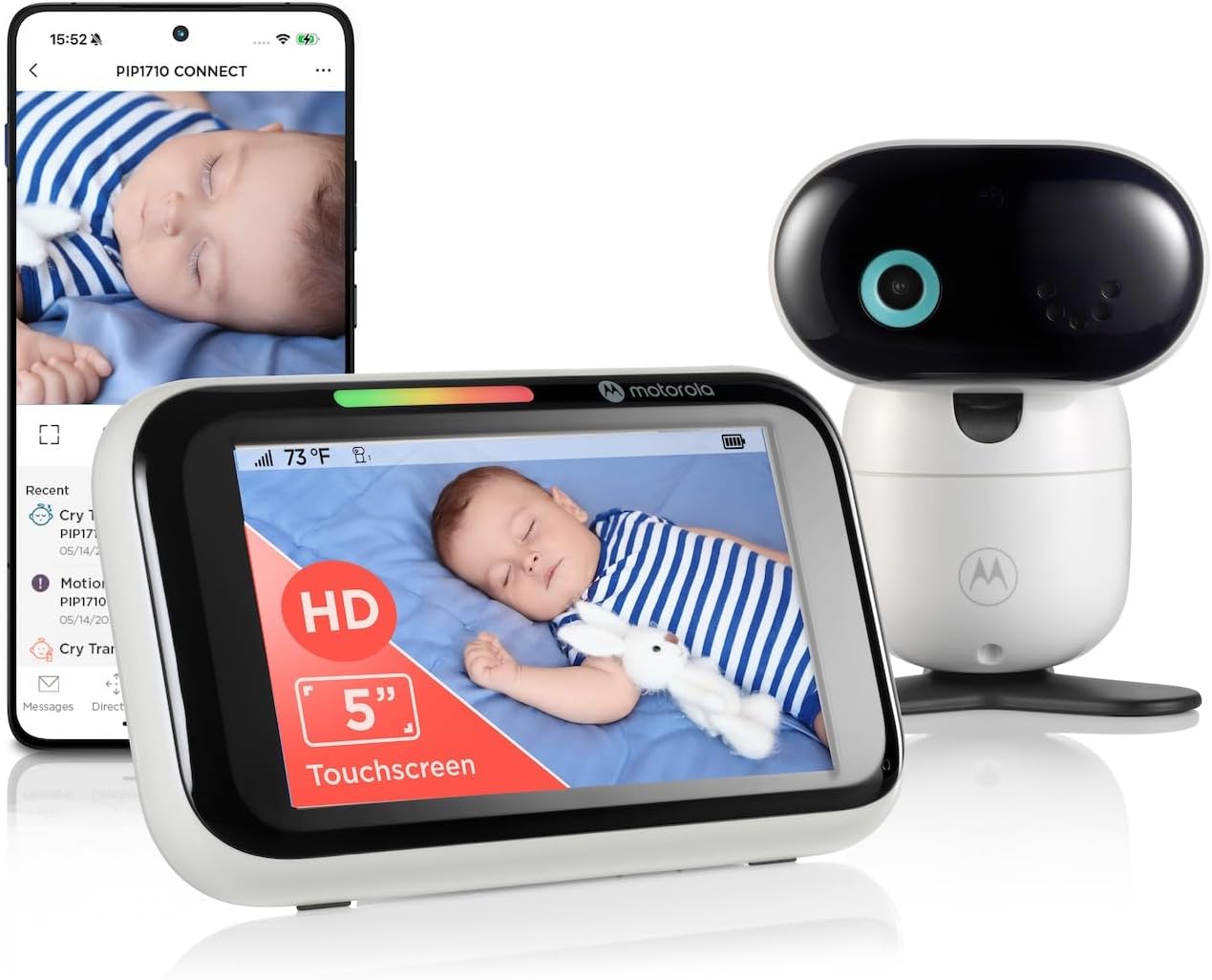
Motorola Nursery Wi-Fi Video Baby Monitor, AI Cry Detection & Translation, HD Camera, 5" Touch Screen Parent Unit, App, Night Vision, PIP1710
A real parent unit plus app access, night vision, and a touch screen you can work half asleep
Wi-Fi means your router is now part of your baby's sleep setup, and cry detection is a feature you can already do with your ears
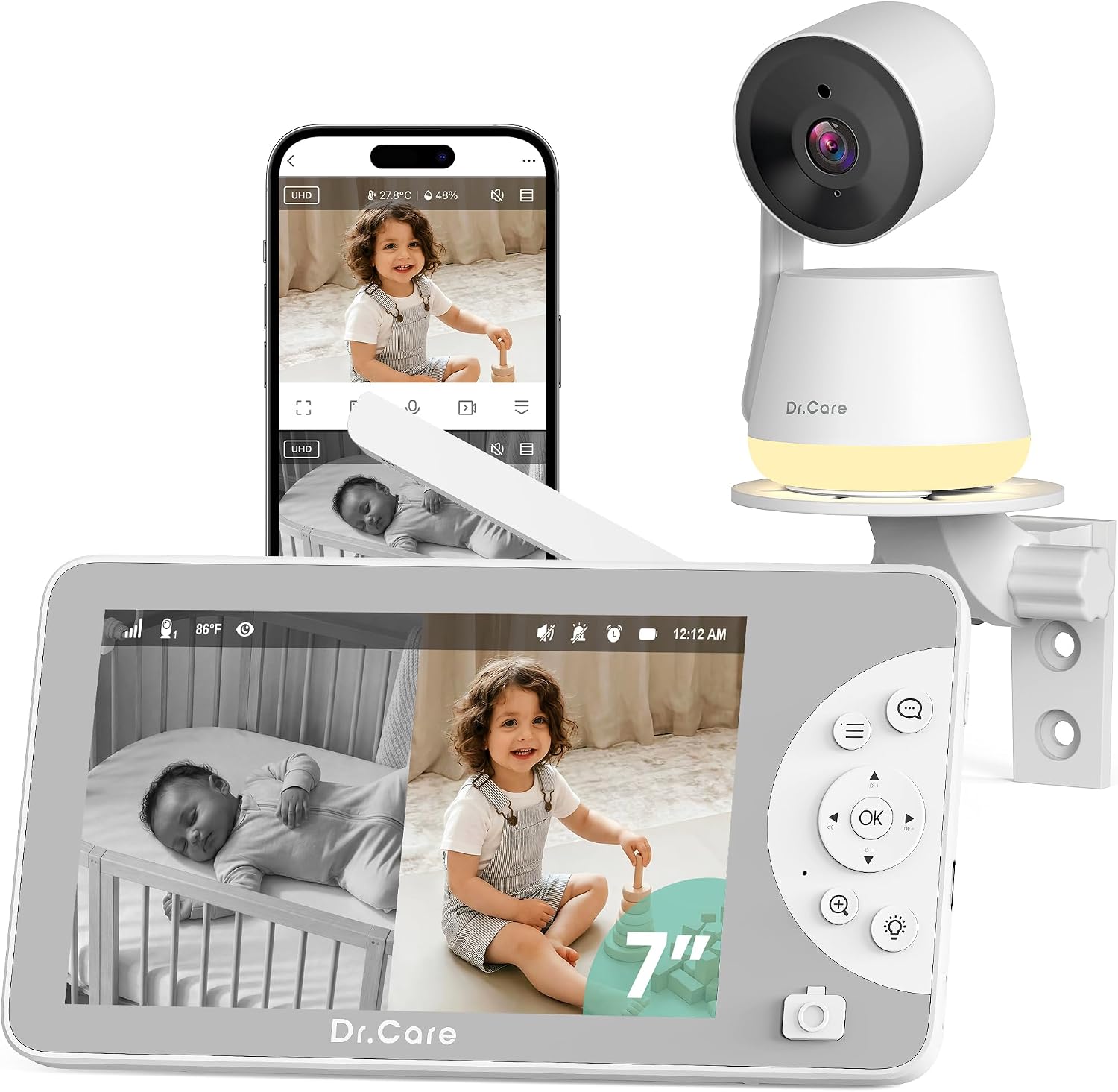
Dr.Care LumiView Max 7" Smart WiFi Baby Monitor, 1080P FHD & 2K Camera
The largest parent unit screen here at 7 inches, with a 1080P FHD feed and a 2K camera
It is a Wi-Fi device first, so the app and your network carry the experience
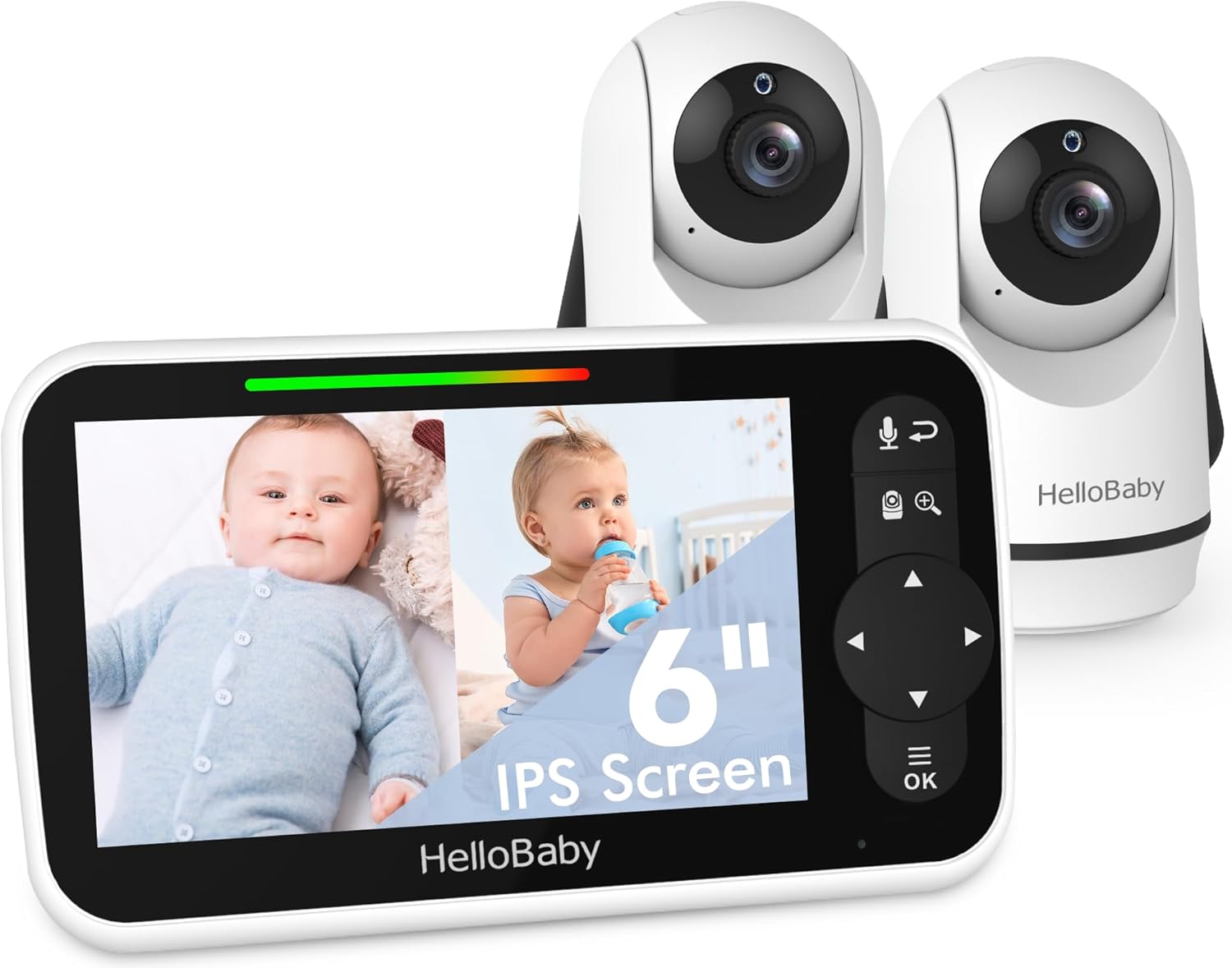
HelloBaby 6" Split Screen Video Baby Monitor with 2 Cameras, No WiFi
Two cameras on one 6 inch split screen and no Wi-Fi involved, at the budget end of this group
Split screen means each camera gets half the display, and there is no app for checking in from the driveway
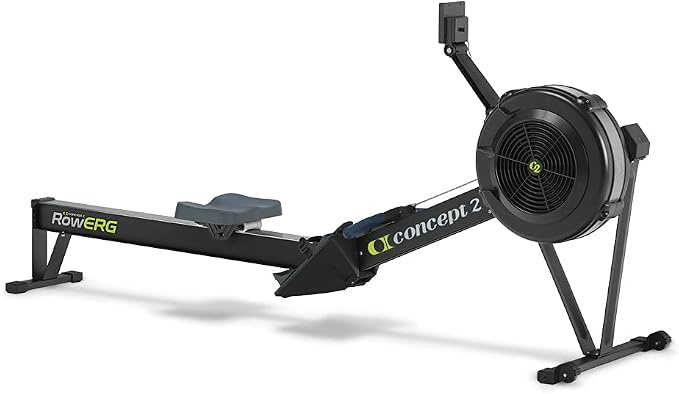
Concept2 RowErg Indoor Rowing Machine, PM5 Monitor, Device Holder, Adjustable Air Resistance, Easy Storage
Nothing to do with babies, but it has a PM5 monitor, a device holder, adjustable air resistance, and easy storage
It cannot see your baby at 3 a.m., which is the entire job
Prices and availability were captured from Amazon Creators API and may change.
How I judge a monitor, and it is not by resolution
My test is boring and it never changes. Can I see the chest rise in pitch dark? Does the parent unit survive from bedtime to the 5 a.m. feed without being tethered to a cable? Does the feed still work when I walk to the kitchen for water? And what happens when the Wi-Fi drops at 2 a.m. because the router decided to update itself?
That last one is why I have a bias, and I will admit it up front. A monitor that depends on Wi-Fi is a monitor that depends on your internet provider, your router firmware, your phone, and an app that some company may or may not still update in three years. A monitor that runs on a direct radio link between camera and parent unit has none of those failure points. It will not tell you how many minutes your baby slept. It will also never buffer while your baby is crying.
Night vision is the feature. If you cannot see your baby in the dark, you own a radio. Every monitor in this comparison claims night vision, and the ones that matter are the ones that hold up when the room is genuinely black, not dim.
The parent unit is the product. A brilliant camera feeding a laggy screen with a dead battery is a failed device. Screen size, button layout, how it feels at 3 a.m. with one hand, all of that decides whether you keep using it.
HelloBaby 6" Split Screen: the no-WiFi pick
This is the one I would hand to a first-time parent on a budget without hesitating. Two cameras, one 6 inch screen, and no Wi-Fi anywhere in the chain. The split screen view means you can keep one camera on the crib and one on the toddler's room or the playroom, and you are not paying for a second monitor to do it.
The trade-offs are honest ones. Splitting a 6 inch display in two means each camera gets a smaller view, so if you are the kind of parent who zooms in on the swaddle, you will feel the squeeze. There is no app, which means no checking in from the backyard or the office. For some parents that is a dealbreaker. For me it is the point: nothing about this monitor can be interrupted by a router, an app update, or a cloud outage.
The other thing I like is the price position. This sits at the budget end of this group and still delivers the two things that matter at 3 a.m., which are night vision and a parent unit you can grab. That is 90 percent of what the expensive monitors do, and you are not renting peace of mind.
Dr.Care LumiView Max: the big screen pick
A 7 inch parent unit is not a gimmick. When you are squinting at a screen at 3 a.m. with one eye open, an extra inch of glass is the difference between seeing a pacifier and seeing a gray blob. The LumiView Max pairs that 7 inch display with a 1080P FHD feed and a 2K camera, and if your priority is the picture you stare at all night, this is the strongest option in this batch.
It is a smart Wi-Fi monitor, so it inherits the Wi-Fi trade-off. That means app access, which a lot of parents genuinely want for daytime naps and for the grandparent who is babysitting. It also means your monitor is only as reliable as your network, and the 2K camera is only as useful as the app that renders it. A high-resolution feed that stutters is worse than a lower-resolution feed that never does.
My advice if you go this route: treat the parent unit as the primary and the app as the bonus, not the other way around. Put the camera and the router on the same floor if you can, and keep the parent unit charged on your nightstand so a router hiccup does not leave you blind.
Motorola Nursery PIP1710: the app and AI pick
The PIP1710 gives you both halves of the equation: a 5 inch touch screen parent unit and full app access, plus night vision and an HD camera. The touch screen is the part I would actually pay for. Buttons you can find in the dark are fine, but a screen you can tap without turning on a lamp is a real quality-of-life upgrade during a night feed.
Then there is the AI cry detection and translation. I will be blunt, because I say this to parents every week: cry detection is marketing. If your baby is crying, you can hear them. The monitor is in the room. What the feature does is add a notification layer on top of a sound you were already going to respond to, and it is the kind of thing that sounds great in a product listing and gets ignored by week three.
That does not make this a bad monitor. It makes the cry detection the least interesting part of a device that is otherwise a solid Wi-Fi option with a proper parent unit, which is more than a lot of app-only cameras can say. If your household already runs on apps and you want one screen that does everything, this is a reasonable place to land. Just do not buy it for the AI label.
The rowing machine that wandered into a baby monitor comparison
The Concept2 RowErg is not a baby monitor, and I am not going to pretend otherwise. It is an indoor rowing machine with a PM5 monitor, a device holder, adjustable air resistance, and easy storage. It showed up in this batch alongside three nursery cameras, so I am covering it honestly rather than quietly deleting it.
If you searched for a baby monitor and landed here, ignore this row entirely and pick from the three above. If you are a parent who has been meaning to reclaim twenty minutes a day for yourself, this is a different purchase with a different budget, and it has nothing to do with watching your baby sleep. The PM5 monitor is a performance computer, not a nursery camera, and it will not tell you whether the swaddle came loose.
Wi-Fi vs no-WiFi, the trade-off nobody puts on the box
Wi-Fi monitors win on reach. You can see your baby from the office, from a restaurant, from another state if you are traveling and a sitter is home. They win on updates and features, and they win on the sheer convenience of a phone in your pocket.
They lose on dependency. Every Wi-Fi monitor is a chain of devices that all have to work: the camera, the router, the modem, the internet provider, the app, the phone, and the company that maintains the app. Any link in that chain breaks your view of your baby. I have watched a router reboot at 2:40 a.m. and I have never forgotten how long those four minutes felt.
Local RF monitors win on certainty. Camera talks to parent unit, parent unit shows you the baby. There is no account, no cloud, no subscription, no update that moves the button you use every night. They lose on reach, because you cannot check in from the driveway, and they lose on polish, because the app ecosystem is where the money is.
If you want my rule of thumb: Wi-Fi for daytime naps and travel, local RF for the overnight shift. If you can only buy one, buy the one that works when the internet does not.
What matters more than the spec sheet
Night vision quality. Not the claim, the actual infrared performance in a black room. This is the single feature that separates a monitor you trust from a monitor you tolerate.
The parent unit. Battery life, screen size, how it feels in one hand, whether the buttons are findable in the dark. You will touch this object more than any other baby product you own.
Field of view. You want enough of the crib in frame that you are not constantly adjusting the camera. A tight shot of a mattress is useless the moment your baby learns to roll.
No subscription. If a company wants a monthly fee to unlock basic viewing or to store clips you did not ask for, walk away. You should not rent access to your own nursery.
Which one should you buy
Buy the HelloBaby 6" Split Screen if you want two rooms covered, you want zero Wi-Fi involvement, and you would rather spend the savings on a sound machine and a good glider. This is the one I recommend most often to parents who ask me in the hallway at work.
Buy the Dr.Care LumiView Max if the screen is the thing you care about and you want the biggest one here, with a 1080P FHD feed and a 2K camera behind it. Accept that you are now maintaining a network dependency.
Buy the Motorola Nursery PIP1710 if you want a real parent unit and app access in one package, and you are willing to treat cry detection as a bonus rather than a reason.
Skip all three and buy the rowing machine only if you were never shopping for a monitor in the first place. It is a great rower. It is a terrible nursery camera.
What I am watching next
The feature I want to see next year is not more AI. It is monitors that fail gracefully, meaning a Wi-Fi camera that keeps a direct local link alive when the router drops, and parent units that hold a charge past night two. That is the engineering that keeps a parent sane at 3 a.m., and it is far more valuable than a notification telling you what your own ears already know.