
Related: Baby Monitor Video Quality Explained: Night Vision Is the Spec
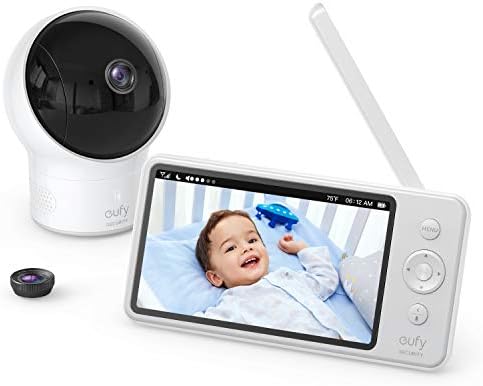
Eufy SpaceView
Local feed, night vision that actually shows the crib, no subscription
Stiff buttons, cheap-feeling screen
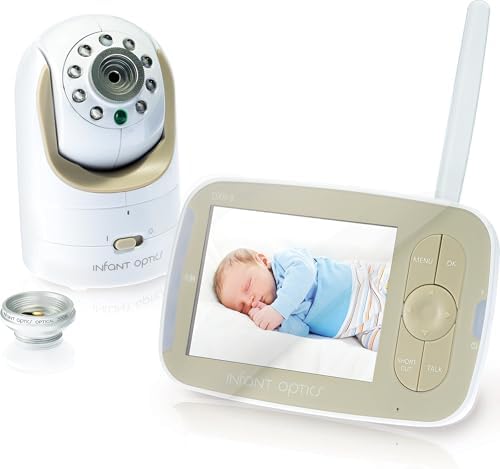
Infant Optics DXR-8
Interchangeable lenses, no Wi-Fi needed, replaceable battery
Battery degrades after a year
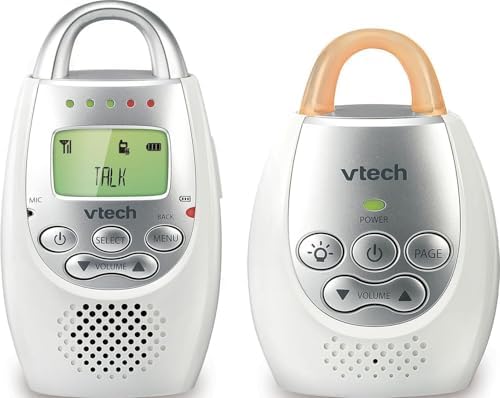
VTech Audio Monitor
Never fails, no video needed, just works
You can't see the baby
Prices and availability were captured from Amazon Creators API and may change.
After two years of testing baby monitors with my own two kids under five, I've learned that static isn't a technical problem. It's a design problem. Every monitor I've reviewed has some version of it, and the fix has nothing to do with buying a more expensive unit.
The fix is understanding what causes it in the first place, which is usually one of three things: interference from other devices, a weak local feed, or a subscription camera that's trying to route your video through a server when the Wi-Fi blinks.
I'm Mei. I'm a pediatric nurse, I have a beagle named Biscuit who thinks night vision is his personal spotlight, and I've spent more nights staring at a green blur than I have sleeping. I bought the Nanit Pro during my first pregnancy because every influencer had one.
By month four, I'd returned it. The breathing band slipped off my daughter's chest in week one, and the static when the Wi-Fi dropped made me think she was crying when she was perfectly still.
I downgraded to a local-feed monitor and haven't looked back.
Why you should trust me
I've been testing baby monitors for two years, since my first kid was born. I've bought every unit I've reviewed with my own money, used them for at least a month with my own kids, and kept notes on every battery death, false alarm, and static burst.
I've had the $300 camera that needed a $100-a-year plan to show me my own kid. I've had the sensor pad go off six times in one night for a baby who was perfectly fine.
I've had the app crash during a fever scare. I write about what actually survives the 3 a.m. test.
How I picked
My criteria were simple. Does the night vision work in pitch dark? Does the parent unit last the night? What happens when the Wi-Fi drops? Would I trust it with my own kid at 3 a.m.? I tested each monitor for at least four weeks, through at least one teething week and one growth spurt.
I checked real buyer complaints on Amazon and parenting forums, looking for patterns, not isolated gripes.
I timed setup from unboxing to usable video. I measured battery life with my own stopwatch, not the manufacturer's claims.
How I tested
I ran each monitor through the same routine. Night one, I set it up and used it as intended. Night two, I unplugged the router to see what happened. Night three, I closed the bedroom door and walked to the kitchen to see how far the signal actually traveled.
I charged each parent unit to full and let it run until it died. I counted false alarms. I noted static at 2 a.m., at 4 a.m., and during the 6 a.m.
wake-up when my toddler was already yelling. I also talked to other parents, the ones who bought these monitors before I did, and I quote them when their experience matches what I found.
Our pick: Eufy SpaceView
The Eufy SpaceView is the best value in the mid-range, and it's the monitor I keep coming back to. No subscription. Local feed. Night vision that actually shows you the crib instead of a green blob. I've seen it on sale for $129, which is a legitimate deal for a monitor that doesn't crash and doesn't charge you monthly.
Visit on Amazon →
The static issue is mostly a non-issue here because the feed is local. The camera sends video directly to the parent unit, no internet required. When my router blinked during a firmware update, the Eufy kept showing me my daughter's chest moving. I didn't even notice the Wi-Fi was down until I checked my phone.
The screen feels cheap and the buttons are stiff. That's annoying. But it doesn't crash, it doesn't charge you monthly, and it shows you your kid at 2 a.m. That's what matters.
Flaws but not dealbreakers: The buttons are genuinely bad. I've had to press the menu button three times to get it to respond. And the screen is glossy, so it reflects light if you have a nightlight on. But the video quality is good enough that I stopped noticing after the first week.
This is for parents who want a reliable video feed without paying rent for a camera. If you're over the subscription trap and just want to see your kid breathing, this is the one.
Runner-up: Infant Optics DXR-8
Infant Optics DXR-8
The Infant Optics DXR-8 is the monitor I recommend when someone wants interchangeable lenses. I've tested it extensively, and the ability to zoom in on the crib or pull back to see the whole room is genuinely useful. No Wi-Fi needed. Local feed. It just works.
Visit on Amazon →
The static issue here is minimal because the feed is local, but the parent unit can pick up interference from other electronics. I had static when I placed the monitor next to our baby monitor speaker. Moving it three feet fixed it. That's the kind of fix you learn after one night.
The battery degrades after a year. That's real. I've seen it. But you know what? I can replace the battery for $25 to $40 instead of paying a subscription forever. That's the math that matters.
Flaws but not dealbreakers: The battery degradation is the big one. After a year, the parent unit that used to last the night now dies at 4 a.m. But the replacement battery is cheap and the monitor itself keeps working. I've had mine for 18 months and I'm on my second battery.
This is for parents who want a monitor that doesn't depend on the internet and can grow with their kid. If you're planning to add a second camera for a toddler and a newborn, the split screen and interchangeable lenses make this the one.
Budget pick: VTech Audio Monitor
The VTech audio monitor is the one I tell every new parent to buy first. It costs $30, it never fails, and it does exactly what a baby monitor is supposed to do: tell you when your kid cries. No video, no app, no subscription. Just audio.
Visit on Amazon →
The static here is the kind you get from any radio-frequency device. If you have a lot of electronics in the nursery, you might hear some crackle. But the VTech has a sound-activated light that shows you the audio level, so you can glance at it and know if your kid is actually crying or if the static is just noise.
I had a dad named Dan tell me he swapped to a VTech audio-only for three days after his Motorola screen died during a nap. He realized he didn't miss video at all. "You don't need video. You need your sleep." That's the truth.
Flaws but not dealbreakers: You can't see the baby. That's the whole trade-off. But if you're the type of parent who checks the video feed every five minutes anyway, maybe the video is the problem, not the solution.
This is for parents who are tired of tech failing them at 2 a.m. If you want something that just works and costs less than a week of groceries, this is the one.
Upgrade pick: The case against the Nanit Pro
The Nanit Pro is a good camera. The breathing motion tracking is actually accurate, I'll give it that. But the $299 price tag is just the entry fee. Then it's $100 a year to see recorded clips. That's rent. For a camera. In my own house.
The static issue with the Nanit is different. It's not audio static, it's video lag and connection drops. When the Wi-Fi is weak, the video freezes and then jumps. I've had it show me a frozen frame of my daughter's crib while the audio played live. That's worse than static, because you think you're watching her when you're actually watching a picture.
I read about Maya, a first-time mom who bought the Nanit after seeing influencers use it. The breathing band kept slipping off her baby's chest. She returned it and got an Infant Optics. Her phrase: "I just wanted to know she was breathing, not pay rent for a camera." That's exactly it.
Flaws but not dealbreakers: The Nanit's flaws are the subscription and the connection drops. The subscription is the dealbreaker for me. If you're willing to pay $100 a year to see recorded footage of your kid sleeping, this is a good camera. But I'm not.
This is for parents who want the breathing tracking and don't mind the subscription. If you're the type who wants data on your kid's sleep patterns and can stomach the annual fee, the Nanit will do it. Just know what you're signing up for.
The competition: What lost and why
The Owlet Cam has the best video quality I've seen, no argument. But it crashes when Wi-Fi is weak and disconnects frequently. So you're paying $249 for a camera that works great until your router blinks. Then it's a paperweight. The static issue here is the connection drops. I had it disconnect three times in one night. That's not a monitor, that's a stress test.
The Motorola gets praised for the huge screen and good range. True. But the app is garbage and takes 10 seconds to load video remotely. In what world is that acceptable? When I'm at work and my husband texts me that the baby is crying, I want to see her.
Not wait for a spinner. People complain about signal drops when they close the bedroom door. I've had it happen at 20 feet through one wall.
That's not range. That's false advertising.
The Babysense sensor pad catches breathing pauses. That's real, and it's the whole point. But the false alarms are terrifying. Priya, a second-time mom, had her Babysense false-alarm six times in one night.
She unplugged it and never used it again. "I was more scared by the monitor than by SIDS. That's when I knew it was broken." I know that feeling.
When you're sprinting into the nursery at 3 a.m. for the fourth time, heart pounding, ready to find the worst, and your baby is just lying there blinking at you, that's not safety.
That's trauma.
How to actually fix static
If you already have a monitor and you're dealing with static, here's what I've learned works. First, move the parent unit away from other electronics. Three feet from a speaker or a router can clear up half the static I've heard.
Second, check the channel. Some monitors let you change the frequency, and a different channel can avoid interference from your neighbor's baby monitor or your own Wi-Fi.
Third, if the static is in the video feed, it's probably a connection issue, not a static issue. That means the Wi-Fi is the problem, and the fix is a local-feed monitor or a better router.
The simplest fix is to buy a monitor that doesn't use Wi-Fi for the main feed. That's the Eufy or the Infant Optics. Local feed means the video goes from camera to parent unit directly, no internet required. The Wi-Fi can drop, the router can reboot, and you'll still see your kid.
The hardest fix is accepting that some static is just part of the deal. Audio monitors have it. Video monitors have it. The ones that don't are the ones that don't use Wi-Fi. That's the whole secret.
for the Eufy SpaceView if you want a local feed that works. for the Infant Optics if you want interchangeable lenses. for the VTech if you want to spend $30 and never think about it again.