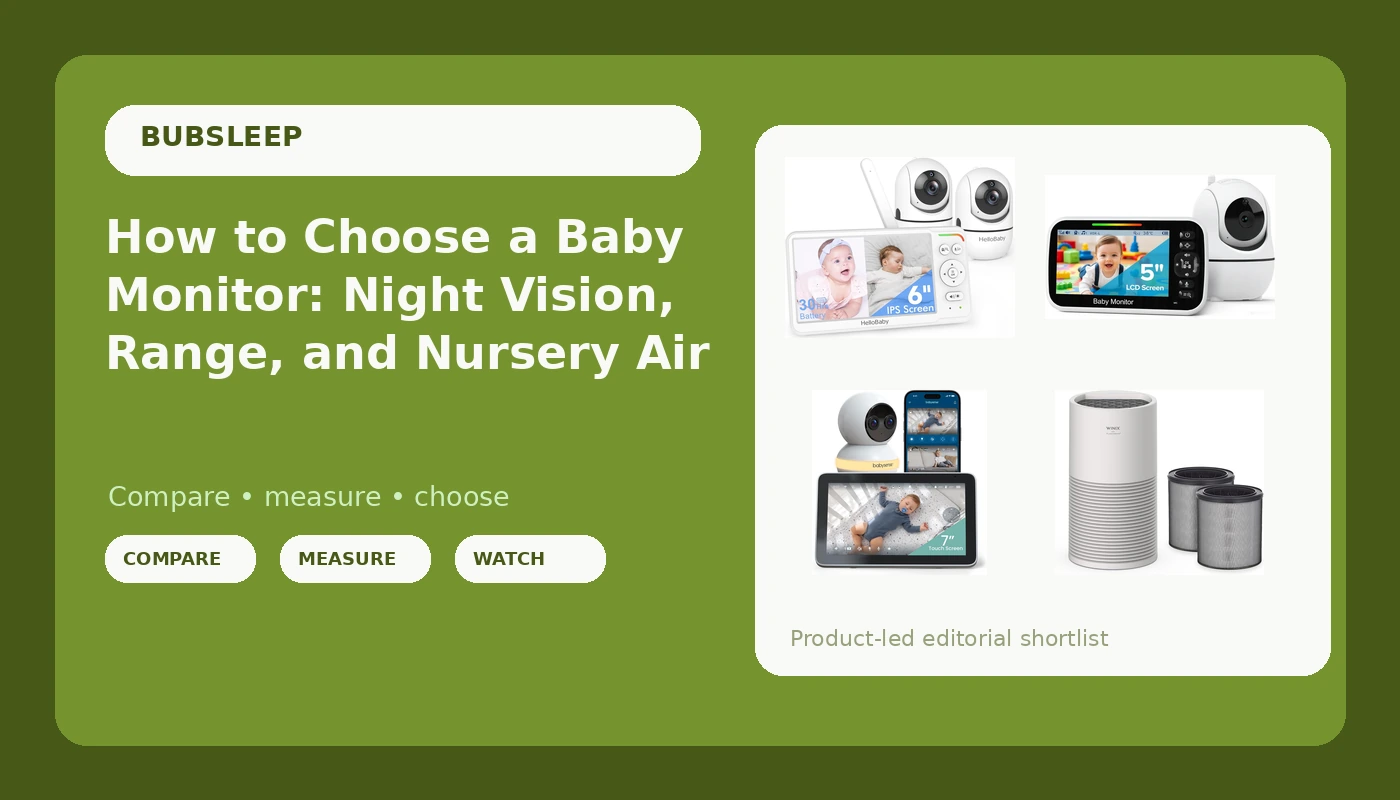
Most nursery purchases get made twice. The first time happens at the registry, when you pick the monitor with the nicest box. The second time happens at 3 a.m., when you discover the feed is grainy, the parent unit is dead, or the screen froze on the far side of the hallway. Baby monitor night vision, usable range, and parent unit stamina are the three things that decide which of those nights you have. Everything else, the app icons, the sleep charts, the marketing copy about cry detection, is decoration until those three are settled.
This guide explains how those features work, where the trade-offs actually land, and which of four currently listed products fits which kind of home. Two of them are local radio-frequency monitors with no Wi-Fi at all, one is a Wi-Fi monitor with an app and no subscription, and one is not a camera at all but a nursery air purifier, because the room your baby sleeps in is part of the sleep equation.
Related: Best Baby Monitors for Small Apartments and Thin Walls →
Quick answer
There is no single monitor that suits every nursery, and the right pick depends on whether you want a direct radio link or app access. The GoodBaby 5" Baby Monitor is the lowest-cost way to get a dedicated screen and camera with no Wi-Fi involved. The HelloBaby No WiFi Baby Monitor adds a second camera and a 6-inch split screen for covering two rooms from one parent unit. The Babysense Touch 7" is the app-based option, pairing a touchscreen with Wi-Fi and listing no subscription requirement. The WINIX AT40 addresses the air in the room rather than the view of the crib, and it is worth considering alongside a monitor, not instead of one.
4 useful options
| Model | Best fit | What stands out |
|---|---|---|
| GoodBaby 5" Baby Monitor with Camera and Audio No WiFi | First monitor on a tight budget | Dedicated 5-inch parent screen with no Wi-Fi dependency |
| HelloBaby No WiFi Baby Monitor 2 Cameras, 6" Split Screen 30H Battery | Two rooms or two children | Two cameras feeding one 6-inch split-screen parent unit |
| Babysense Touch 7" Touchscreen Smart WiFi Baby Monitor | Parents who want phone access | 7-inch touchscreen plus app, listed as no subscription |
| WINIX AT40 Air Purifier | Nurseries with dust, dander, or smoke exposure | True HEPA and carbon filtration with an air quality monitor |
Budget pick: GoodBaby 5" Baby Monitor with Camera and Audio No WiFi
The trade-off with a monitor at this end of the range is usually flexibility, not function. A single fixed camera means you position it once and hope the crib stays where it is, and a 5-inch screen is smaller than the 6- and 7-inch panels on the other two monitors here, so you will not be reading a face from across a large room. What you get in exchange is a device that does not care whether your internet is up, does not ask you to create an account, and does not push a firmware update at bedtime. For a first apartment, a grandparent's house, or a second monitor for travel, that simplicity is the whole point.
Two-camera pick: HelloBaby No WiFi Baby Monitor 2 Cameras, 6" Split Screen 30H Battery
The split screen is the feature that changes a nightly routine. With a toddler and a newborn, you are not choosing between two feeds, you are watching both at once, and you are not carrying two parent units around the house or swapping a camera input at 2 a.m. while someone cries. The cost is screen real estate: two images on a 6-inch panel are each smaller than a single full-screen view, so you trade detail for coverage. That battery figure is also a listing specification rather than a promise about your house, and battery life always depends on how bright you keep the screen and how much you use the audio-only mode.
Wi-Fi pick: Babysense Touch 7" Touchscreen Smart WiFi Baby Monitor with App
Wi-Fi monitors earn their place when you want to look in from another room, another floor, or another zip code, and the "no subscription" note matters more than any single camera feature, because a monitor that gates basic viewing behind a monthly fee is a rental, not a purchase. The trade-off is dependency. When the router reboots, when the ISP has an outage, or when the 2.4 GHz band gets crowded, an internet-based feed can stutter in a way a direct radio link does not. The 7-inch touchscreen softens that, because you still have a dedicated local display in hand, and features like focus area and auto tracking are most useful when you are watching a baby who has started rolling around the crib.
Nursery air pick: WINIX AT40 Air Purifier
The trade-off here is category, not capability. An air purifier will not show you your baby, and no amount of filtration replaces a camera with working night vision. What it can do is reduce the particulates that keep a room stuffy, which is relevant if you live near a highway, deal with wildfire smoke season, or share a house with pets. The included filter supply is the practical detail: replacement filters are the ongoing cost of ownership with purifiers, and two years of them bundled in changes the math compared with a cheaper unit that needs new filters every few months.
Prices and availability may change. Product images, names, and retailer links must be matched by verified ASIN. Do not state a current price, rating, stock status, or measured result without current evidence.
Local RF versus Wi-Fi: what changes at 2 a.m.
The single biggest decision in this category is not resolution or brand. It is how the picture travels from the crib to your hand.
A local RF monitor sends video over a direct radio link between the camera and the parent unit. Nothing routes through your router, your modem, or a server farm. That means no buffering, no login screen, and no failure mode where the internet goes down and your monitor goes dark with it. It also means the feed lives only on the parent unit, so you cannot check it from your phone at work, and range is bounded by the radio link and the walls in your house rather than by your Wi-Fi coverage.
A Wi-Fi monitor sends the feed over your home network so it can be viewed in an app, anywhere. That is genuinely useful, especially for a parent back at work or a grandparent helping overnight. The dependency is the catch: router reboots, band congestion, and outages all become monitor problems. If you go this route, a unit like the Babysense Touch that also ships a dedicated touchscreen gives you a fallback that does not require the network.
Either way, night vision is the feature that decides whether the monitor is useful in the dark. Infrared illumination is what produces a visible image in a pitch-dark room, and it is the first thing to verify in any listing. A 1080p camera with weak infrared loses to a lower-resolution camera with strong infrared every single night.
How to evaluate a monitor before you buy
- Confirm the night vision is infrared and described as usable in a fully dark room, not just in low light.
- Decide whether you need a direct radio link, app access, or both, and check whether the app requires a subscription.
- Count the rooms and children you need to cover, then match that to the number of cameras and whether the parent unit supports split-screen.
- Check the parent unit battery specification and how the device charges, because a handheld that dies overnight fails at its only job.
- Measure your longest sightline, usually the crib to the kitchen, and compare it against the range the listing claims.
Nursery setup that makes any monitor work better
- Mount or place the camera so the crib mattress is fully in frame, with no shelf edge or mobile in the way.
- Keep the camera cord at least three feet from the crib and secure it to the wall, following safe sleep guidance on cords and cords near sleep spaces.
- Run a real range test before the first night: walk to the kitchen, the laundry room, and the far bathroom, and note where the signal drops.
- Charge the parent unit every morning rather than waiting for the low-battery chirp at 3 a.m.
- Keep the camera lens clean and free of dust, since a smear on the lens looks exactly like bad night vision.
Which option should you choose?
Choose the GoodBaby 5" Baby Monitor when you want a dedicated screen, a single room, and the lowest cost of entry with no Wi-Fi involved. Choose the HelloBaby No WiFi Baby Monitor when you have two children or two sleep spaces and want both on one split-screen parent unit. Choose the Babysense Touch 7" when app access from outside the house matters and you want a touchscreen on the nightstand as well. Choose the WINIX AT40 when the room itself needs cleaner air, and pair it with whichever camera fits your setup.
A caveat worth stating plainly: specifications on a listing are the manufacturer's claims, not measured results, and a product's battery life, range, and night vision performance vary with your walls, your router, and how you use the device. Treat every figure as a starting point and verify the features that matter most to you before committing.
The bottom line
Buy the monitor around the two or three things you will actually rely on at 3 a.m.: infrared night vision that works in full darkness, a parent unit that lasts the night, and a link that holds when you walk to the kitchen. Local RF models like the GoodBaby and the HelloBaby deliver that without asking anything of your router, while the Babysense Touch trades some of that independence for app access and a larger touchscreen without a subscription attached. If the nursery has a dust, dander, or smoke problem, the WINIX AT40 addresses the air side of the same room. Match the device to the room you actually have, not to the feature list on the box.