I have been a pediatric nurse for nine years and a mom for five of them, which means I have logged more nights watching an infrared feed than I have sleeping through one. My first registry monitor was a $200 video unit that could not see in the dark, and that purchase is the reason this baby monitor comparison exists at all. I care far less about resolution printed on a box than about whether I can make out a chest rising at 3 a.m. from the kitchen.
Related: Where To Put A Baby Monitor Camera In A Nursery
For most parents, the VTech Advanced HQ Max is the pick in this group. It puts a 7-inch IPS screen and a 12-hour battery in your hand and keeps the router out of the loop entirely. The Maxi-Cosi See Pro 360 is the upgrade if you want a sharper 2K picture plus a dedicated parent unit with cry translation built in. The Owlet Cam is the right call if you would rather get alerts on your phone than carry a second screen around the house. And the Google Pixel 11 is here for a reason I will get to, because it is the device that quietly decides whether an app-based monitor actually works in your house.
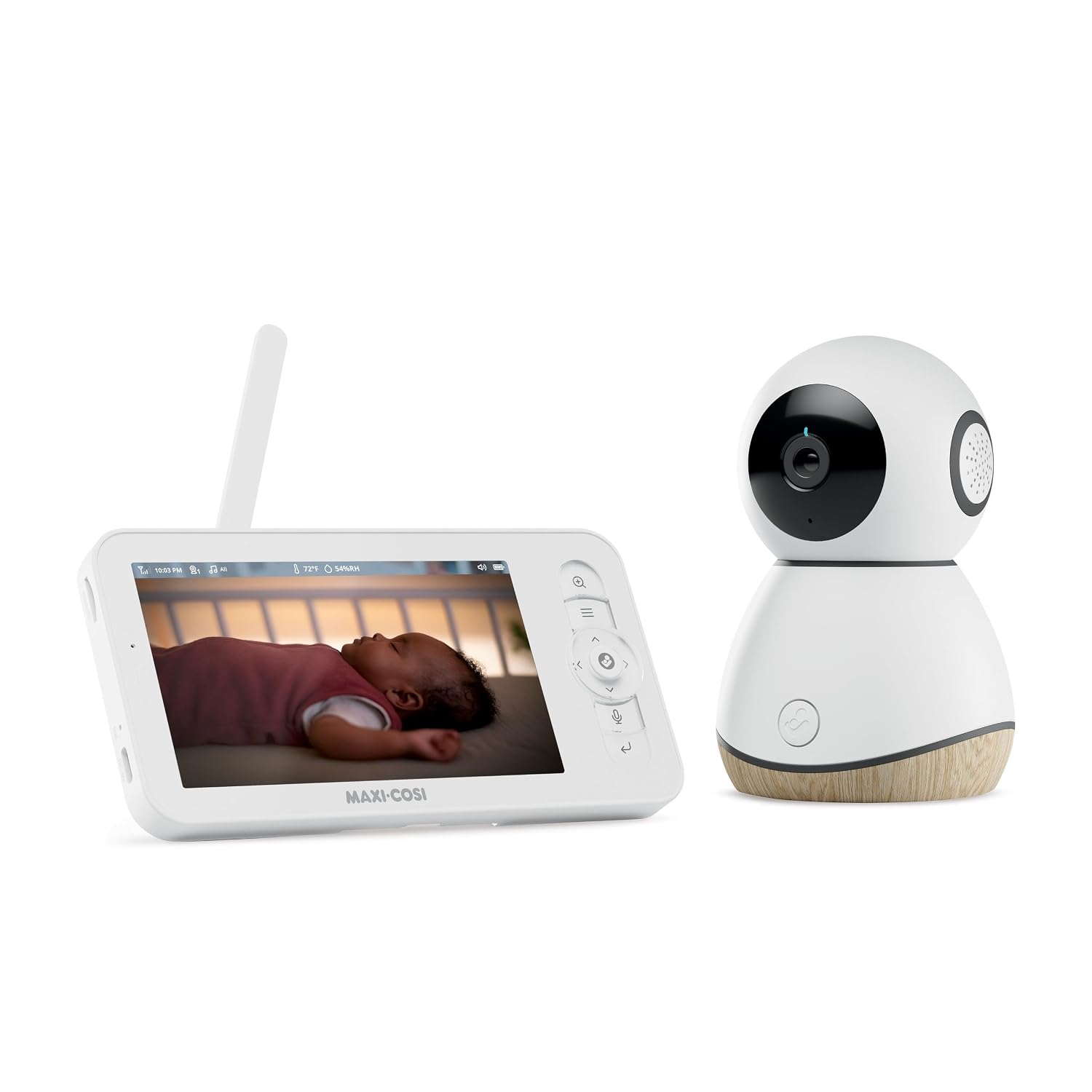
Maxi-Cosi See Pro 360 Baby Monitor
2K PTZ camera, secure non-Wi-Fi 5-inch parent unit, 10-hour battery, CryAssist cry translation, lullabies, 2-way audio
Highest cost in the group, and the AI cry translation is the feature I trust least

VTech Baby Monitor Advanced HQ Max
7-inch IPS screen, 5000mAh battery rated 12 hours, 360 PTZ, 4x zoom, night vision, night light, 2-way talk
No Wi-Fi, so no checking the crib from outside the house
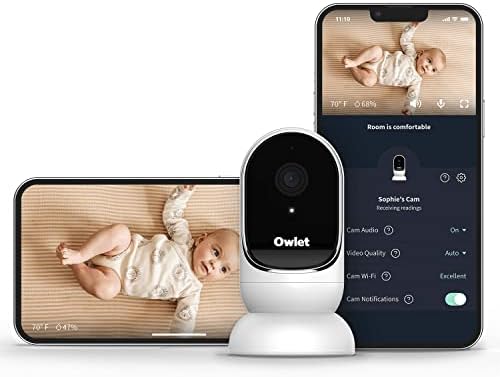
Owlet Cam Smart Video Baby Monitor
1080p night vision, custom cry, sound and motion alerts, 2-way audio, mounting kit included
No parent unit at all, so your phone is the monitor and the Wi-Fi is the weak link

Google Pixel 11 Unlocked Smartphone
256 GB of storage, Gemini built in, unlocked, and a genuinely good screen to run a monitor app on
It is not a baby monitor, and buying one to watch a crib is an expensive way to solve the wrong problem
Prices and availability were captured from Amazon Creators API and may change.
The three questions that decide everything
Every monitor I have ever used comes down to three things, and none of them is resolution.
Can you see in pitch dark? Night vision is the feature. A camera that shows you a clean daytime picture and a murky gray blob at 2 a.m. is a radio with a screensaver. Infrared quality is what separates a monitor you trust from one you keep getting out of bed to check.
Does the parent unit last the night? A 10-hour battery on a monitor you plug in at 7 p.m. dies before your toddler's first wake-up. A 12-hour battery usually gets you to morning. The parent unit is the product; the camera is just the part attached to the wall.
What happens when the Wi-Fi drops? Local RF monitors never buffer, never log you out, and never push a firmware update at the worst possible moment. Wi-Fi monitors are great until the router hiccups at 4 a.m. and you are standing in the hallway holding a phone that says "connecting."
The local RF pair: no router required
These two talk to their own screens over a direct radio link. That means the camera and the parent unit work whether your internet is up, down, or being restarted by a partner who unplugged the wrong cable.
Maxi-Cosi See Pro 360: the sharpest picture with a real handheld
The See Pro 360 is the premium option here. The camera is 2K with pan, tilt, and zoom, and it feeds a 5-inch parent unit over a secure non-Wi-Fi connection. The battery is rated at 10 hours, there is 2-way audio so you can talk back, and it plays soothing lullabies, which sounds like a gimmick until you are trying to settle a baby without opening the nursery door.
The part that gets advertised hardest is CryAssist, the AI cry translation. I will be blunt: I do not buy the idea that software knows why your baby is crying better than you do after two weeks with them. What CryAssist realistically gives you is a second opinion in the moment you are half asleep and second-guessing yourself. If that is worth the premium to you, fine, but it should not be the reason you buy this monitor. The 2K camera and the dedicated parent unit are the real reasons.
VTech Advanced HQ Max: the big screen and the battery that lasts
The Advanced HQ Max is the one I would hand to most parents. The parent unit has a 7-inch IPS screen, which is the largest here, and in a dark room at 3 a.m. screen size stops being a spec and becomes a quality of life issue. You are not squinting at a 2-inch panel trying to decide whether that shape in the crib is a blanket or a shadow.
The 360-degree PTZ camera gives you the full sweep of the room, 4x zoom lets you close in on the crib without climbing on a chair, and the 5000mAh battery is rated for 12 hours, which is the number that actually matters when you are the one getting up. Night vision is there, the night light is a nice touch for toddler rooms, and 2-way talk works the way it should.
The trade-off is the same one that makes it reliable: no Wi-Fi. That is why the battery lasts and the feed never stutters, and it is also why you cannot check the crib from a restaurant. If you want remote viewing, this is not your monitor.
The Wi-Fi camera: Owlet Cam
The Owlet Cam is a different philosophy. There is no parent unit in the box. Instead, you mount the camera with the included mounting kit and stream 1080p video with night vision to your phone, with alerts you can customize for crying, sound, and motion, plus 2-way audio.
That is a real advantage in two situations: a big house where you want to check in from the basement, and a parent who is back at work and wants a look during the day. Motion and sound alerts also mean you are not staring at a screen at all, which is better for your sleep than any monitor feature.
The cost is dependency. Everything runs through your phone and your router. If the Wi-Fi drops, you have a camera on a wall and a phone that says "connecting." If your phone is charging in the kitchen, you have no monitor in the bedroom. And if the app's best features ever move behind a subscription, you will find out the way I did with a different brand, at 2 a.m. Check the app's current terms before you buy, because those terms change more often than the hardware does.
Where the Google Pixel 11 fits into a baby monitor comparison
It is not a baby monitor, and I am not going to pretend otherwise. But it belongs in this conversation, because if you choose an app-based camera like the Owlet Cam, the phone in your pocket becomes your parent unit. That makes the phone a monitor decision, whether you planned for it or not.
This is the phone that gets the job: 256 GB of storage, an unlocked build that works on any carrier, Gemini built in, and a display that is bright enough to be readable at low brightness in a dark nursery without blasting the room with light. Running a camera app for a full night is a real battery and screen test, and this is the class of device that handles it.
Two honest notes. First, do not buy a new phone for the sake of a monitor app. Buy the monitor that fits the phone you already own. Second, if you are choosing between this phone and a dedicated monitor for the same money, and your phone is already decent, put the money into the Maxi-Cosi or the VTech. A dedicated parent unit that lives on your nightstand beats an app you have to unlock with one eye open.
The trade-offs, stated plainly
Maxi-Cosi See Pro 360: you give up money. You get the best camera, the best parent unit, and a cry feature you should treat as a bonus rather than a reason.
VTech Advanced HQ Max: you give up remote viewing. You get the biggest screen, the longest-rated battery, and the fewest ways for technology to fail you at 3 a.m.
Owlet Cam: you give up the dedicated screen. You get alerts anywhere there is Wi-Fi, a clean 1080p night picture, and a mounting kit that keeps the camera off the crib rail.
Google Pixel 11: you give up nothing in monitor terms because it is not one. You get the screen and the battery that make an app-based monitor usable, and you get a phone that is good for a hundred other things.
Cry detection: read the fine print
I have made my peace with cry detection, which is to say I think most of it is marketing. A monitor that tells you your baby is crying while you are standing in the hallway listening to your baby cry has added nothing. Where it earns its place is the sound machine, the closed door, and the parent who is in the backyard or the garage.
So treat the two features differently. Owlet's custom cry, sound, and motion alerts are notification logic: something happened, here is a nudge. Maxi-Cosi's CryAssist goes a step further and offers a translation of what the cry might mean. One of those is a pager. The other is a guess dressed up as a feature. Neither replaces walking in and putting a hand on your baby's back.
Who should buy which
Buy the VTech Advanced HQ Max if you want one screen, a battery that reaches morning, and zero router involvement. This is the monitor I would buy for a first-time parent on a budget.
Buy the Maxi-Cosi See Pro 360 if you want the sharpest night picture and you are willing to pay for a parent unit that feels like a real piece of hardware.
Buy the Owlet Cam if you want alerts on your phone, you have solid Wi-Fi, and you are comfortable with your phone being the monitor.
Buy the Google Pixel 11 if you need a phone, not because you need a monitor. If you go the app route and your current phone is on its last legs, this is the one that will not die at 4 a.m. with 4 percent battery.
What I tell friends at 3 a.m.
The monitor does not need to be smart. It needs to be visible in the dark, audible across the hall, and awake when you are not. Night vision, a parent unit that lasts, and a signal that does not care what your router thinks: those three things have kept me sane through two kids, and none of the four products here fails on all three. Pick the one whose weakness you can live with, and then go get some sleep while you still can.