Related: Where to Put a Nursery Camera So You Can Actually See the Crib
Nine years as a pediatric nurse and two kids under five, and the question I get from other parents is always some version of "which monitor should I get?" Never "which one has the best app." It is always: which one lets me see my kid at 3 a.m. without losing my mind. That is why baby monitors for night vision are the only category I take seriously. Everything else is packaging.
Here is my bias, up front. Night vision is the feature. A 1080p feed that stutters in the kitchen is a screensaver with anxiety. Range matters more than resolution. The parent unit is the product, and a great camera attached to a terrible parent unit is still a failed device. And cry detection is mostly marketing, because a monitor that tells you your baby is crying while you are standing in the doorway has added nothing to your life.
So I judge every monitor the same way: can I see a sleeping baby in a genuinely dark room, does the parent unit make it through a night, and does the signal survive the walk to the kitchen. The four below are what I would put in a nursery in 2026, sorted by who they fit.
Best Overall for Most Families: GoodBaby 5" Split Screen Baby Monitor with 2 Cameras and Audio
This is the one I would hand to most parents, and the reason is boring: it solves the two-room problem without an app. Two cameras feed one 5-inch parent unit with split screen, so the nursery and the toddler's room are both on the screen at the same time. No swiping between feeds, no waiting for a camera to reconnect, no phone balanced on the edge of the sink while you wash bottles.
The split screen is the whole point. If you have two kids, you already know that the worst part of monitoring two rooms is not the cameras, it is the switching. You check one, then the other, then the first one again, and you never actually sit down. Seeing both at once changes how you use the thing.
Audio is built in, so you are not relying on a separate sound unit, and the parent unit is a real handheld screen rather than a phone you have to unlock. The tradeoff is honest: two feeds on a 5-inch screen means each feed gets half the screen, so neither image is as large as a single-camera unit's. If you have one baby in one room, you are paying for a feature you will never use.
Best Audio-Only Pick: Motorola Nursery Audio Baby Monitor AM21
I have said out loud, more than once, that an audio-only monitor is a radio. I stand by that. If you cannot see your baby, you are listening for trouble instead of spotting it, and listening is a worse job.
But there is a real case for the radio, and this is the one I would buy. It runs on a DECT private connection with no Wi-Fi and no app, which means it does not care what your router is doing at 2 a.m. It claims a long range up to 1000 feet, which is the number that matters if your kitchen is on the far side of the house. The parent unit is portable and battery powered, so it moves with you instead of living on a dock. Volume control is a physical dial situation, not a menu you have to navigate half asleep.
Where I part ways with the marketing is cry detection. In my experience it is the least useful feature on any monitor, because it is telling you something your ears already told you three seconds ago, and it is the feature most likely to wake you for a fan. Buy this for the DECT link and the range, not for the cry alert.
The honest use case: a second monitor for a toddler's room, a travel monitor for grandma's house, or the monitor for a parent who wants zero router drama and does not want to spend video money. As the only monitor for a newborn, I would want eyes on the crib.
Best Wi-Fi Camera: Nanit Smart Baby Video Monitor with Camera and Floor Stand
This is the pick for the parent who wants the feed on their phone. It is a 1080p Wi-Fi camera on a floor stand, which solves a problem most nursery cameras create: mounting. You do not need a wall anchor, a shelf, or a piece of furniture positioned exactly right. The stand puts the camera where you want it and you move it when the crib moves.
The Wi-Fi part is genuinely useful in ways the local monitors cannot match. You can check the nursery from the backyard, from the basement, from a work trip, or from the living room while your partner has the parent unit. My own setup is local-first, but I keep a Wi-Fi camera for exactly this, the daytime nap from the far end of the yard.
The tradeoff is the tradeoff with every Wi-Fi monitor: it is only as reliable as your router. When the router hiccups, the feed hiccups. When the internet is down, so is your view of the crib, unless the camera keeps a local path. That is not a knock on this camera specifically, it is the nature of the category, and it is why I do not recommend Wi-Fi as the only monitor in a house with flaky internet.
One more thing to check before you buy: what is included versus what is a paid add-on. App-based monitors are where subscription creep lives, and I have strong feelings about paying a monthly fee to look at my own child.
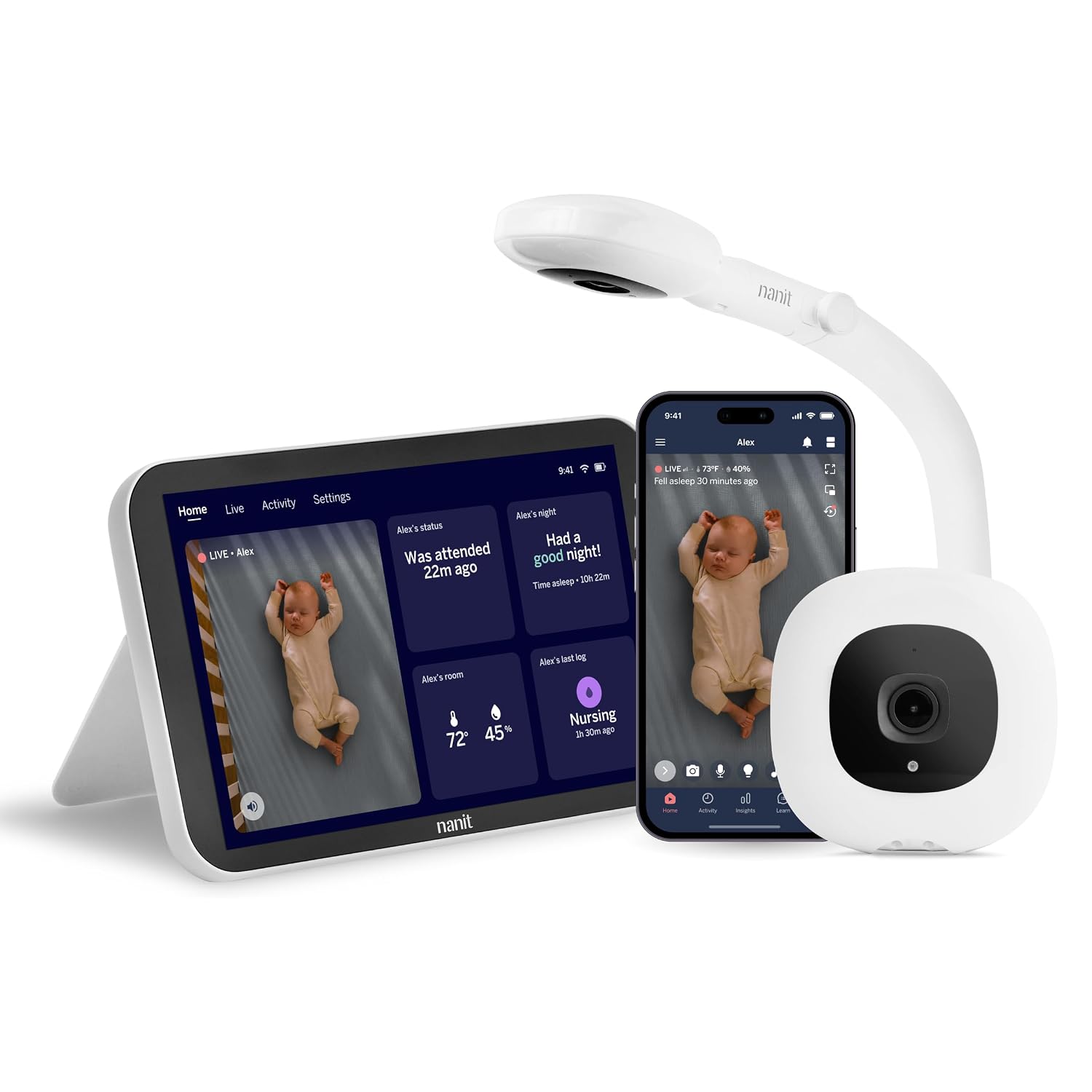
Best for Data Lovers: Nanit Smart Baby Video Monitor System with Floor Stand and 8" Display Screen
Here is the version of the Nanit I would actually want. Same Wi-Fi camera and floor stand, plus a dedicated 8-inch display screen, which means the camera feed does not have to live on your phone. That matters more than it sounds. A phone-based monitor means every 3 a.m. check involves unlocking a screen, opening an app, and getting flashbanged by whatever notification was waiting. A dedicated display means you glance, you see, you go back to sleep.
An 8-inch screen is big enough to read a dark room. That is the whole test. I have used monitors where the night vision was technically present and practically useless because the screen was too small to tell a sleeping baby's chest from a folded blanket. Screen size and night vision are not separate features. They are one feature.
The system side is where the data-lover appeal lives. This is the category that tracks sleep and gives you numbers in the morning, and if that helps you, great. My honest position: I make fun of sleep tracking and I still look at the insights. If you are the parent who wants the app, the analytics, and a real screen instead of a phone, this is the one to compare against everything else on this list.
How I judge a monitor
Every monitor here gets the same three checks, and none of them are the checks the spec sheet advertises.
The dark room check. Lights off, curtains closed, no hallway glow. Can I see the rise and fall of a blanket, or am I looking at a black rectangle with a timestamp? This is the check that eliminates most cheap units, and it is why I do not trust daytime demo videos.
The all-night check. The parent unit goes on my nightstand and stays there until morning. Does it hold a signal, does the battery last, does the screen wake me up with a brightness that could guide ships? A monitor that dies at 2 a.m. is worse than no monitor, because you trusted it.
The kitchen check. I walk to the far side of the house and stand in the kitchen, because that is where you actually are when you are reheating a bottle at 4 a.m. If the feed drops there, the range on the box is fiction.
What actually separates these four
The biggest fork in the road is not video quality. It is local link versus Wi-Fi. The GoodBaby and the Motorola both keep the camera and the screen talking directly, which means they do not care about your internet. The two Nanit systems route through your network, which buys you remote viewing and app features and costs you certainty.
The second fork is the parent unit. The GoodBaby gives you a 5-inch split screen for two rooms. The Motorola gives you a small battery-powered audio unit you can clip to a pocket. The Nanit camera gives you your phone. The Nanit system gives you a real 8-inch display. If you know which of those you want in your hand at 3 a.m., you already know which one to buy.
The third fork is how many rooms you are covering. Two cameras on one screen is a genuinely different product from one camera on one screen, and it is the reason the GoodBaby sits at the top of this list for families with more than one kid.
The comparison table
| Monitor | Link | What you get | Best for | Price |
|---|---|---|---|---|
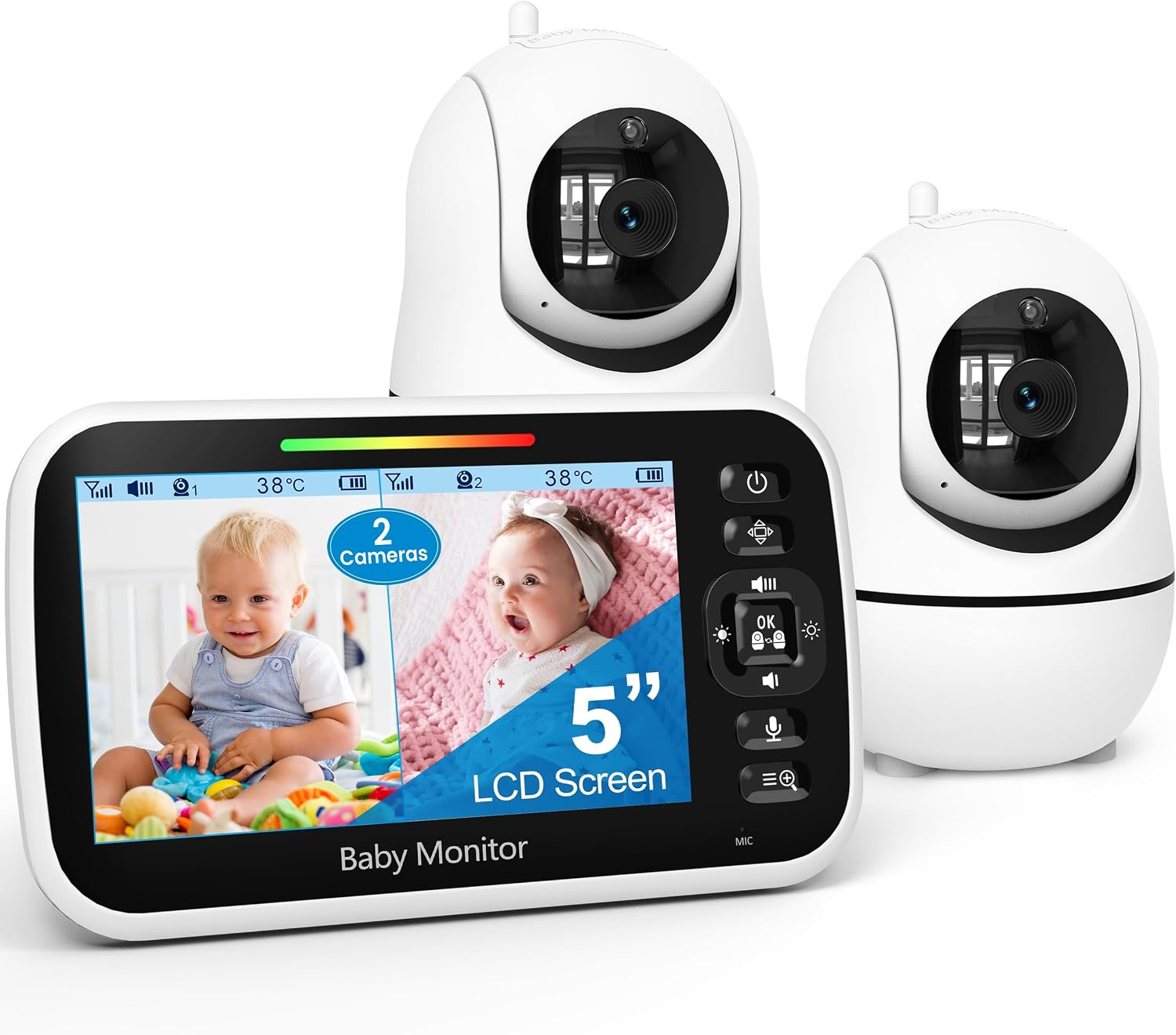 Visit on Amazon → GoodBaby 5" Split Screen Baby Monitor |
No app required | 2 cameras, 5" split screen parent unit, audio | Two rooms, two kids, one screen | $89.99 |
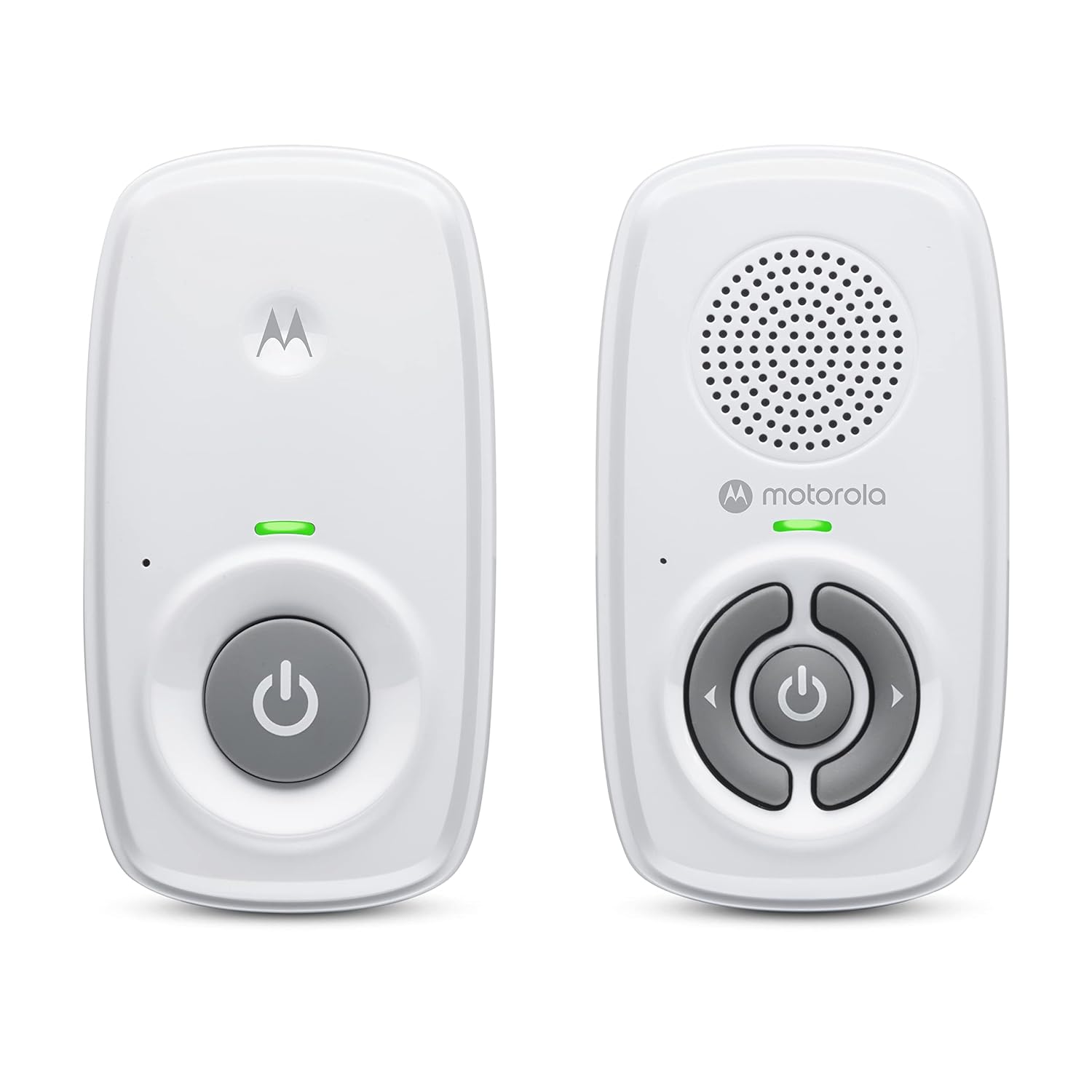 Visit on Amazon → Motorola Nursery Audio Baby Monitor |
No Wi-Fi, DECT private connection | Audio only, long range up to 1000 ft, portable battery parent unit, cry detection | A second room, travel, router-free monitoring | $20.99 |
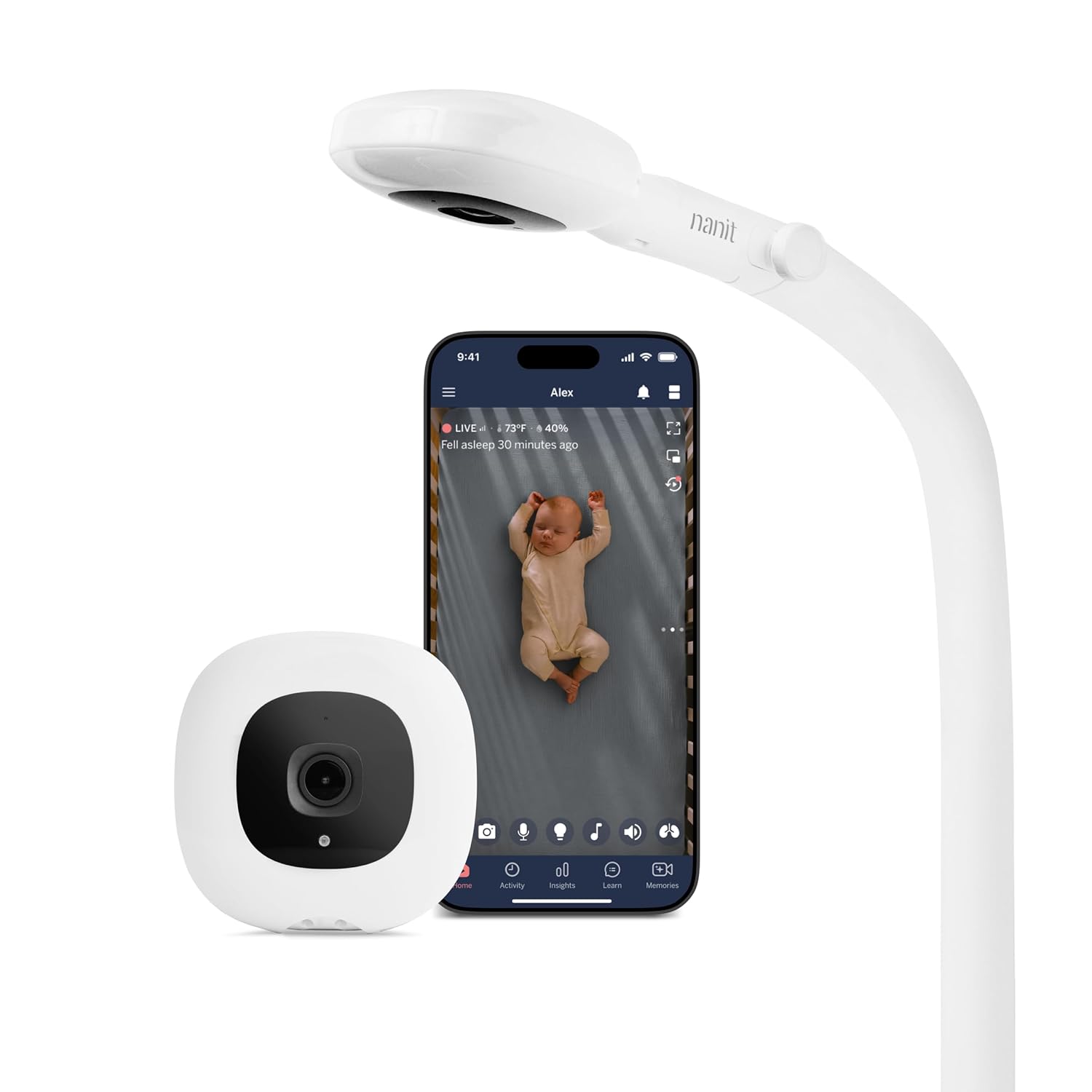 Visit on Amazon → Nanit Smart Baby Video Monitor, Camera and Floor Stand |
Wi-Fi, app based | 1080p camera, floor stand, phone as the parent unit | Remote viewing, no wall mounting | $289.99 |
 Visit on Amazon → Nanit Smart Baby Video Monitor System |
Wi-Fi, app based, dedicated display | 1080p camera, floor stand, 8" display screen | App features without a phone on the nightstand | $399.00 |
Should you buy the GoodBaby 5" split screen monitor?
Yes, if you have two rooms to watch. Two cameras on one 5-inch parent unit with split screen is the most useful thing on this list for a family with a baby and a toddler, and it does it without an app or a subscription. The compromise is screen real estate: each feed gets half the display, so a single-camera unit will always show you a bigger picture of one crib.
Should you buy the Motorola Nursery audio monitor?
Yes, as a second monitor. It is the pick if you want zero router involvement: no Wi-Fi, a DECT private connection, a claimed long range up to 1000 feet, and a portable battery parent unit. It is also the one I would pack for travel. Just do not buy it as your only monitor for a newborn. Audio tells you something is happening. It does not tell you what.
Should you buy the Nanit camera and floor stand?
Yes, if you want the feed on your phone and you do not want to drill into a wall. The floor stand is the quiet win here. But go in with your eyes open about Wi-Fi: your router is now part of your baby monitor, and that is a real tradeoff for remote viewing.
Should you buy the Nanit system with the 8" display?
Yes, if you want the app side of the Nanit without your phone living on the nightstand. The dedicated 8-inch screen is the difference between a glance and a full app-launching ritual at 3 a.m., and screen size plus night vision is really one feature. Read what is included before you buy, because app-based monitors are where subscription fees creep in, and I will never recommend renting the ability to see your own baby.