At 3 a.m. the only question that matters is whether you can see your baby's chest rise on a screen you can reach without standing up. I am a pediatric nurse and a mom of two under five, and I have spent more nights than I care to count staring at one monitor or another. This baby monitor night setup is the short list I would hand a friend: one camera that runs on local radio, one that runs on Wi-Fi without charging rent, a wearable that taps your wrist when you have finally fallen asleep, and the boring piece of furniture that keeps the whole thing at eye level.
Three of these four are not really competitors. One is a camera that lives on your network, one is a camera that refuses to touch your network, one is a watch, and one is a stand. That mix is deliberate. A monitor is only half of a night setup. The other half is where the parent unit lives and what wakes you up when the camera sees something.
Related: Baby Monitor Night Vision Explained
The short answer: the Babysense Touch 7" is the most monitor for the money in this group, because you get a 7-inch touchscreen, a phone app, and no subscription. The GoodBaby 5" is the one I would put in the nursery if your router hiccups every time the microwave runs. The Apple Watch SE 3 is the alert layer for the parent on shift, and the Lorell riser is the piece that keeps your neck from hating you at 4 a.m.
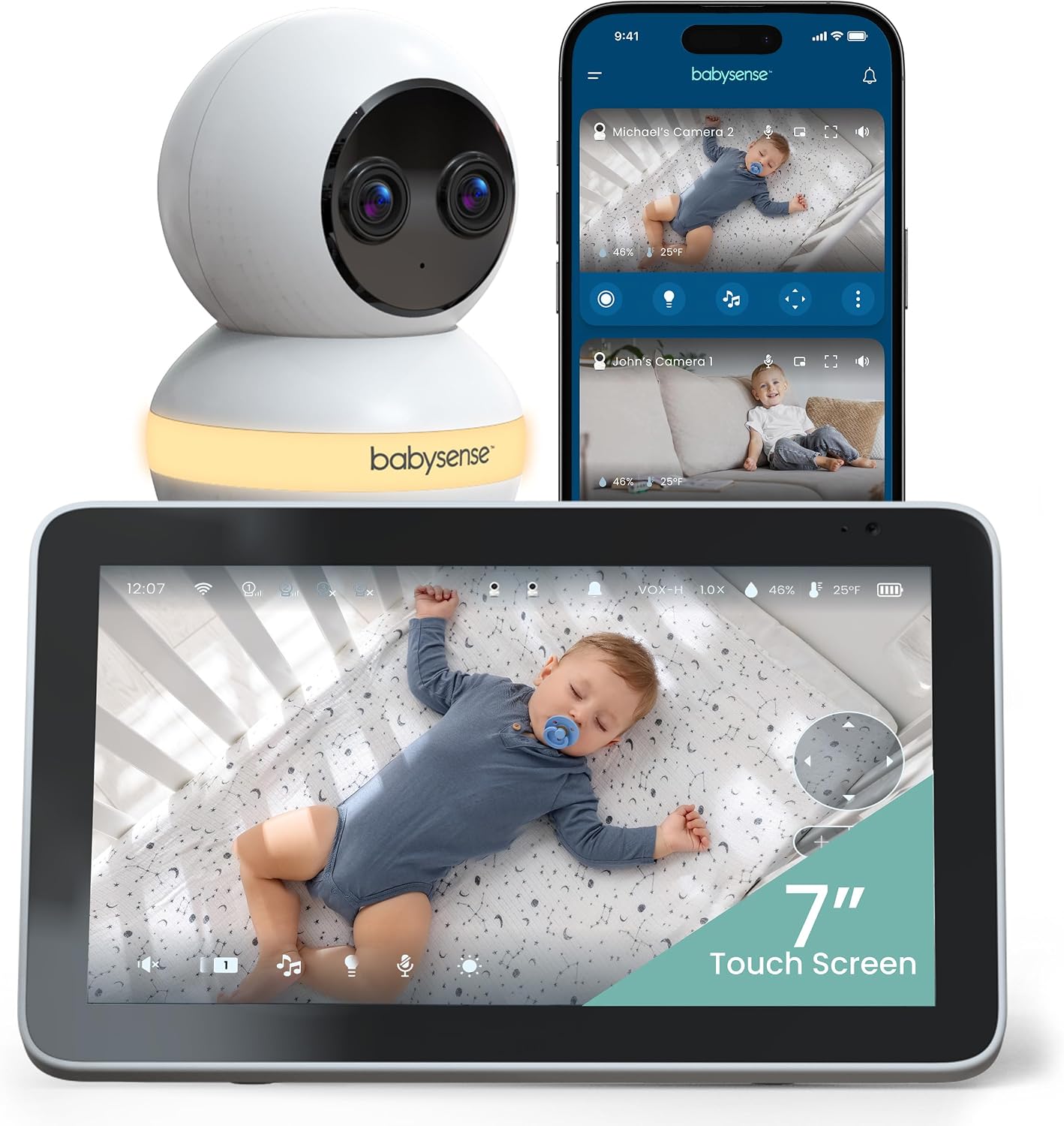
Babysense Touch 7" Touchscreen Smart WiFi Baby Monitor with App, Camera and Audio, Night Light, 4MP Dual-Lens with 6X Zoom, AI Auto Tracking, Focus Area, Split-Screen, VOX/ECO Mode, No Subscription
A 7-inch touchscreen you can actually read at 3 a.m., a 4MP dual-lens camera with 6x zoom, night light, split-screen, and no subscription to unlock anything
Wi-Fi dependency: when the router drops, the app drops with it, and the dual-lens setup is more camera than a standard crib needs
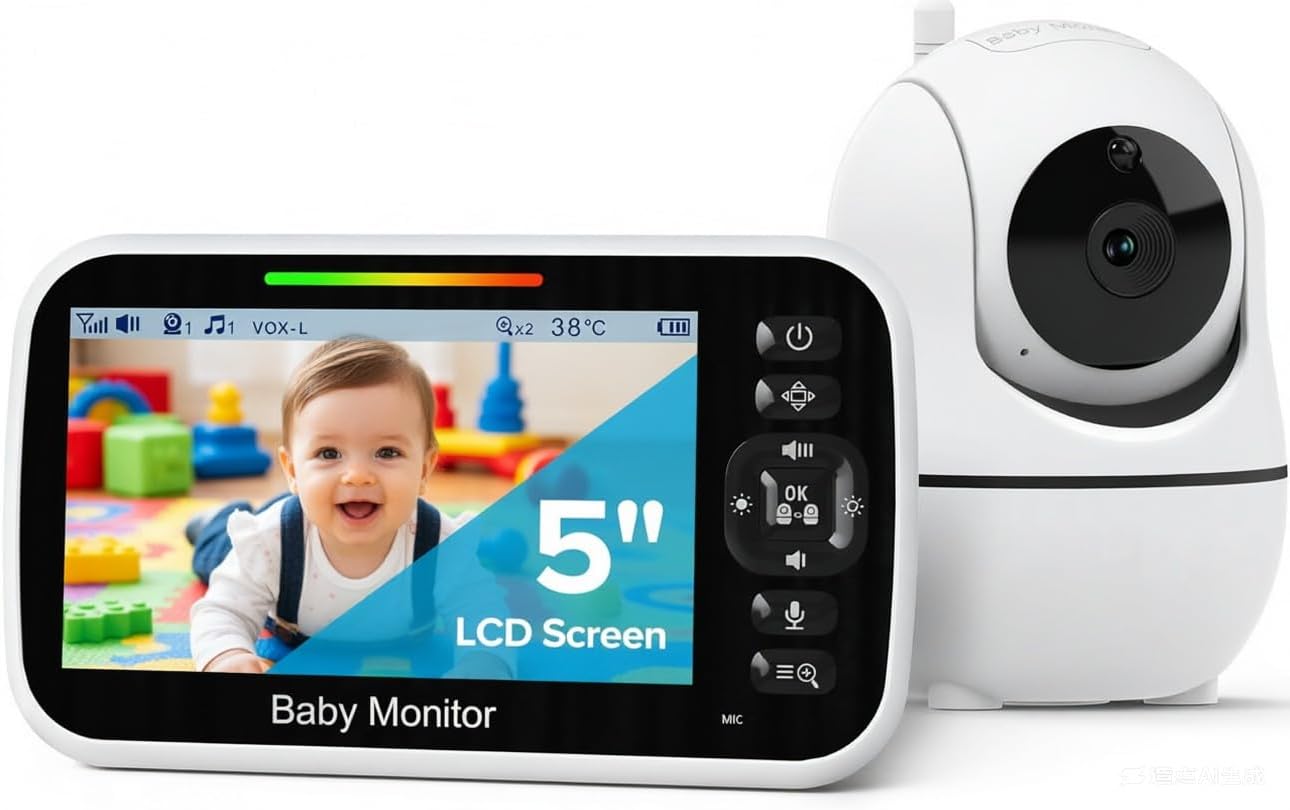
GoodBaby 5" Baby Monitor with Camera and Audio No WiFi
A direct radio link between camera and screen, no app, no account, no router drama, and the cheapest way to see your baby in the dark
No phone access, so you cannot check in from the backyard, and the 5-inch screen is the smallest here
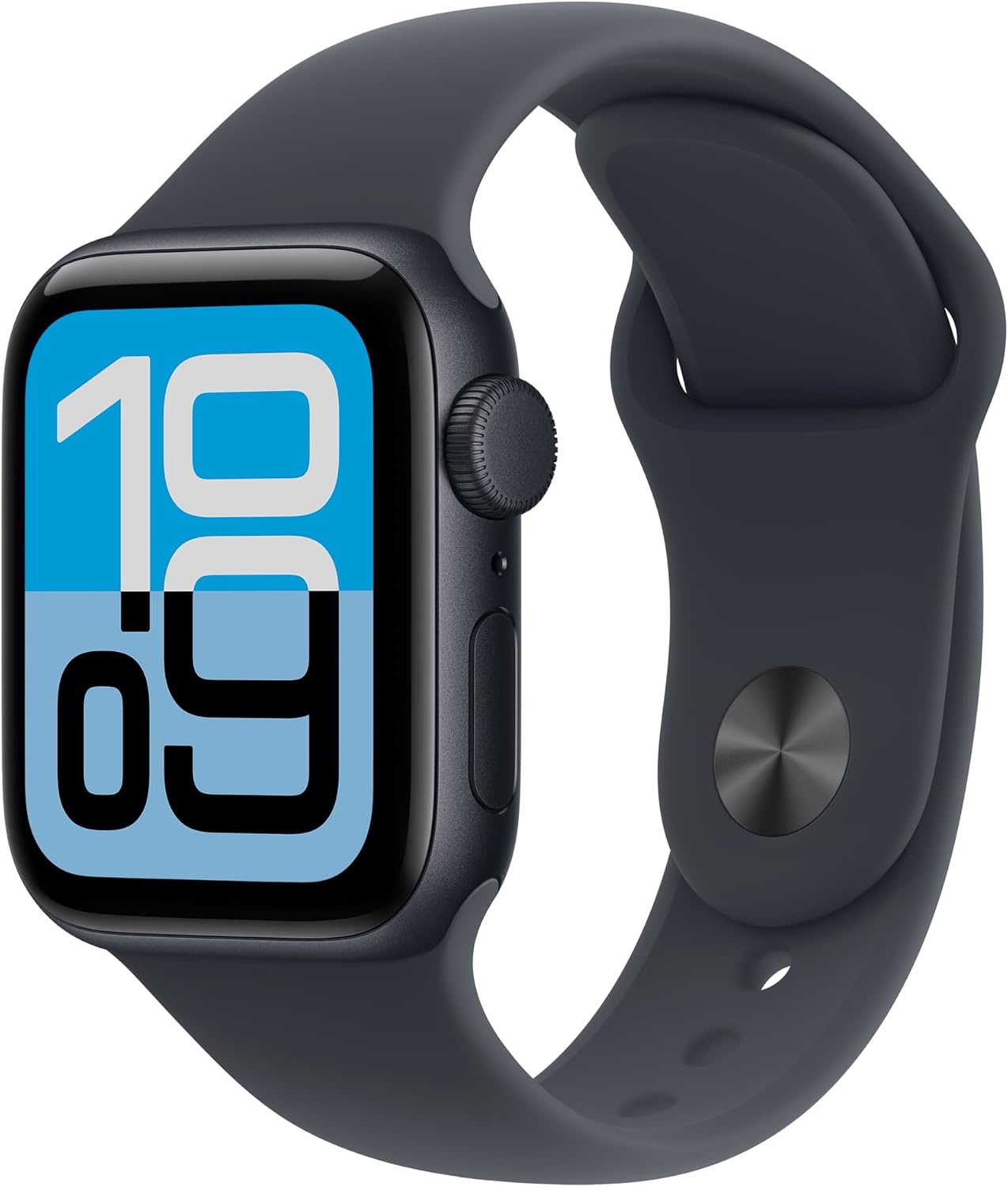
Apple Watch SE 3 [GPS 40mm] Smartwatch with Midnight Aluminum Case with Midnight Sport Band - S/M. Fitness and Sleep Trackers, Heart Rate Monitor, Always-On Display, Water Resistant
Wrist alerts for the monitor app you already use, always-on display, sleep and heart rate tracking, and it is water resistant enough for a 3 a.m. sink rinse
It is a companion, not a camera. You still need a monitor and, for the GPS model, your phone within reach
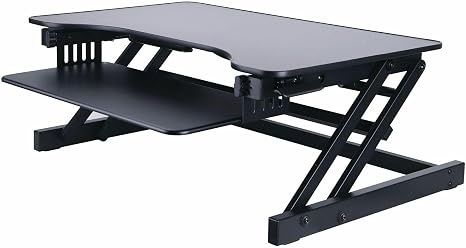
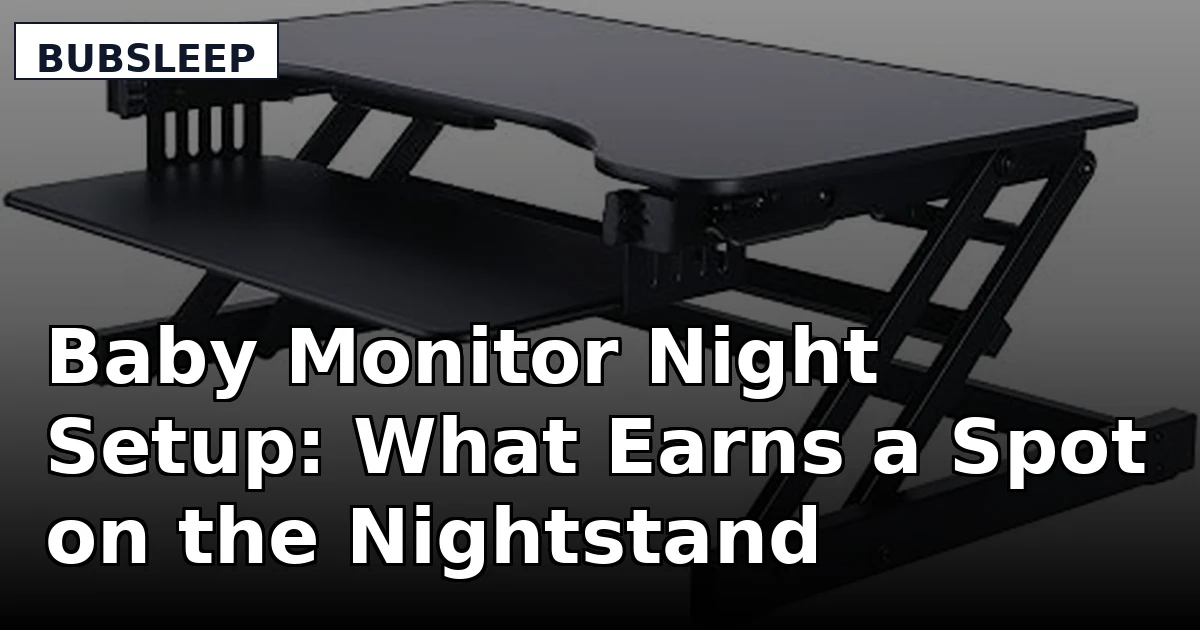
Lorell Adjustable Desk/Monitor Riser, Black
Puts a parent unit, tablet, or laptop at eye level so you are not craning your neck through a feed, and it holds its position
It is furniture, not technology. It does nothing your stack of hardcover books cannot do
Prices and availability were captured from Amazon Creators API and may change.
What earns a spot on my nightstand
Every piece of gear on this list has to clear the same bar, and the bar was set by real nights, not by a spec sheet. Pitch-dark clarity first: if I cannot make out the rise and fall of a blanket at 2 a.m., it is a radio, not a monitor. Then the parent side. A camera with a beautiful feed and a screen that dies at midnight is a failed device, full stop. Then honesty under pressure: what happens when the Wi-Fi drops, and how loud the alert is when it comes back.
The last item on the bar is money, and it is the one I argue about most. No subscription for basics. If I have to pay monthly to see my own child, I am renting peace of mind rather than buying a monitor, and I will not recommend that to a tired parent at any price.
Babysense Touch 7": the Wi-Fi camera that behaves
The Babysense Touch 7" is the most complete single box here. It gives you a 7-inch touchscreen parent view plus a phone app, and the app does not sit behind a paywall. The camera is a 4MP dual-lens unit with 6x zoom, AI auto tracking, a focus area, and split-screen, which means you can keep one eye on the crib and one on the door in the same view. There is a night light built into the camera, and the VOX and ECO modes let the screen sleep until something moves or makes noise, which is how a parent unit should behave.
The dual-lens setup is the part worth thinking about honestly. Two lenses and AI tracking are genuinely useful in a big room or a toddler's floor bed, where a single fixed camera leaves you staring at a corner. For a standard crib in a standard nursery, it is more camera than the job requires, and more camera means more settings to learn at the worst possible hour. I would still take it, because the extras cost you nothing per month.
The real trade-off is the network. This is a Wi-Fi monitor, and Wi-Fi monitors are wonderful right up until the router hiccups. When that happens, the app view is gone and you are down to whatever the parent unit is doing on its own. That is not a dealbreaker in a house with a solid router, but it is the reason I would not make it the only monitor in a house where the microwave and the doorbell camera are already fighting.
GoodBaby 5": the local workhorse
The GoodBaby 5" is the opposite philosophy, and it is the one I would hand a first-time parent without a second thought. There is no Wi-Fi in the chain at all. The camera and the parent unit talk directly to each other on local radio, which means no router, no app, no account, and no firmware update at bedtime. You plug it in, you turn it on, and you see your baby.
That simplicity is the entire product. The 5-inch screen is the smallest in this comparison, and the feature list is short: camera, audio, and a dedicated parent unit you can carry from the nursery to the kitchen. What you give up is remote viewing. There is no phone app, so you cannot peek in from the backyard or from the office, and there is no cloud clip to scroll back through. What you gain is a device that behaves the same at 3 a.m. as it did at 3 p.m.
For a nursery, that trade is usually worth it. For a parent who travels or works late and wants to check in from somewhere else, it is not, and that is a preference question rather than a quality question.
Apple Watch SE 3: the tap on your wrist
The Apple Watch SE 3 is not a baby monitor, and anyone who tells you otherwise is selling something. What it is, in this setup, is the alert layer. If your camera runs through an app, the watch is how the notification reaches you when your phone is face down on the far side of the room and you have finally closed your eyes. The always-on display means you can read the alert with a glance instead of lifting your wrist and lighting up the whole bedroom.
The 40mm GPS model with the midnight aluminum case and midnight sport band is the version I would pick for a night shift, because it is small enough to wear in bed without clunking against the headboard and the band is easy to rinse. It also tracks sleep, heart rate, and fitness, which is a mixed blessing in the newborn phase. Tracking your own sleep when you are waking up every two hours is a great way to feel worse about a night that was always going to be bad. I check the numbers anyway, because knowing my resting heart rate is creeping up is useful information for a person who is running on fumes.
The honest limitation: the GPS model leans on your phone for app connectivity, so the watch is only as reliable as the phone on your nightstand. It is a second layer of alerting, not a replacement for a dedicated parent unit.
Lorell Adjustable Desk/Monitor Riser: the unglamorous piece
The Lorell Adjustable Desk/Monitor Riser is the item people skip and then regret. In a night setup it does one job: it lifts a screen to eye level so you are not hunched over a nightstand at 3 a.m. trying to read a feed while holding a baby. A parent unit propped on a riser is easier to see from the glider, and if you are the parent who works from home during contact naps, it puts your laptop at a height that will not wreck your shoulders by Thursday.
The adjustable height is the point. A fixed stand only works if your nightstand, chair, and mattress all agree, and they never do. Black is the right color for a dark room, and it holds a monitor or a laptop without wobbling.
The criticism is obvious: it is furniture. It does not see in the dark, it does not alert you to anything, and it costs more than some of the monitors in this table. If you have a shelf at the right height, use the shelf. If your only surface is a low dresser and your back is already complaining, this is the least exciting purchase that will make your nights measurably better.
The trade-offs worth naming out loud
Wi-Fi versus local radio. The Babysense gives you remote viewing, a phone app, and the richest feature set, and it borrows your router to do it. The GoodBaby gives you none of the remote access and never buffers. If your household internet is solid and you want to check in from anywhere, the Wi-Fi camera is the better tool. If your internet is a coin flip, buy the local one and stop thinking about it.
Subscription versus none. Both cameras here avoid the subscription trap, which is the single biggest thing to verify before you buy any monitor in 2026. A camera that requires a monthly plan to unlock basic viewing is a rental, not a purchase.
Dedicated screen versus wrist alert. A parent unit is a device with one job, and that focus is a feature. A watch is a device with twenty jobs and a vibration motor. Use both if you can. If you can only use one, use the parent unit.
Camera count versus room size. The dual-lens, AI-tracking camera is genuinely better in a large room or a floor bed. In a small nursery with one crib, a single well-placed lens is plenty, and you are paying for capability you will not use.
Which one for which parent
- First baby, no strong opinions yet, want it to just work: the GoodBaby 5" camera, because local radio removes the entire category of problems you do not want to debug at 2 a.m.
- You want to check in from the kitchen, the yard, and the office: the Babysense Touch 7", because the app and the 7-inch parent view cover both jobs with no subscription.
- You already run a monitor app and keep missing alerts: the Apple Watch SE 3, as the wrist layer on top of whatever camera you own.
- Your parent unit lives on a low dresser and your neck hurts: the Lorell riser, and yes, it is worth it.
What I am watching next
The next thing I want to put through a full night is how these two cameras handle a router reboot mid-sleep, because that is the failure mode parents actually hit and almost nobody advertises it. I am also testing whether the wrist alert habit holds up after week three, when the novelty is gone and the 3 a.m. wake-ups are not. The setup that survives that test is the one worth keeping. Everything else is a screensaver with anxiety.