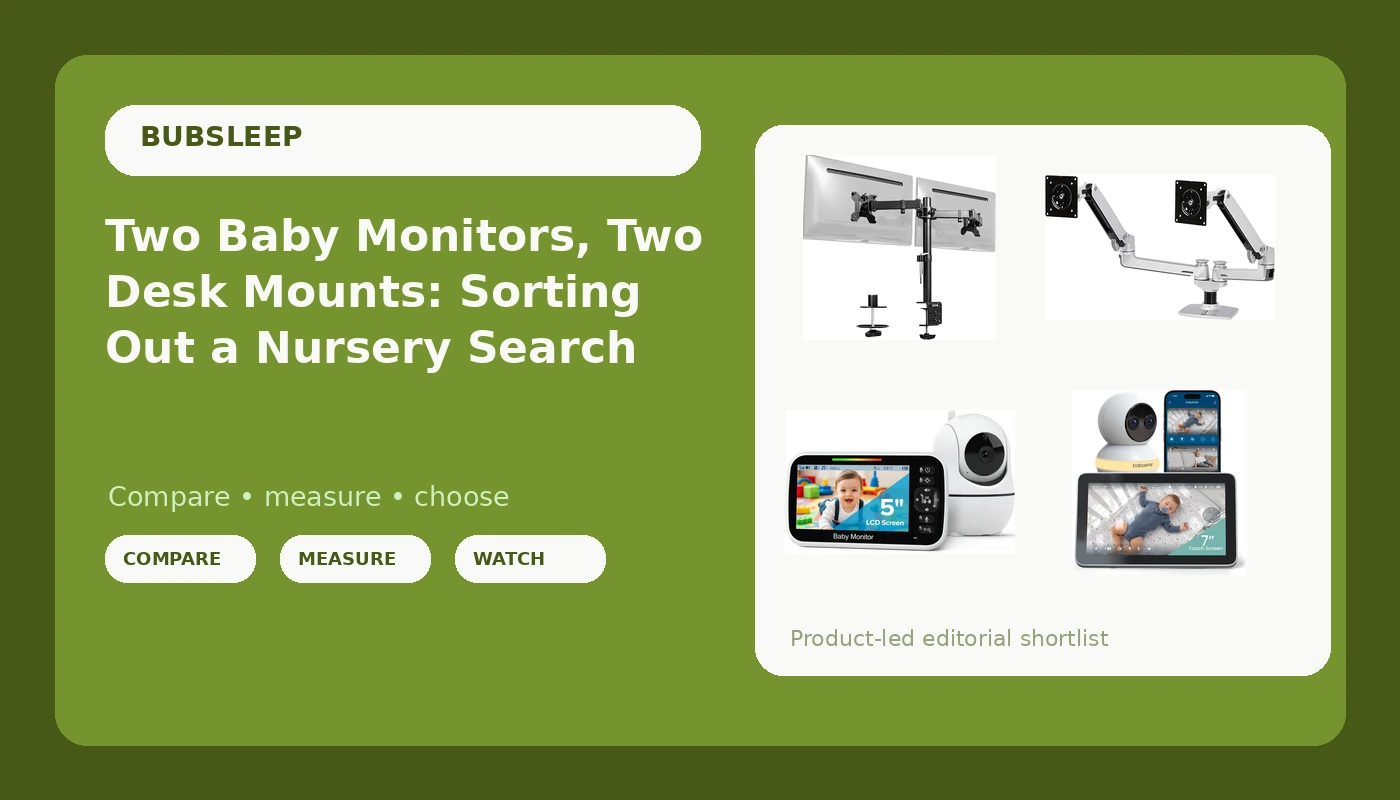
I have spent more nights watching a baby monitor than sleeping through one. Nine years as a pediatric nurse and two kids under five will do that to you, and it is why I have loud opinions about a product most families buy once and then never think about again. When I lined up the four items that came back in the same nursery search this month, I expected four baby monitors with camera and audio. I got two cameras and two pieces of home-office furniture. That mix is worth explaining, because it is exactly what happens to a tired parent at 11 p.m. who types monitor into a search bar and trusts whatever comes back.
The goal of this comparison is narrow: a baby monitor with camera and audio that you can actually see and hear through at 3 a.m. Two of the four products here do that job. The other two hold computer screens on a desk, which is a real job, just not a nursery job. I will cover all four honestly, including the part where a dual monitor arm has no business in a crib-side shopping cart.
Related: Night Vision Is The Whole Feature: What A Baby Monitor Can And Cannot See
The best pick for most families here is the Babysense Touch 7 inch, because it pairs a 7 inch touchscreen with app viewing, a dual-lens camera, and no subscription. The GoodBaby 5 inch is the pick if you want a camera that never touches your WiFi. The VIVO and Amazon Basics arms are desk mounts, and they belong in a home office.
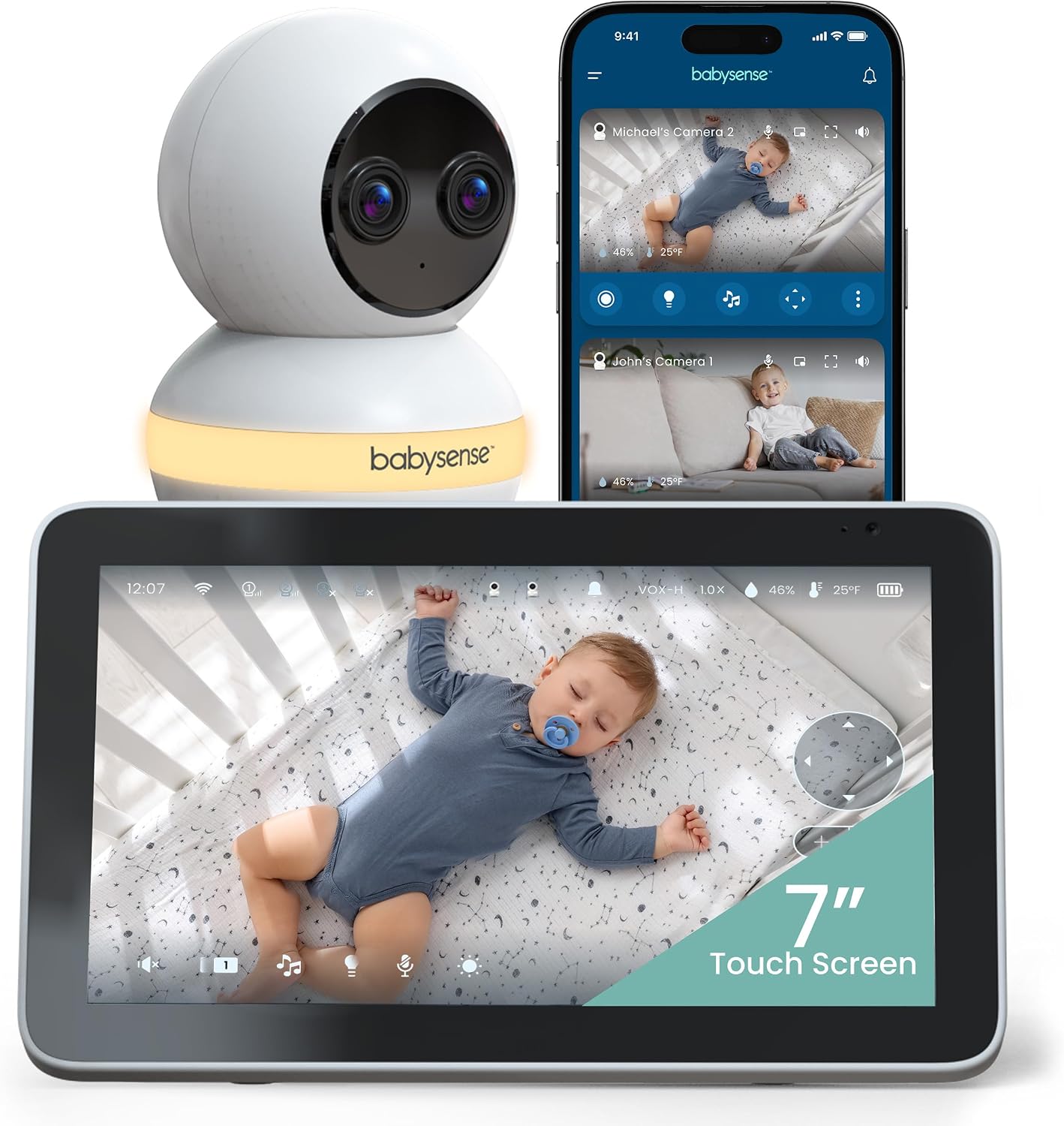
Babysense Touch 7" Touchscreen Smart WiFi Baby Monitor with App, Camera and Audio, Night Light, 4MP Dual-Lens with 6X Zoom, AI Auto Tracking, Focus Area, Split-Screen, VOX/ECO Mode, No Subscription
7 inch touchscreen, dual-lens camera with zoom and auto tracking, split-screen for two kids, night light, and no subscription
It depends on your WiFi, so a router hiccup becomes your problem at 2 a.m.
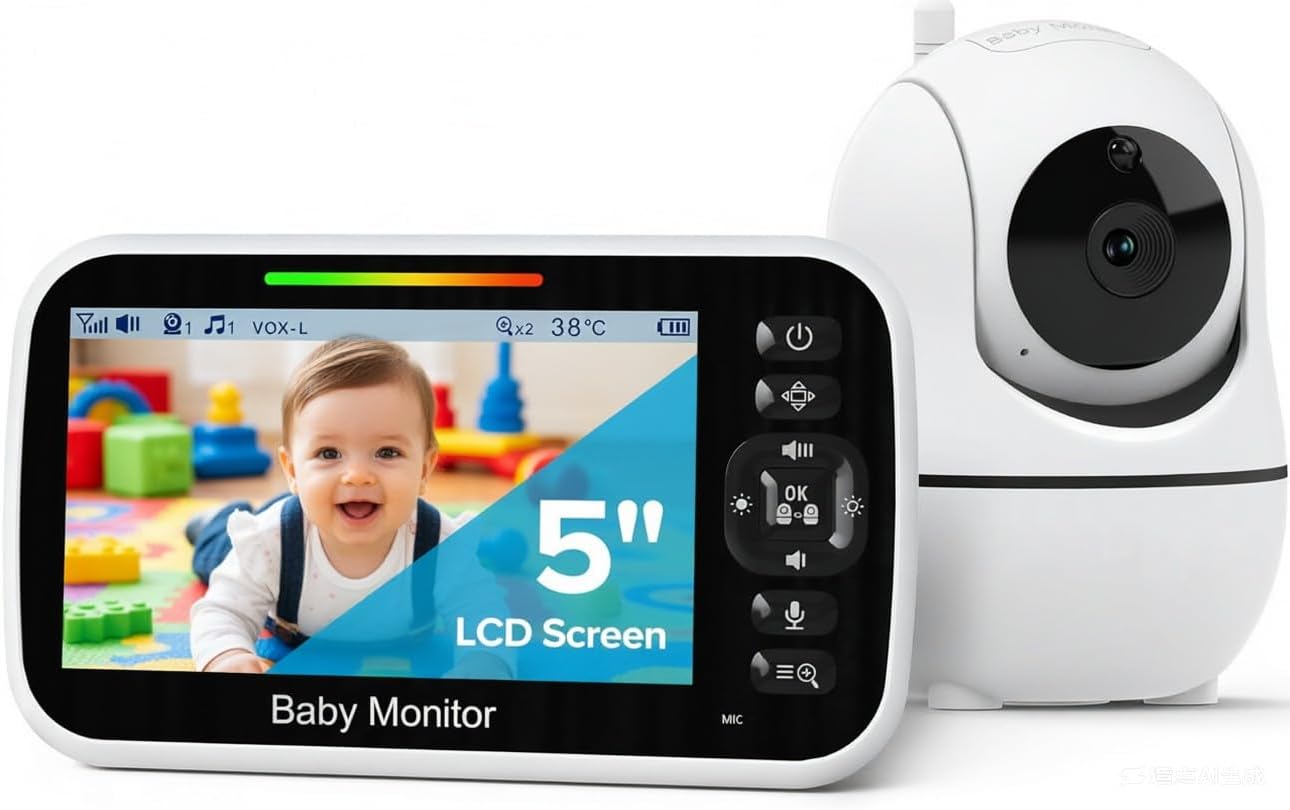
GoodBaby 5" Baby Monitor with Camera and Audio No WiFi
No WiFi, no app, no account, and a direct link that never buffers; the simplest setup in this table
5 inch screen, no remote viewing from your phone, no split-screen
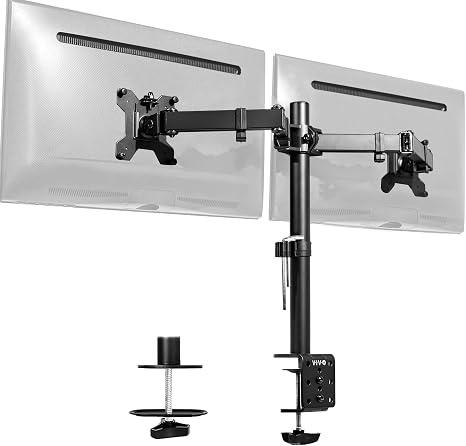
VIVO Dual Monitor Desk Mount, Holds 2 Computer Screens up to 30 inches and 22lbs Each, Heavy Duty Fully Adjustable Steel Stand with C-Clamp and Grommet, Black, STAND-V002
Holds two screens up to 30 inches and 22 lbs each, C-clamp or grommet, all steel
It is a desk mount, not a baby monitor: no camera, no audio, no parent unit
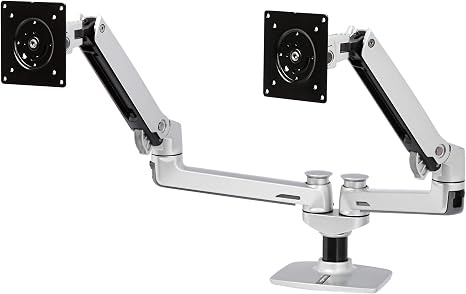
Amazon Basics Dual Monitor Stand, Lift Engine Arm Mount, Silver
A simple silver lift arm for a desk screen, easy to reposition
Same problem: it belongs on a desk, not in a nursery
Prices and availability were captured from Amazon Creators API and may change.
Why two desk mounts are in a baby monitor roundup
The short answer is vocabulary. When one parent searches for a dual monitor setup, a monitor stand, or a monitor arm, they mean two computer screens on a desk. When a different parent searches for a dual monitor, they mean two cameras in two kids' rooms. A search engine cannot tell those two people apart, so it hands both of them the same shelf of results. That is how a steel desk arm ends up sitting next to a nursery camera in a comparison table.
The VIVO STAND-V002 is a dual monitor desk mount built to hold two screens up to 30 inches and 22 lbs each, in steel, with a C-clamp and a grommet option for the desk itself. The Amazon Basics Lift Engine arm mount is a silver desk arm in the same family. Neither one has a camera, a microphone, or a parent unit, and neither one will tell you whether your baby is asleep.
There is one honest crossover. Some parents clamp a camera to a tall dresser or a shelf so it can see the whole crib, and a small clamp can do that job. If that is your plan, buy a single small clamp, not a dual-screen arm rated for 22 lbs per side. And whatever you clamp, keep it and its cable well outside the crib. That is a safe-sleep rule, not a preference.
What I look for in a baby monitor
Four checks decide whether a monitor earns a place in my house.
- Night vision in a pitch-dark room. If the infrared picture is a gray blur with a darker blob where the baby is, the device is a radio with a screen attached.
- The parent unit. A battery that lasts the night, buttons you can find without turning on a lamp, and a screen that does not blast your eyes at 3 a.m.
- Range from the kitchen. The far side of the house is where cheap monitors quietly give up, and the kitchen is where you will actually be standing.
- What happens when the WiFi drops. On a WiFi camera this question decides everything, because a monitor that needs a router to show you your own baby has a single point of failure.
And one dealbreaker that is not a feature at all: a subscription. Skip anything that charges you monthly to see your own child. You are renting peace of mind, and the rent never stops.
Babysense Touch 7 inch: the pick for most families
For a WiFi monitor to earn a spot in a nursery, it has to be honest about what it is, which is a camera that talks to your network. The Babysense Touch 7 inch does that with a feature list close to the one I would write myself. A 7 inch touchscreen on the parent side. A 4MP dual-lens camera with 6X zoom and a focus area, so you can frame the crib instead of the whole room. AI auto tracking for the toddler years, when your kid decides the crib is a suggestion. Split-screen when you have two children and one pair of eyes. A night light for the 2 a.m. diaper change. VOX and ECO modes so the screen is not glowing next to your bed all night.
The dual-lens design is the part I appreciate most, because it solves the oldest problem in this category. A wide lens shows you the whole crib and the door. A zoom lens shows you whether the blanket moved. Having both in one camera, with a focus area you set once, means you are not choosing between them every time you wake up.
No subscription is the headline. A camera that keeps working after you stop paying is the only kind I will recommend, and this one is not asking for a monthly fee to unlock the features you already bought.
The trade-off is the one that comes with every WiFi monitor: it leans on your router. If your network hiccups at 2 a.m., you are troubleshooting instead of sleeping, and the app is only as good as the connection behind it. That is the price of remote viewing, split-screen, and check-ins from the kitchen. If your WiFi is solid, it is a fair trade.
GoodBaby 5 inch: the no-WiFi budget pick
The name tells you the whole story: a 5 inch monitor with camera and audio, no WiFi. No app, no account, no router, no firmware update at bedtime. Plug it in, pair the parent unit, and you are finished. In a category full of setup wizards, that simplicity is the feature.
A direct local link also means no buffering and no reconnecting spinner in the middle of a 3 a.m. check. The parent unit is the product here, exactly the way I think about it. If the handheld screen has a battery that lasts the night and buttons you can work half asleep, the whole experience holds together.
The trade-offs are the mirror image of the Babysense. There is no viewing from your phone while you are at work, no split-screen for two rooms, and a 5 inch screen is noticeably smaller than a 7 inch one when you are squinting at a crib in the dark. For a travel bag, a grandparents' house, or a household that treats the WiFi as a rumor, those are easy sacrifices.
The desk mounts, for the other half of the search
If your actual problem is two computer screens on a desk, the VIVO STAND-V002 is the heavy-duty answer. It holds two screens up to 30 inches and 22 lbs each, it is steel, and it mounts with a C-clamp or through a grommet, so both screens come off the desk and back to eye level. For a home office with two displays, that is the right purchase.
The Amazon Basics Lift Engine arm mount is the simpler silver option in the same category, an arm that lifts and holds a screen and moves when you move. Both products are well matched to a desk and completely wrong for a nursery, which is the entire reason they appear in this table.
If you landed here because a search engine blended two kinds of dual monitor for you, now you know which half of the results you are reading.
The trade-offs, in plain language
WiFi or no WiFi. WiFi buys you app viewing, remote check-ins, split-screen, and the Babysense feature set. It also hands your monitor a dependency you cannot control. A no-WiFi unit like the GoodBaby trades all of that away for a link that does not care what your router is doing.
Screen size. A 7 inch touchscreen is easier to read half asleep than a 5 inch one. That is not marketing, it is the difference between seeing a face and seeing a shape.
Subscription or nothing. Free features beat paid ones. A monitor that gates basic viewing behind a monthly fee is a rental, and this comparison has no rentals in it.
One camera or two. Split-screen matters the moment you have a second child. If you are expecting your first, it is a feature you will use eventually and forget about until then.
Desk or nursery. The VIVO and Amazon Basics arms solve a real problem, just not this one. A camera mount and a computer monitor arm look similar in a photo and do completely different jobs.
Which one should you buy?
- Babysense Touch 7 inch if your WiFi is reliable, you have two kids or plan to, and you want zoom, tracking, split-screen, a night light, and no monthly bill. This is the one I would put in a nursery today.
- GoodBaby 5 inch if you want a monitor with zero network involvement, or you need a second unit for travel and grandparents that anyone can set up in a minute.
- VIVO STAND-V002 if you have two work screens and want them off the desk, clamped or grommeted, in steel.
- Amazon Basics Lift Engine arm mount if you want one simple silver arm that lifts and repositions a screen without a fuss.
What I am watching next
Here is the thing I tell every parent who asks me about monitors, and I say it as a nurse before I say it as a mom: the camera is not the safety feature. The sleep space is the safety feature, and the monitor is how you check on it without walking in and waking a baby who was finally asleep. Buy the one that shows you a clear picture at 3 a.m., that keeps its battery through the night, and that does not ask for a credit card every month. Then go to bed. That is the whole test.