At 3 a.m., nobody cares about megapixels. You care whether you can see a small chest rise and fall, whether the parent unit still has charge, and whether the picture survives the walk to the kitchen. That is the entire job. Shopping for the best baby monitors gets confusing because every listing blends three separate products into one spec sheet: the camera, the connection between camera and screen, and the handheld unit you will actually stare at while half asleep.
This guide covers six monitors that represent the real spread of the category: an audio-only unit, a budget no-WiFi video monitor, two mid-range video monitors, a dual-camera split-screen setup, and a 1080p Wi-Fi camera with a wall mount and travel case. It compares connection type, night vision, camera flexibility, parent unit hardware, and what actually ships in the box, so you can match a monitor to your house instead of to a marketing page.
Related: Baby Monitor Range and Night Vision: What Actually Matters
Quick answer
The Infant Optics DXR-8 480p Video Baby Monitor is the strongest fit for most nurseries because it uses a non-WiFi FHSS connection with interchangeable lenses, pan tilt zoom, night vision, and two-way talk, which means the camera and the parent unit keep working when the router does not. Choose the HelloBaby 4.3'' Video Baby Monitor No WiFi instead when battery life and a simple no-WiFi setup matter more than lens flexibility.
Baby monitors worth comparing
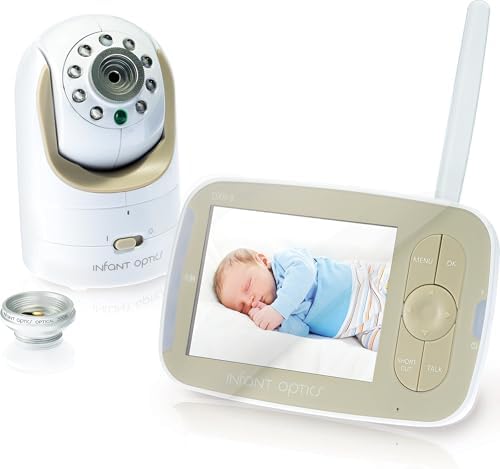
Infant Optics DXR-8 480p Video Baby Monitor, Non-WiFi Hack-Proof FHSS Connection, Interchangeable Lenses, Pan Tilt Zoom, LED Sound Bar, Night Vision, and Two-Way Talk.
A non-WiFi monitor with an FHSS connection, interchangeable lenses, pan tilt zoom, an LED sound bar, night vision, and two-way talk. The 480p resolution is lower than the Wi-Fi models here, but nothing depends on your router.
Visit on Amazon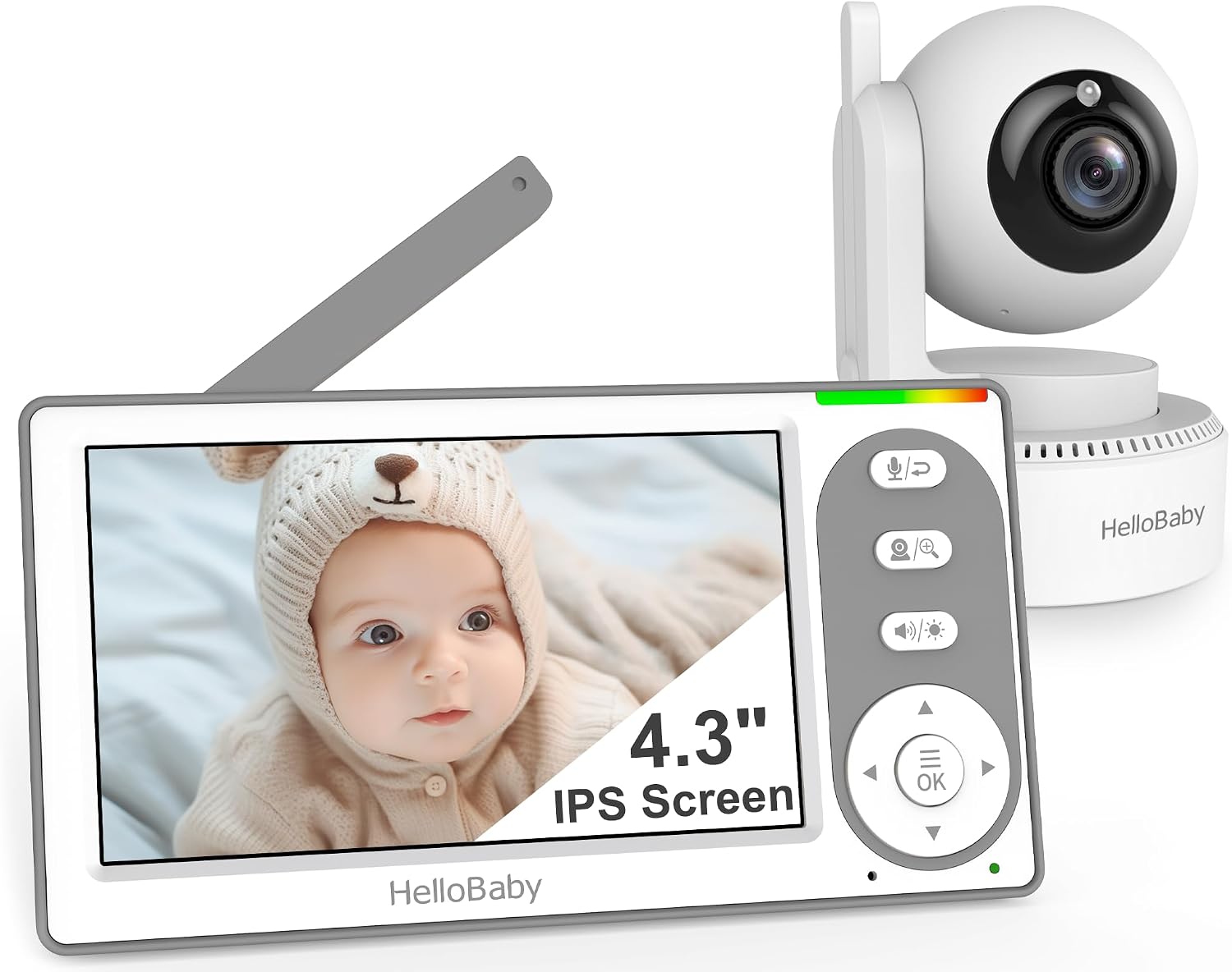
HelloBaby 4.3'' Video Baby Monitor No WiFi, 30 Hours Battery
A no-WiFi video monitor with a 4.3 inch parent screen and a stated 30 hours of battery life. It is the simplest way to get video and sound into a room without adding the monitor to your network.
Visit on Amazon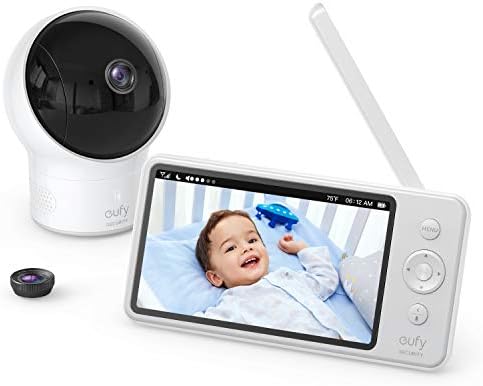
eufy Security Video Baby Monitor 720P
Check current Amazon price
A 720p video baby monitor that sits between the 480p cameras and the 1080p Wi-Fi models in resolution. A reasonable middle step if you want sharper video than a basic unit provides.
Visit on Amazon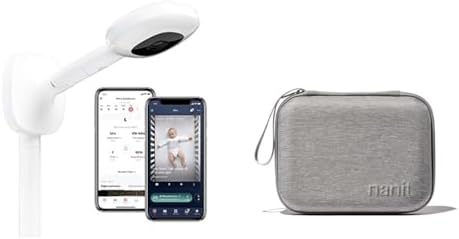
Nanit Pro Smart Baby Monitor & Wall Mount, 1080p Secure Wi-Fi Video Camera & Travel Case, Protective Hard Shell Carrying Case Pro Baby Monitor
Check current Amazon price
A 1080p Wi-Fi camera that ships with a wall mount and a hard shell travel case. This is the pick for parents who want app-based viewing and a mounted, out-of-reach camera position.
Visit on Amazon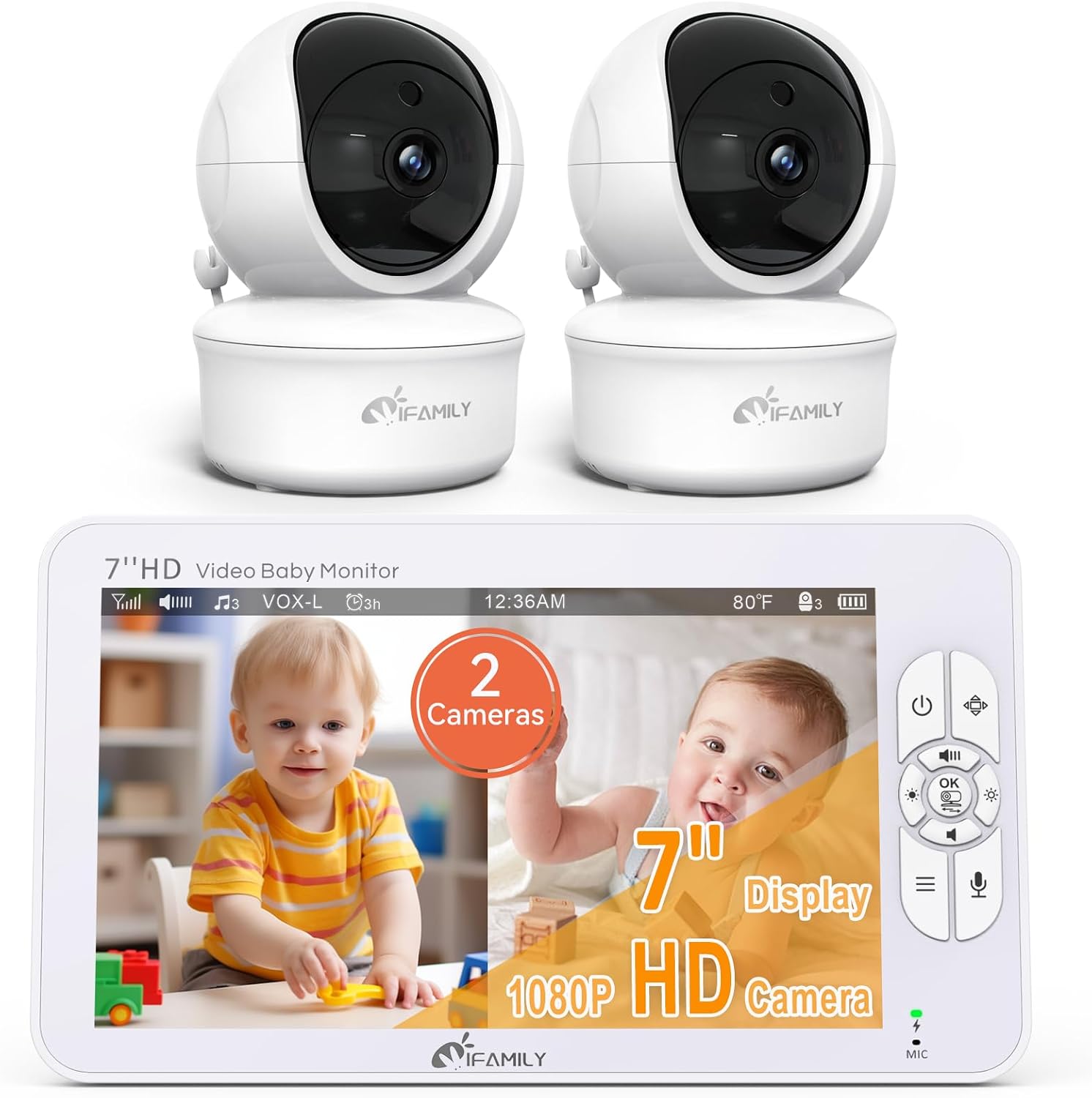
iFamily 7" Large Split Baby Monitor with 2 HD Cameras and Audio
A 7 inch split-screen monitor that includes two HD cameras and audio. Built for households that need to watch two rooms, or two children, from a single parent unit.
Visit on Amazon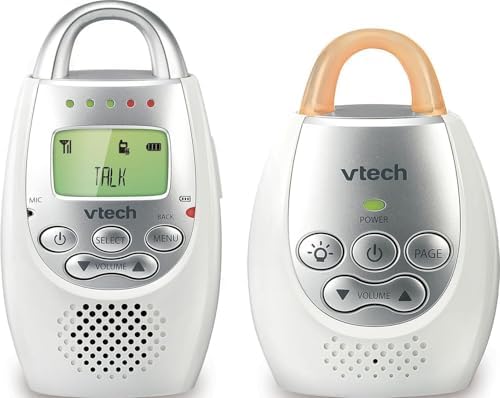
VTech Communications DM221 Audio Baby Monitor with up to 1,000 ft of Range, Vibrating Sound-Alert, Talk Back Intercom & Night Light Loop, White/Silver
An audio-only monitor with a stated range of up to 1,000 feet, a vibrating sound alert, talk back intercom, and a night light loop. No screen, no video, no app.
Visit on AmazonPrices and availability may change. Check the retailer for current details.
How these products were compared
This guide compares connection type, night vision capability, parent unit hardware, camera flexibility, and what is included in the box. Product names, images, and retailer links are matched by product identifier so that every card points to the product shown.
Nothing here is presented as hands-on laboratory testing. The distinctions below come from the manufacturer specifications and the practical differences those specifications create in a real house at 3 a.m. That is also why this guide does not print prices: they move constantly, and a number copied into an article is stale within a week. Use the link on each card to confirm the current price and availability.
How to choose the right baby monitor
Start with the connection, because it decides everything else. A local RF monitor, like the Infant Optics DXR-8 or the HelloBaby, links the camera directly to a dedicated parent unit over radio frequency. There is no app, no account, no router, and no buffering. A Wi-Fi monitor, like the Nanit Pro, sends the video to your home network so you can open it on a phone from anywhere, including the backyard or the office. The trade is straightforward: Wi-Fi gives you remote viewing and app features, and it also gives you whatever your router decides to do at 2 a.m. Local RF gives you a device that always works and always stays in the house.
Then look hard at the parent unit, because that is the product you actually use. A monitor with a great camera and a parent unit that dies by midnight is a failed device. Screen size matters more than you expect: the HelloBaby's 4.3 inch display and the iFamily's 7 inch split screen live on opposite ends of that spectrum, and a 7 inch screen showing two rooms is a different experience than a 4.3 inch screen showing one. If you want the full breakdown of how range and infrared illumination behave in practice, the guide to monitor range and night vision goes deeper on both.
Confirm night vision on the exact model you are buying. This is the feature that separates a monitor from a radio. A camera that only performs in daylight is not useful during the hours you need it most, and night vision is not universal across a product line, so check the specific listing rather than the brand name. Resolution matters less than you think, but it is not irrelevant: 480p, 720p, and 1080p are the three tiers represented here, and the difference is most visible when you are trying to read a facial expression rather than confirm that a baby is present.
Think about field of view and camera movement. A fixed camera pointed at a crib from the wrong angle can leave one end of the mattress out of frame. Pan tilt zoom, as on the Infant Optics DXR-8, lets you reframe from the parent unit without climbing on furniture, and interchangeable lenses let you change how much of the room the camera takes in. If you have ever watched a monitor where the baby's head sits right at the edge of the picture, you understand why this matters.
Decide how many cameras you need. One camera is enough for one nursery. The iFamily setup ships with two HD cameras and a split screen, which is the cleaner answer for two children in two rooms than running two separate monitors and keeping two parent units charged.
Check what is in the box. The Nanit Pro includes a wall mount and a protective hard shell travel case, which changes the installation and the packing list when you travel. Other monitors may need a mount purchased separately, so read the included items before you assume the setup is complete.
Infant Optics DXR-8 480p Video Baby Monitor
The DXR-8 earns the top spot on the strength of its connection and its camera. It uses a non-WiFi FHSS link between camera and parent unit, which keeps the whole system off your home network and independent of your internet service. It includes interchangeable lenses, pan tilt zoom, an LED sound bar that gives you a visual volume cue across the room, night vision, and two-way talk so you can speak back without walking down the hall.
The trade-off is resolution. At 480p, this camera produces a softer image than the 720p eufy and the 1080p Nanit Pro, and if your priority is a crisp, detailed picture on a large screen, one of those will suit you better. The second trade-off is remote access: because the connection is local, you cannot check the feed from outside the house. For most parents, that is a feature rather than a limitation, since it also means there is no account to manage and no service to keep paying for.
Alternatives to consider
The HelloBaby 4.3'' Video Baby Monitor No WiFi is better suited to buyers who want a dedicated no-WiFi video monitor with a long stated battery life of 30 hours, which covers multiple nights of overnight use between charges. The eufy Security Video Baby Monitor 720P is a stronger fit when you want sharper video than a 480p camera without moving up to a 1080p Wi-Fi system.
The Nanit Pro Smart Baby Monitor, the iFamily 7" Large Split Baby Monitor, and the VTech Communications DM221 cover three different jobs. The Nanit Pro is the Wi-Fi and app route, with 1080p video, a wall mount, and a travel case for portability. The iFamily unit is the multi-room answer, pairing a 7 inch split screen with two HD cameras. The VTech DM221 drops video entirely and delivers audio with up to 1,000 feet of stated range, a vibrating sound alert, a talk back intercom, and a night light loop, which is a genuinely reasonable choice for a second room or a toddler who just needs to be heard.
Day-to-day use and maintenance
Set the monitor up before the baby arrives, not the night you bring them home. Mount or place the camera so the crib is fully in frame, and keep the camera and every cable well out of reach of the crib. Safe sleep guidance consistently warns about cords near a sleep space, and the working rule most parents use is to keep monitor cords at least 3 feet away from the crib and any place a child can grab.
Charge the parent unit every night, the same way you charge your phone. Battery performance fades over years of nightly cycling, so a unit that ran all night when new may not by the time a second child arrives, which is one more reason to favor a monitor with a clear battery indicator. For Wi-Fi models, install firmware updates when they appear, since they often address connection stability. Clean camera lenses and parent unit screens with a dry, soft cloth rather than sprays, and check the manufacturer's care instructions for anything beyond that.
If you travel, the hard shell case included with the Nanit Pro protects the camera in a bag, and the local RF monitors travel just as easily because they need no network setup at the destination. Either way, test the connection in the new room before bedtime rather than after.
Buying checklist
- Measure the distance from the nursery to the rooms where you actually spend the evening, including the kitchen and the laundry room.
- Choose local RF or Wi-Fi based on your normal routine, not on an occasional edge case like checking the feed from work.
- Confirm that the exact model you are buying includes night vision, and check whether the parent unit has a screen or is audio only.
- Decide how many cameras you need before you buy, since a two-camera split-screen setup costs less than two separate monitors.
- Read the cleaning and maintenance instructions, and confirm what accessories ship in the box.
- Verify the current retailer price, availability, and return terms through the product link.
Final recommendation
Choose the Infant Optics DXR-8 480p Video Baby Monitor when you want a dependable local RF system with interchangeable lenses, pan tilt zoom, night vision, and two-way talk, and you are comfortable trading 1080p resolution and remote app access for a monitor that never depends on your router. Choose the HelloBaby 4.3'' Video Baby Monitor No WiFi when you want a no-WiFi video monitor with a long stated battery life at the simplest end of the category, and choose the Nanit Pro Smart Baby Monitor & Wall Mount when app-based viewing, 1080p video, and a wall-mounted installation are what you are actually after.