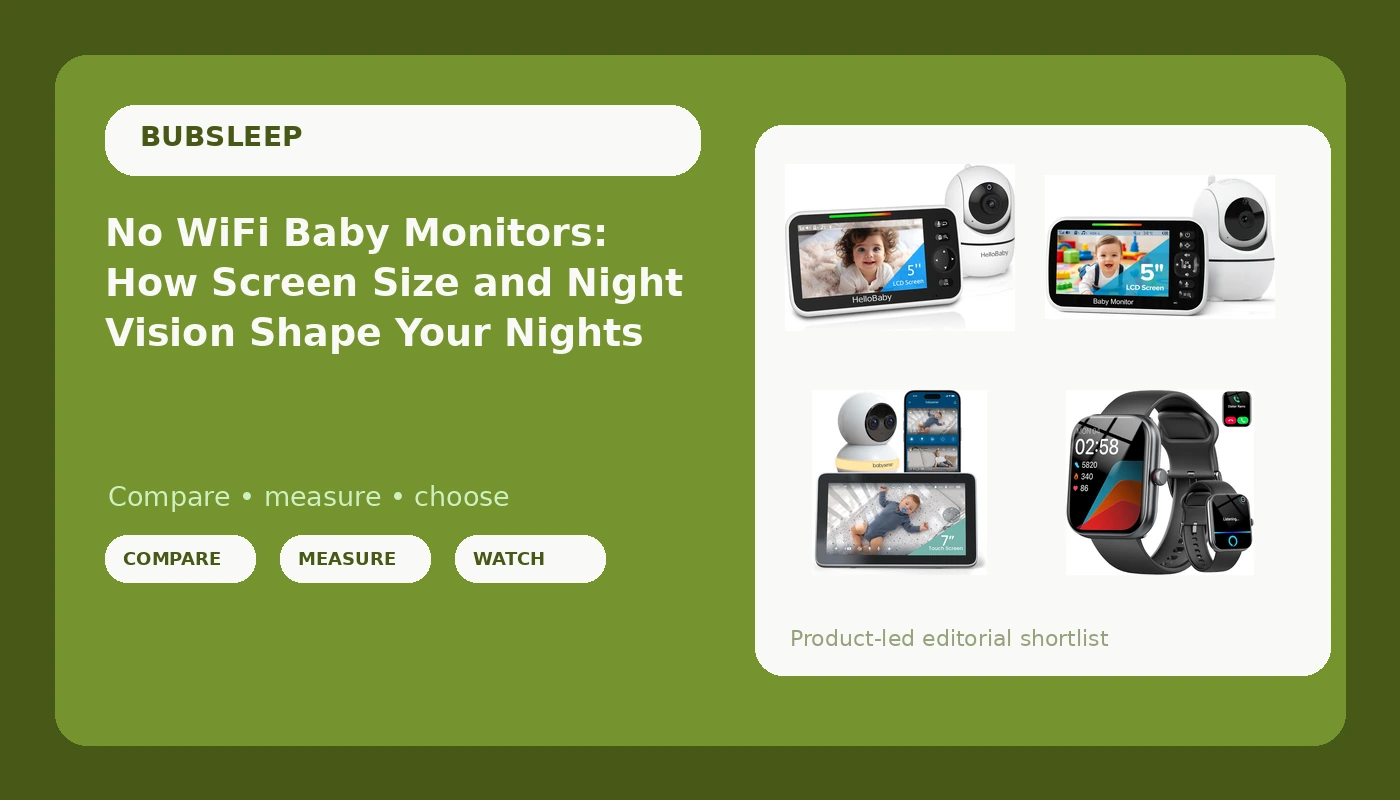
If you have spent an evening comparing baby monitors, you already know that the spec sheets look nearly identical while the prices do not. A no WiFi baby monitor sits at the center of that confusion. It skips the app, the cloud account, and the router entirely, and puts the whole experience into one handheld screen. Whether that counts as a downgrade or the simplest thing you can buy comes down to three things you can evaluate before you order: how the picture looks in the dark, how far the signal actually reaches, and whether the parent unit is pleasant to hold at 3 a.m. when you are half awake.
That is what this guide is for. Below are four options that cover the realistic range of nights: two no WiFi monitors with their own screens, one WiFi camera with a touchscreen parent unit and a phone app, and one wrist device that belongs to the adult side of the night shift rather than the crib.
Related: No WiFi vs WiFi Baby Monitors: Which One Survives a Router Outage →
Quick answer
For most nurseries, a no WiFi baby monitor with its own dedicated parent unit is the easiest setup to live with. There is nothing to pair, nothing to log into, and nothing to reload when the router restarts. Choose a WiFi monitor when you specifically want a phone app, remote viewing, a split-screen layout, or a night light, and accept that your home network is now part of the product. A smartwatch does not replace a baby monitor; it is a convenience for the parent who wants alerts on a wrist while their hands are full.
Four useful options
| Model | Best fit | What stands out |
|---|---|---|
| HelloBaby No WiFi Baby Monitor HB6550, 5" Video Screen | A dedicated screen with no app and no account | 5 inch parent screen with a no WiFi design |
| GoodBaby 5" Baby Monitor with Camera and Audio No WiFi | A first monitor or a second room on a tight budget | Simple camera and audio kit that stays off your network |
| Babysense Touch 7" Touchscreen Smart WiFi Baby Monitor | App viewing, split screen, and a night light | 7 inch touchscreen, 4MP dual-lens, 6X zoom, no subscription |
| Smart Watch with Alexa Built-in, 1.91" HD Fitness Tracker | The parent, not the crib | Alexa built in, Bluetooth calls, heart rate, SpO2, and sleep tracking |
The everyday pick: HelloBaby HB6550
The trade-off with this kind of monitor is access. You get one parent unit, and if you want to check on your baby from the office or from a dinner out, you cannot, because there is no app and no remote feed. You also give up cloud clips, app updates, and the ability to hand a login to a grandparent. What you get instead is a device that behaves the same on night one and night three hundred, with a screen you can keep on the nightstand. Range will depend on the walls and floors in your home, so test it in the rooms you actually use before you commit to a spot for the camera.
The lowest-cost entry: GoodBaby 5 inch monitor
Where this option earns its place is in the rooms that do not need a flagship: the toddler's room after you have already bought a main monitor, the grandparents' spare room, or a first apartment where the budget is genuinely tight. The compromise is in the extras rather than the core. You are not buying remote viewing, app notifications, or a smart assistant here, and you should not expect the polish of a device that costs several times more. If your only requirement is a screen that shows the crib and a speaker that carries the sound, this covers it.
The WiFi and app option: Babysense Touch 7
The honest caveat with any WiFi monitor is that your router is now a component of the product. If the network drops at 2 a.m., so does the app feed, which is why a parent unit that also works locally matters. The zoom, auto tracking, and focus area features are genuinely useful once your baby starts moving around the crib, and the night light is one less thing to plug in. Plan on placing the camera somewhere with a reliable signal rather than the most convenient corner, and decide in advance whether you want phone notifications on all night or only on the parent unit.
Prices and availability may change. Confirm current details, included accessories, and warranty terms on the retailer listing before you buy.
The parent-side extra: the smartwatch
It earns a spot on this list because the night shift is a physical job, and the person doing it is usually the one tracking their own sleep, steps, and heart rate while also trying to keep a schedule straight. Think of it as a supplement to a monitor, never a substitute. Nothing on your wrist can see a crib in the dark, and consumer wearables are not a medical safeguard for an infant. Pediatric guidance has long held that home monitoring devices are not a proven way to prevent SIDS, so treat every product here as a way to see and hear your baby clearly, and keep following safe sleep basics separately.
Why no WiFi is a different product, not a downgraded one
A no WiFi monitor uses a direct radio link between the camera and the parent unit. That single design choice cascades into everything else. There is no account to create, no app to update, no subscription to renew, and no router in the signal path, which is why these units tend to behave identically whether your internet is fast, slow, or out. The screen is the product. Its size, brightness, speaker quality, and battery life decide whether you keep it beside you or leave it on a shelf.
The cost of that simplicity is reach and flexibility. Local monitors cannot stream to a phone, so you cannot peek at the nursery from another city, and you cannot add a second viewer without a second parent unit. A WiFi monitor flips those trade-offs: you get remote viewing, app notifications, and features like split screen, night light control, and cloud or local recording options, but the feed depends on your home network staying up. Neither approach is universally better. They solve different problems, and the right answer is usually the one that matches where you actually are at night.
What actually decides your 2 a.m. view
- Judge the dark-room picture, not the daylight demo. Night vision quality is the whole point of a monitor. Look at how the image reads in a fully dark room, because that is the version you will be looking at most.
- Measure the distance from the crib to where you sit at night. A monitor that works beautifully in the hallway can behave differently in the kitchen, especially through a load-bearing wall.
- Count the walls and floors between the camera and the parent unit. Range claims are usually quoted for open space, and your house has obstacles.
- Decide whether you need remote viewing from outside the house. If yes, you want the WiFi model. If no, you can skip the whole category of network troubleshooting.
- Decide who else needs access. A second parent unit is a hardware purchase; app access is a login. Pick the one that matches how your household actually shares the night shift.
Setting up so the first night goes smoothly
- Put the camera high enough to see the whole crib and the floor around it, not just the mattress.
- Keep every cord at least three feet away from the crib, and route cables behind furniture or inside a wall-mounted channel.
- Charge the parent unit where you actually sit for night feeds, not where the outlet is easiest.
- Test the signal at the farthest point in your home before the first night, not during it.
- Set volume, brightness, and any sound or vibration alerts before bedtime, so you are not fumbling with menus in the dark.
Which option should you choose?
Choose the HelloBaby No WiFi Baby Monitor Camera and Audio HB6550, 5" Video Screen when you want one dedicated screen, no app, and no account, and you do not need to check in from outside the house. Choose the GoodBaby 5" Baby Monitor with Camera and Audio No WiFi when you need a simple second monitor for a toddler's room, a grandparent's house, or a first apartment where the budget matters more than the extras. Choose the Babysense Touch 7" Touchscreen Smart WiFi Baby Monitor with App, Camera and Audio, Night Light, 4MP Dual-Lens with 6X Zoom, AI Auto Tracking, Focus Area, Split-Screen, VOX/ECO Mode, No Subscription when you want a phone app, a large touchscreen, zoom, and a night light in one package and you are comfortable depending on your home network. Add the Smart Watch for Women Men, Alexa Built-in, Smartwatch for iPhone & Android Bluetooth Call, 1.91" HD Fitness Tracker with Heart Rate/SpO2/Sleep Monitor, IP68 Waterproof, Fitness Watch 100+ Sports Modes only as a parent-side companion, never as the monitor itself.
A caveat worth stating plainly: none of these devices is a medical device, and none of them prevents SIDS. Their job is to let you see and hear your baby clearly so you can respond. Whatever you buy, the setup matters as much as the hardware, and a well-placed budget monitor will serve you better than a feature-packed one aimed at a wall.
The bottom line
For most families, a no WiFi baby monitor with a dedicated parent unit is the calmest choice, because it removes the router, the app, and the subscription from your middle-of-the-night routine. The HelloBaby HB6550 covers that ground with a 5 inch screen and no account to manage, while the GoodBaby kit does the same job at the lowest cost for a second room. If you want a phone app, a 7 inch touchscreen, zoom, and a night light without a subscription, the Babysense Touch 7 is the option built for that. The smartwatch is a nice extra for the adult on shift, but it stays an extra. Whatever you pick, test the signal, check the dark-room picture, and keep the crib clear of cords.