Every baby monitor question collapses into the same 2 a.m. moment. You are standing in the kitchen, the baby is down the hall, and you need to know whether that shape in the crib is a foot or a bunched blanket. A no WiFi baby monitor and a Wi-Fi camera can both answer that question, but they answer it in different ways, and the difference shows up exactly when you are too tired to troubleshoot anything.
This explainer walks through the four items in this roundup, including one that is not a baby monitor at all, and breaks down how night vision, range, the parent unit, and your home network decide whether a setup actually works in a real house. None of it requires you to become a networking person at 3 a.m.
Related: Baby Monitor Night Vision Explained: What Infrared Actually Shows →
Quick answer
The deciding question is where you want the picture to live. A local RF monitor sends video straight from the camera to a dedicated parent unit over its own radio link, so it keeps working when the internet does not. A Wi-Fi monitor streams to an app on your phone, which adds remote viewing but depends on your router, your bandwidth, and your phone staying charged. If you want a dedicated screen and no network dependency, the eufy E21 is built around that idea. If you want phone-based viewing with a wall mount included, the Nanit fills that role. If you want the simplest low-cost version of a dedicated screen, the no-Wi-Fi 5 inch video monitor covers the basics.
4 useful options
| Model | Best fit | What stands out |
|---|---|---|
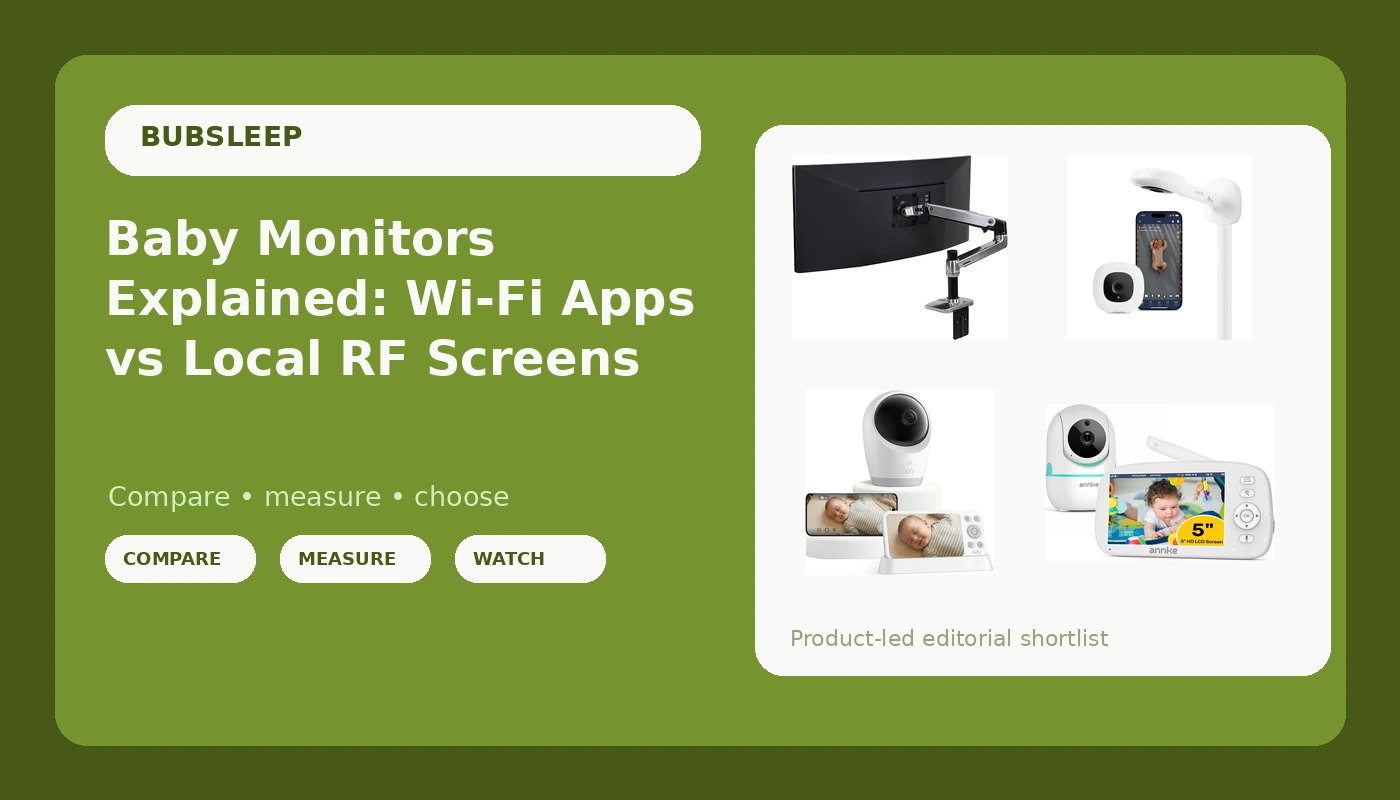
| eufy Baby Monitor E21, 4K UHD Camera, 5" 720p Screen, No Wi-Fi | Households that want a dedicated screen and no router dependency | 4K UHD camera paired with a dedicated 5 inch screen, no Wi-Fi required |
| Nanit Smart Baby Video Monitor - Camera & Wall Mount - 1080p Wi-Fi Camera | Parents who want phone-based viewing and a wall-mounted camera | 1080p Wi-Fi camera with a wall mount included |
| Video Baby Monitor with Camera and Audio, No WiFi, 5" HD Display | A low-cost dedicated screen setup | 5 inch HD display with camera and audio in one package |
| Ergotron LX Monitor Arm | A desk or nursery workstation, not a baby camera | Holds flat or curved monitors up to 34 inches and 7 to 25 lbs, VESA 75x75 or 100x100 |
The dedicated no-Wi-Fi option: eufy Baby Monitor E21, 4K UHD Camera, 5" 720p Screen, No Wi-Fi
The useful thing here is the separation of camera resolution from screen resolution. The camera captures 4K, but the parent unit displays at 720p, so the detail you actually see is limited by the screen in your hand, not by the sensor in the nursery. That is not a flaw, it is how most dedicated monitors work, and it is worth understanding before you compare spec sheets across brands.
The bigger trade-off is reach versus independence. Because there is no Wi-Fi step, there is nothing to buffer and no router to reboot. The flip side is that you cannot check the feed from outside the house, and you cannot pull up a clip on your phone at work. If your monitoring happens entirely inside your home, that trade is usually a good one.
The Wi-Fi and app option: Nanit Smart Baby Video Monitor - Camera & Wall Mount - 1080p Wi-Fi Camera
Wi-Fi monitoring is a genuine upgrade in one specific way: the picture follows you. You can watch from the backyard, from a work call in the next room, or from a hotel on a business trip, as long as the camera has power and the network is up.
The trade is dependency. Your router becomes part of the baby monitor, which means a firmware update, a power blink, or an overloaded 2.4 GHz band can interrupt the feed. Some Wi-Fi monitors also sell sleep insights, video history, or extended clip storage as a separate subscription, so it is worth reading the listing to see which features are included and which are ongoing costs. Wall mounting is a real advantage for crib visibility, but it also means committing to a spot and managing the cable.
The budget local option: Video Baby Monitor with Camera and Audio, No WiFi, 5" HD Display
This is the category at its most basic, and basic is not an insult. A camera, a radio link, and a screen that lives on your nightstand covers the core job for most families: seeing and hearing a sleeping baby without touching your phone.
Where it lands in a real house depends on details you cannot judge from a product name. The parent unit battery, the actual distance the link holds through walls, and the low-light image are what decide whether it earns its spot on the nightstand. Those are exactly the things worth confirming in the listing and in the return policy before you commit. If you want a dedicated screen at the lowest entry point, this is the role it fills.
Not a baby monitor: Ergotron LX Monitor Arm
The word "monitor" is doing two completely different jobs in this roundup, and it is worth being blunt about it. This arm has no camera, no night vision, no audio, and no radio link to a parent unit. It cannot watch a baby.
What it can do is clean up a desk. If you are setting up a nursery corner for night-shift work, a pumping station with a laptop, or a homework desk for an older kid, an arm that holds a 34 inch display at eye level frees the surface underneath. Baby monitor cameras are generally not built for VESA mounting, so do not buy this expecting to hang an E21 or a Nanit on it. It is here because it appeared in the same shopping list, and calling it a baby monitor would be wrong.
Prices and availability may change. Product images, names, and retailer links are matched to verified listings. No current price, rating, stock status, or measured result is stated here without current evidence.
How night vision actually works
Night vision is not a mode you can evaluate in daylight. It is an infrared system: the camera surrounds its lens with infrared LEDs, floods the crib with light your eye cannot see, and the sensor records that reflected light as a black and white image. The nursery looks pitch black to you while the camera sees a grayscale version of the room.
Two details matter. First, infrared wavelength: 940nm emitters are effectively invisible, while 850nm emitters can show a faint red glow on the camera face. Neither affects image quality on its own. Second, infrared reach: LEDs have a limited throw, so a camera mounted high and far from the crib may produce a dim, noisy image even though the same camera looks fine at close range.
The practical test is simple and unforgiving. Turn off every light, close the blinds, wait for full dark, and look at the parent unit or the app. Then look at what you actually need to see: the rise and fall of a chest, the position of a head, the edge of a blanket. If you cannot distinguish those in real darkness, the monitor is a radio with a screen, not a video monitor. A bright nightlight can also wash out an infrared image, so check with the room set up the way you will actually use it.
Local RF versus Wi-Fi: what actually changes
A local RF monitor creates a direct radio link between one camera and one parent unit. Nothing else is in the chain. There is no router, no cloud account, no app update, and no bandwidth shared with streaming video or video calls. That is why these units tend to come on instantly and stay on. The limits are equally clear: the link has a physical range, walls and floors reduce it, and you generally cannot view the feed outside the home network because there is no network.
A Wi-Fi monitor routes video through your home network to an app. That buys remote viewing, easier clip sharing, and often extra software features. It also means every failure point in your network becomes a failure point in your baby monitor. Congested 2.4 GHz bands, a router reboot, a weak signal at the far end of the house, or a phone that died overnight can all interrupt the feed.
Neither approach is universally better. The right question is which failure mode you would rather troubleshoot at 2 a.m.: a monitor that never reaches the far corner of your house, or a monitor that goes dark when the internet does.
- Decide where the picture should live: a dedicated parent unit on the nightstand, or an app on your phone.
- Measure the real distance from the crib to the places you actually spend time, including the kitchen, the laundry room, and the backyard.
- Test night vision in full dark with the room set up the way you will use it, nightlight included.
- Check the parent unit battery situation and how it charges, since a dead handheld screen is the same as no monitor.
- Confirm what happens when the internet drops, and read the listing to see which features are included and which require a subscription.
Practical guidance for the first year
- Keep camera cords and power cables at least three feet away from the crib, and secure any slack so it cannot be pulled into the sleep space.
- Angle the camera so the whole crib is in frame rather than just the baby's face, since position changes matter more than facial detail.
- Mount the camera on a wall or a stable shelf rather than a crib rail, where a curious toddler can reach it.
- Run a kitchen test before the baby arrives: stand where you will actually stand at 2 a.m. and check the image and the audio.
- Charge the parent unit on a daily routine, ideally somewhere you will see it, so it does not die mid-night.
- Do not rely on cry detection as your primary alert. It is a notification layer on top of a monitor, not a replacement for hearing your baby.
Which option should you choose?
Choose the eufy Baby Monitor E21 when you want a dedicated screen, no Wi-Fi dependency, and a camera that captures more detail than the 5 inch screen can display. Choose the Nanit Smart Baby Video Monitor when you want the feed on your phone, remote viewing, and a wall mount included in the box. Choose the Video Baby Monitor with Camera and Audio, No WiFi, 5" HD Display when a straightforward dedicated screen at the lowest entry point is the priority. Choose the Ergotron LX Monitor Arm when what you are actually furnishing is a desk, not a nursery camera.
A caveat worth repeating: the details that decide whether any of these works in your house, including real-world range through your walls, parent unit battery life, and low-light performance, are not visible in a product name. Verify them in the current listing and use the return window as your test period.
The bottom line
The split between a local RF monitor and a Wi-Fi monitor is really a split between independence and reach. A dedicated-screen setup like the eufy E21 or the no-Wi-Fi 5 inch model keeps the video inside your own house, where nothing depends on your router, but it also keeps the video inside your own house. A Wi-Fi camera like the Nanit puts the feed on your phone and lets you look in from anywhere, at the cost of adding your network to the chain of things that must work at 3 a.m. The Ergotron arm belongs to a different category entirely and should not be confused with a baby camera. Pick the failure mode you can live with, verify the night vision in full dark, and let the parent unit decide the rest.